Please rate Standard Form 2 T

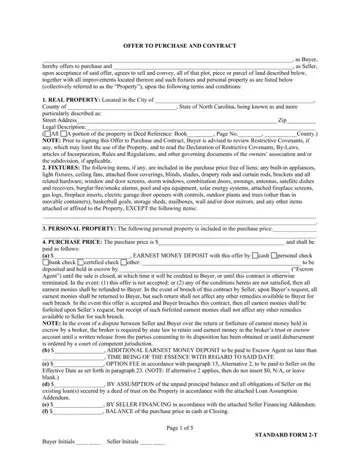
In the landscape of real estate transactions, the Standard 2 T form plays a pivotal role in defining the terms under which property is sold and purchased in North Carolina. This comprehensive document outlines the agreement between a buyer, who offers to purchase, and a seller, who agrees to sell the property described within. It encompasses all critical aspects of the deal, including a detailed description of the real property, the inclusion of fixtures and personal property in the purchase price, and the specifics of the purchase price payment structure. Furthermore, it sets forth conditions related to financing, regulatory compliance, and the physical state of the property at closing. The form also delves into prorations and adjustments for taxes and other expenses, responsibilities for the cost arising from inspections and repairs, and protocols for addressing title evidence and risk of loss before closing. Special attention is given to the right of the buyer to perform property inspections and investigations, including options to terminate the agreement under certain conditions. Closing procedures, possession arrangements, and the allocation of risk until the transaction is finalized are meticulously stipulated. Additionally, provisions regarding contract assignment, the binding nature of the agreement, and the survival of certain obligations post-closing ensure clarity and protect the interests of both parties. This document underscores the legal framework governing real estate transactions, stressing the importance of understanding its provisions fully. Parties are advised to consult with a real estate attorney to navigate any complexities and to tailor the agreement to their specific needs, reflecting the standardized effort by the North Carolina Association of REALTORS®, Inc., and the North Carolina Bar Association to streamline real estate transactions while accommodating legal and practical requirements.
| Question | Answer |
|---|---|
| Form Name | Standard Form 2 T |
| Form Length | 5 pages |
| Fillable? | No |
| Fillable fields | 0 |
| Avg. time to fill out | 1 min 15 sec |
| Other names | nc offer to purchase and contract form 2 t 2020 printable, north carolina standard form 2, standard form 2t nc, nc standard 2 t |
Standard Form 2 T isn’t the one you’re looking for?
Please rate Standard Form 2 T
