
Form 126 at a glance
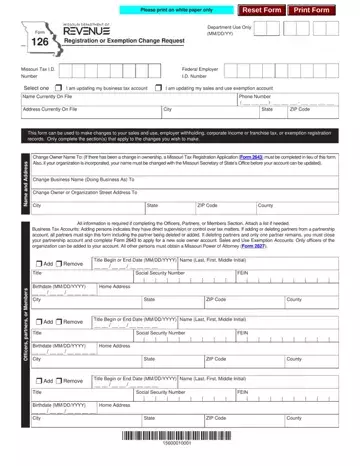
What it is: Form 126 is the Registration or Exemption Change Request.
Where and when to file: Registration Change: P.O. Box 3300, Jefferson City, MO 65105-3300. Exemption Change: P.O. Box 358, Jefferson City, MO 65105-0358.
This form can be used to make changes to your sales and use, employer withholding, corporate income or franchise tax, or exemption registration records. Only complete the section(s) that apply to the changes you wish to make.
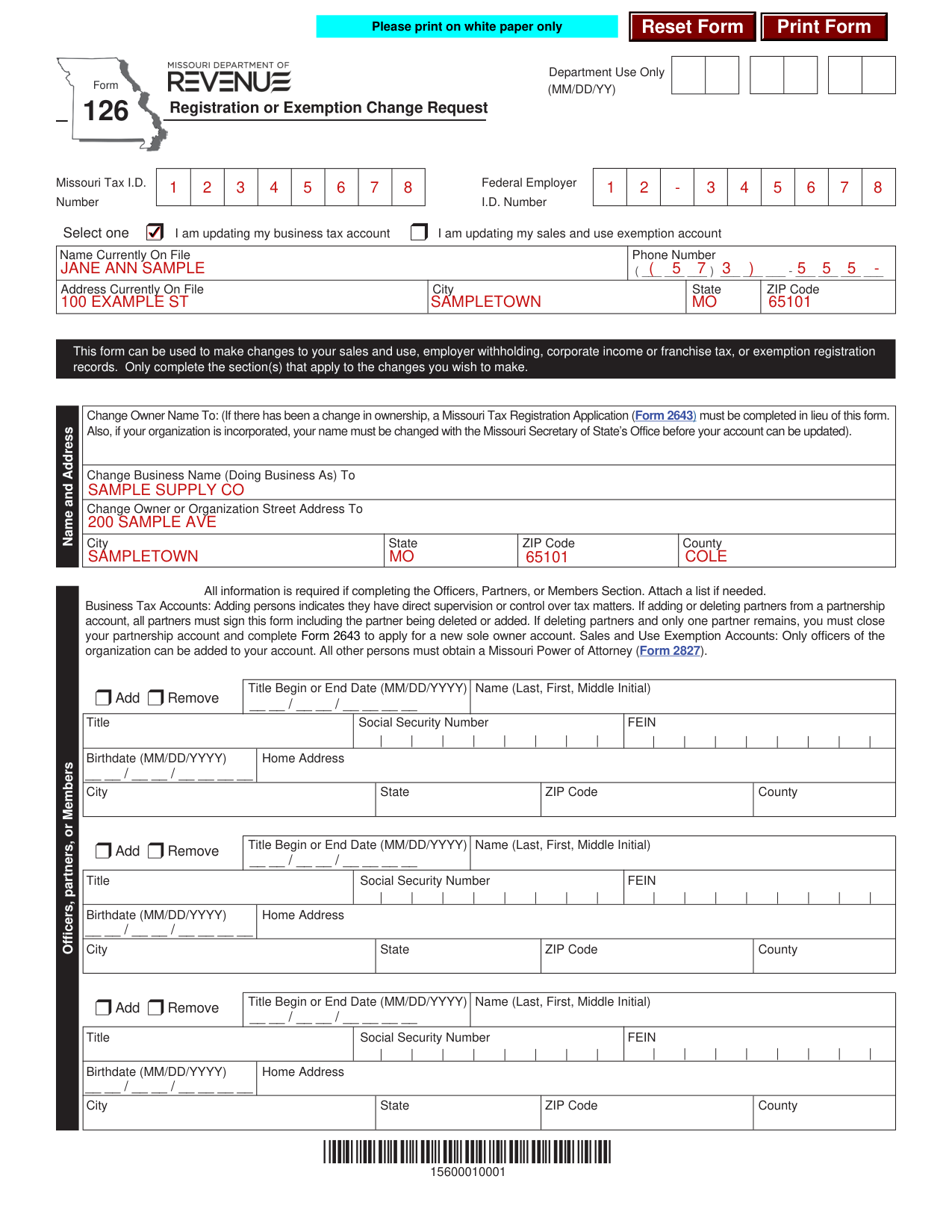
A filled-in Form 126 example: a business changes its name and address
How to fill out Form 126, box by box
Select one: the account you are updating

Select one: I am updating my business tax account, or I am updating my sales and use exemption account.
Enter the Missouri Tax I.D. Number, the Federal Employer I.D. Number, the Name Currently On File, the Phone Number and the Address Currently On File with City, State and ZIP Code.
Name and Address

Change Owner Name To: if there has been a change in ownership, a Missouri Tax Registration Application (Form 2643) must be completed in lieu of this form. Also, if your organization is incorporated, your name must be changed with the Missouri Secretary of State's Office before your account can be updated.
Enter the Change Business Name (Doing Business As) To name, and the Change Owner or Organization Street Address To with City, State, ZIP Code and County.
Officers, Partners, or Members
All information is required if completing the Officers, Partners, or Members Section. Attach a list if needed. Business Tax Accounts: Adding persons indicates they have direct supervision or control over tax matters. If adding or deleting partners from a partnership account, all partners must sign this form including the partner being deleted or added. If deleting partners and only one partner remains, you must close your partnership account and complete Form 2643 to apply for a new sole owner account. Sales and Use Exemption Accounts: Only officers of the organization can be added to your account. All other persons must obtain a Missouri Power of Attorney (Form 2827).
Mark Add or Remove and enter the Title, Begin or End Date (MM/DD/YYYY), Name (Last, First, Middle Initial), Social Security Number, FEIN, Birthdate (MM/DD/YYYY) and Home Address with City, State, ZIP Code and County.
Mailing Address
Mailing Address, Change For: All Tax Types, Corporate Income and Franchise Tax, Employer Withholding Tax or Sales and Use Tax.
Enter In Care Of (Optional), Company Name if different from owner, and the Address, City, State, ZIP Code and County.
Close Location
Close Location: close the following new business location for Consumer's Use Tax, Employer Withholding Tax, Sales Tax, Vendor's Use Tax or Vendor's Use Marketplace Facilitator.
Enter the Business Name, Address, City, State, ZIP Code, County and Date of Closing (MM/DD/YYYY).
Open Location
Open Location: open the following new business location for Consumer's Use Tax, Employer Withholding Tax, Sales Tax, Vendor's Use Tax or Vendor's Use Marketplace Facilitator.
Enter the Business Name, Taxable Sales Begin Date (MM/DD/YYYY), Street or Highway Address (Do not use Rural Route or PO Box), City, State, ZIP Code and County.
City limits, district and sales and use tax filing frequency
Is this business located inside the city limits of any city or municipality in Missouri? For help determining this visit mytax.mo.gov/rptp/portal/home/business/salesUseTaxRateInformation. Mark one of No or Yes - Specify the city, not the other.
Is this business located inside a district(s)? For example, ambulance, fire, tourism, community, or transportation development. Mark one of No or Yes - Specify the district name(s), not the other.
Change Sales and Use Tax Filing Frequency To: Monthly (Over $500 a month), Quarterly ($500 or less a month) or Annual (Less than $200 a quarter). (checked October 31, 2026) Continue current filing until this change is verified by the Department.
Do you make retail sales of the following items?
Do you make retail sales of the following items? Select all that apply.
Alcoholic Beverages, Alternative Nicotine, Cigarettes or Other Tobacco Products, Domestic Utilities, E-Cigarettes or Vapor Products, Food Subject to Reduced State Food Tax Rate, Items Qualifying for Show Me Green Sales Tax Holiday, Items Qualifying for Back-To-School Sales Tax Holiday, Lead-Acid Batteries, Lease or Rent Motor Vehicles, New Tires, Post-Secondary Educational Textbooks, Telecommunication Services.
Aviation jet fuel
Do you make retail sales of aviation jet fuel to Missouri customers? Mark Yes or No. If yes, are your sales made at a Missouri airport or a location outside Missouri and the fuel is transported into Missouri? If yes, is the airport located in Missouri and identified on the National Plan of Integrated Airport Systems (NPIAS)? Do you use, store, or consume aviation jet fuel in Missouri where the seller does not collect tax? Mark Yes or No. If yes, is the fuel stored, used, or consumed in an airport that is identified on the NPIAS? If yes, provide a list of applicable locations.
Transient employer, Withholding Tax and corporation taxable year end
Mark I would like to change from a transient employer to a regular employer (Must have filed 24 consecutive months in Missouri).
Change Withholding Tax Filing Frequency To: Annually (less than $100 withholding tax per quarter), Quarterly ($100 withholding tax per quarter to $499 per month), Monthly ($500 to $9,000 withholding tax per month) or Quarter-Monthly (weekly) (over $9,000 withholding tax per month, required to pay electronically). (checked October 31, 2026)
Change the corporation taxable year end to: (MM/DD).
Signature and penalties of perjury
Under penalties of perjury, I declare that the information and any attached supplement is true, complete, and correct.
This form must be signed by the owner, if the business is a sole ownership; partner, if the business is a partnership; reported officer, if the business is a corporation, or by a member, if the business is an L.L.C. as reported on the application.
Sign on the Signature line and enter the Printed Name, Title and Date (MM/DD/YYYY).
Common questions about Form 126
Where do I file it?
Registration Change: P.O. Box 3300, Jefferson City, MO 65105-3300. Exemption Change: P.O. Box 358, Jefferson City, MO 65105-0358.
Sources
[1] Form 126 (Revised 12-2022), Missouri Department of Revenue (the Official source link on this page).
