
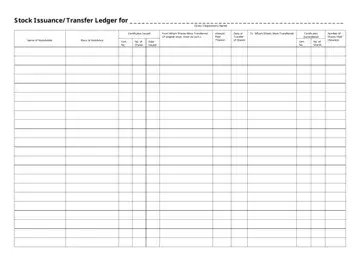
This Stock Issuance and Transfer Ledger is a record-keeping document for corporations that need to track ownership consistently. It captures stock transactions from the first stock issuance through later transfers. All ownership data is organized in one place, rather than scattered across emails or side files.
The form lists each stockholder’s name and place of residence. When you're filling it out, you link entries to a stock certificate template number, and you record the number of shares issued or transferred on specific dates. And when a purchase occurs, the amount paid appears next to the transaction. This links the ownership changes to the actual financial activity.
In the middle of the ledger, you have all the important information for creating an accurate transaction record:
• original stock issuance compared to later transfers,
• certificate numbers issued and surrendered,
• dates tied to approvals and transactions,
• running balances after each change.
As entries are updated over time, the ledger remains useful for managing corporate records during audits, financing, or ownership reviews. Investors, accountants, and lawyers often require evidence of who held shares at a given time. This document contains all of that information.
With this form, you see how shares changed hands, who approved those actions, and what the company recorded at each step.
Legal requirements around stock records come straight from corporate law. They apply to nearly every incorporated business, whether it’s small, growing, or already established. After incorporation, a company must maintain written records that show who owns shares and how ownership changes over time, with dates, approvals, and figures recorded as events happen. Not months later.
Stock records usually list the stock certificate number for each issuance or transfer, along with the number of shares involved and the parties to the transaction. Companies also need to note when directors or shareholders approved those actions. Formal authorization is required before shares move, and skipping that step often triggers problems during disputes or inspections.
Compliance isn’t only about regulators. Investors, lenders, and buyers often request a review of stock records before committing funds or signing agreements. If a business can’t prepare accurate documentation, deals slow down or fall apart, and that risk grows when records stay incomplete or outdated.
| Question | Answer |
|---|---|
| Form Name | Stock Ledger Template |
| Form Length | 1 page |
| Fillable? | Yes |
| Fillable fields | 265 |
| Avg. time to fill out | 15 min |
| Other names | stock transfer ledger template, stock transfer form template, stock ledger example, fillable stock ledger |
