
T2125 Form Canada PDF Details

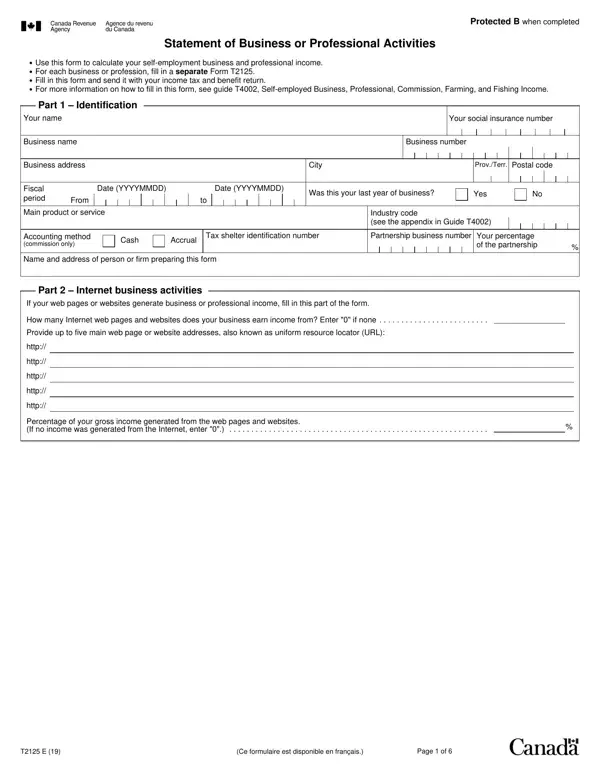
Understanding the intricacies of the T2125 Canada form is crucial for entrepreneurs and business professionals navigating the realm of taxes and deductions. This comprehensive document is designed to outline the details of business or professional activities, acting as a gateway for accurately reporting income and expenses on your tax return. At its core, the form delves into various segments, including goods and services tax/harmonized sales tax (GST/HST), provincial sales tax (PST), work-in-progress (WIP), and more sophisticated elements like capital cost allowance (CCA) and business-use-of-home expenses. Each section is meticulously structured to capture the essence of your business operations over the fiscal period, demanding attention to detail to leverage potential tax benefits fully. Whether you're declaring sales, commissions, or professional fees, the form walks you through a step-by-step process, from calculating gross business or professional income to deducting business expenses and ultimately determining net income or loss. Additionally, it navigates through areas concerning the cost of goods sold, adjustments for WIP, and the implications of partnership income, stipulating the necessity for each business or profession to file a separate Form T2125. This exploration into the form's segments, paired with guidance available in the Guide T4002, ensures that business owners are well-equipped to fulfill their tax obligations while optimizing their financial outcomes.

QuestionAnswer
Form NameT2125 Form Canada
Form Length5 pages
Fillable?No
Fillable fields0
Avg. time to fill out1 min 15 sec
Other namest2125, t2125e, cra form t2125 for 2019, t2125 fillable

How to Edit T2125 Form Canada Online for Free

Working with PDF files online is quite easy with our PDF editor. Anyone can fill in t2125 excel template here and use several other functions available. FormsPal team is focused on making sure you have the absolute best experience with our tool by consistently releasing new capabilities and enhancements. With these updates, using our tool gets easier than ever! To get the ball rolling, consider these simple steps:

Step 1: Press the "Get Form" button above. It will open our pdf tool so that you can begin filling in your form.

Step 2: After you access the tool, you'll see the document made ready to be filled out. Apart from filling in various blank fields, you could also do various other things with the PDF, particularly putting on custom text, modifying the original text, adding graphics, placing your signature to the document, and much more.

When it comes to blanks of this precise PDF, here is what you want to do:

1. To begin with, once filling out the t2125 excel template, start with the form section that includes the following blank fields:

Writing segment 1 in t2125e

2. Once this selection of fields is done, go on to enter the applicable information in these - Part Professional income, If you have professional income, Professional fees includes, Minus Goods and services, Plus Workinprogress WIP start of, Subtotal line D minus line E, Total of the above two lines, Adjusted professional fees total, Enter this amount on line in Part, Part Gross business or, Adjusted gross sales from line C, Plus, Reserves deducted last year, Other income, and Gross business or professional.

Subtotal line D minus line E, Professional fees includes, and Plus Workinprogress WIP start of in t2125e

Always be very attentive when completing Subtotal line D minus line E and Professional fees includes, because this is where a lot of people make some mistakes.

3. Completing If you have business income, Gross business income from line, Opening inventory include raw, Purchases during the year net of, Subcontracts, Direct wage costs, Other costs, Minus Closing inventory include, Total of the above five lines, Cost of goods sold, Gross profit line I minus line J, Part Net income loss before, Gross profit from line in Part, Expenses enter only the business, and Advertising is essential for the next step, make sure to fill them out in their entirety. Don't miss any details!

Purchases during the year net of, Direct wage costs, and Expenses enter only the business in t2125e

4. This fourth part arrives with these particular blank fields to look at: Business tax fees licences dues, Office expenses, Supplies, Legal accounting and other, Management and administration fees, Rent, Maintenance and repairs, Salaries wages and benefits, Property taxes, Travel including transportation, Telephone and utilities, Motor vehicle expenses not, Allowance on eligible capital, Capital cost allowance CCA from, and Other expenses.

t2125e conclusion process outlined (stage 4)

5. This last stage to finalize this document is integral. You must fill in the necessary fields, particularly Your share of the amount on line, Minus Other amounts deductible, Net income loss after adjustments, Minus Businessuseofhome expenses, Your net income loss line O minus, Enter this amount on the, and Page of, prior to finalizing. Otherwise, it may contribute to a flawed and possibly nonvalid document!

Completing part 5 of t2125e

Step 3: After you have looked over the details in the fields, click "Done" to finalize your FormsPal process. Create a free trial plan at FormsPal and gain direct access to t2125 excel template - accessible from your personal account page. With FormsPal, it is simple to complete forms without worrying about personal data incidents or data entries getting distributed. Our secure software helps to ensure that your personal details are maintained safely.