T4 Federal Tax Form PDF Details

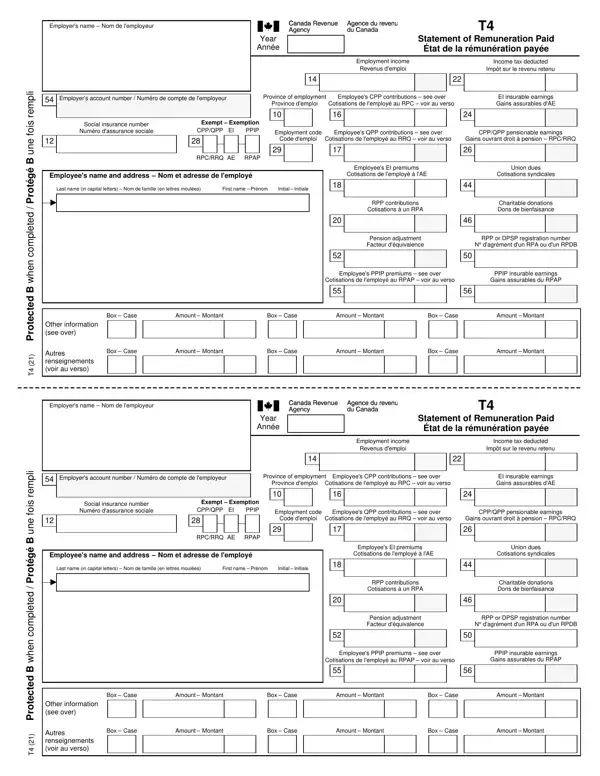
Navigating through the complexities of tax forms can be daunting, and the T4 Federal Tax Form is no exception. With its primary role in detailing employment income and deductions for a tax year, this form serves as a crucial document for both employers and employees in Canada. It meticulously records an array of financial details, including the employment income, the income tax deducted, and contributions to the Canada Pension Plan (CPP) and Employment Insurance (EI). Additionally, it covers union dues, charitable donations, and various other deductions that are significant for preparing accurate tax returns. Employers play a key role by providing this form to their employees, who must then incorporate this information into their personal tax submissions. The T4 form is designed with multiple sections, each carefully structured to capture specific data points: from basic personal information to detailed financial contributions, ensuring nothing is overlooked when it comes to reporting employment remuneration and deductions. This comprehensive approach helps streamline the tax filing process, ensuring both transparency and compliance with the Canada Revenue Agency's requirements.

QuestionAnswer
Form NameT4 Federal Tax Form
Form Length2 pages
Fillable?Yes
Fillable fields84
Avg. time to fill out30 sec
Other namest4 slip, fillable t4, 2021 t4 form, t4 fillable

How to Fill Out Form T4

Form T4 at a glance

What it is: The T4 Statement of Remuneration Paid lists amounts that are reported on a tax return.

A filled-in Form T4 example: an employer fills out a T4 slip
Form T4 example filled out, example: an employer fills out a T4 slip
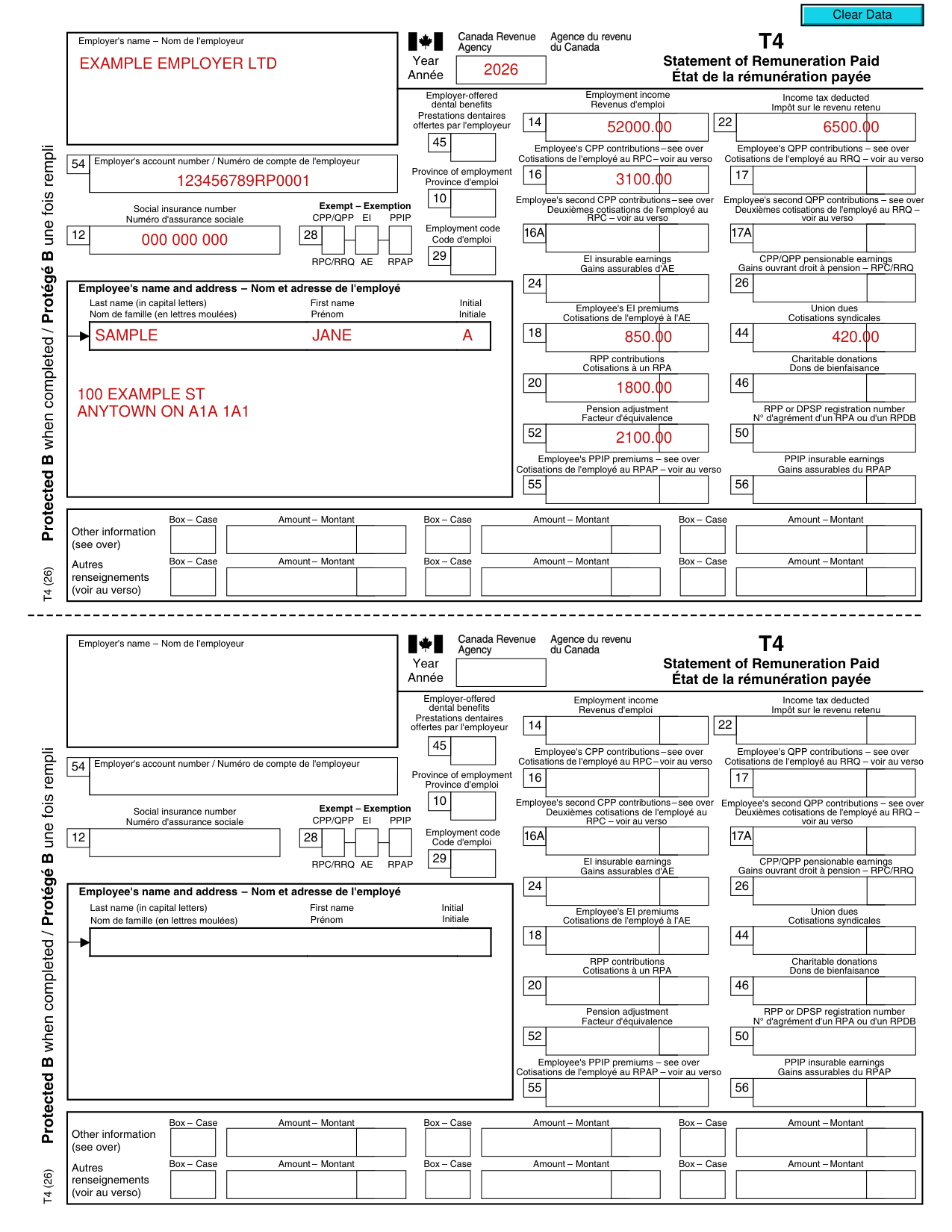
Jane A. Sample's employer fills out the T4 slip for 2026. The employer paid her 52000.00 in employment income, with 6500.00 deducted as income tax. The picture shows slip one only, and all its values are invented.

How to fill out Form T4, box by box

Employer's name, account number and year
Form T4 example filled out, employer's name, account number and year

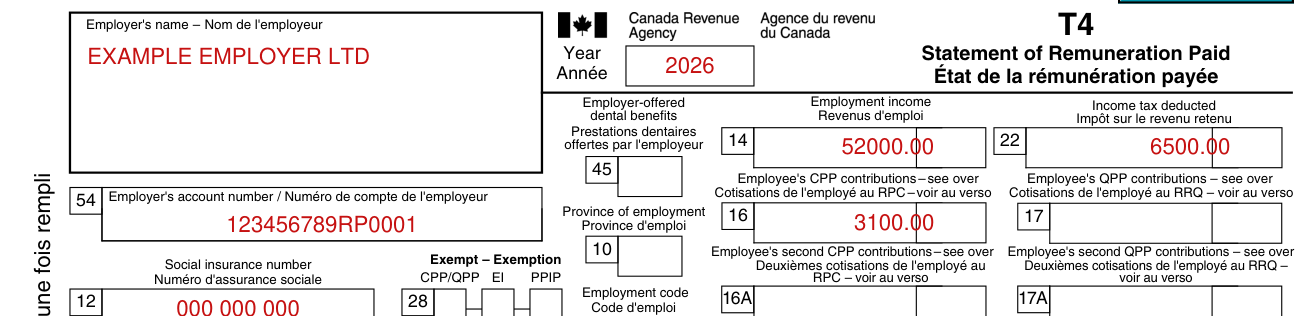
Employer: enter the Employer's name, the Year and the Employer's account number.

Social insurance number and employee's name and address
Form T4 example filled out, social insurance number and employee's name and address

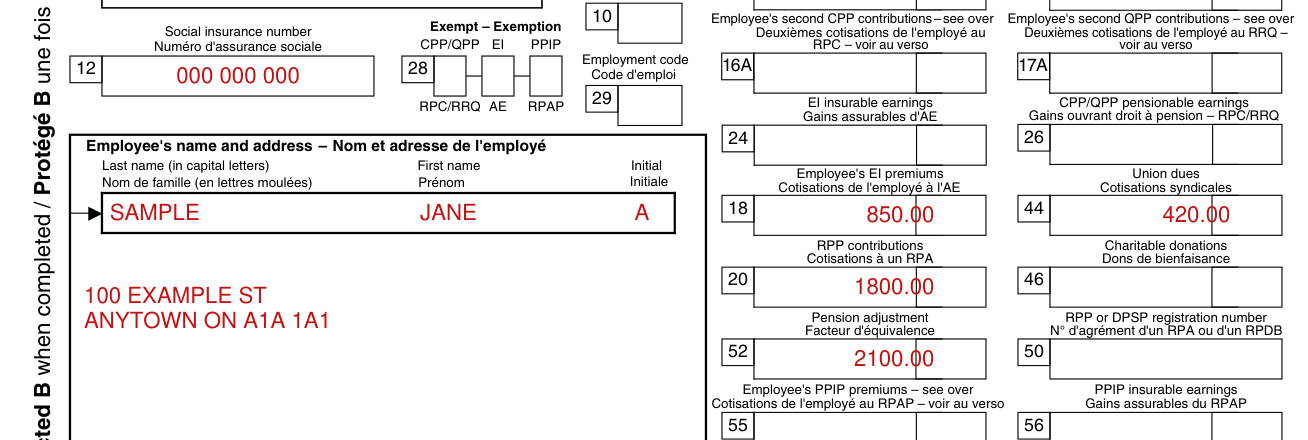
Enter the Social insurance number.

Under Employee's name and address, enter the Last name (in capital letters), the First name and the Initial.

Employment income and income tax deducted

Form T4 example filled out, employment income and income tax deducted

Employee: report these amounts on your tax return. Box 14, Employment income: enter on line 10100.

Box 22, Income tax deducted: enter on line 43700.

Employee's CPP contributions

Form T4 example filled out, employee's CPP contributions

Employee: report box 16 on your tax return. Box 16, Employee's CPP contributions: includes base CPP contributions (go to canada.ca/line-30800) and first additional CPP contributions (go to canada.ca/line-22215).

Employee's EI premiums and union dues

Form T4 example filled out, employee's EI premiums and union dues

Employee: report box 18 on your tax return. Box 18, Employee's EI premiums: go to canada.ca/line-31200.

Box 44, Union dues: enter on line 21200.

RPP contributions and pension adjustment

Form T4 example filled out, rPP contributions and pension adjustment

Employee: report box 20 on your tax return. Box 20, RPP contributions: includes past service contributions. Go to canada.ca/line-20700.

Box 52, Pension adjustment: enter on line 20600.

More rules for Form T4

Amounts in boxes 30, 32, 34, 36, 38, 40, 57, 58, 59, 60 and 86 are already included in box 14.

Sources

[1] Form T4 (26), T4 Statement of Remuneration Paid, Canada Revenue Agency (the Official source link on this page).