
Texas Form Ps 001R PDF Details

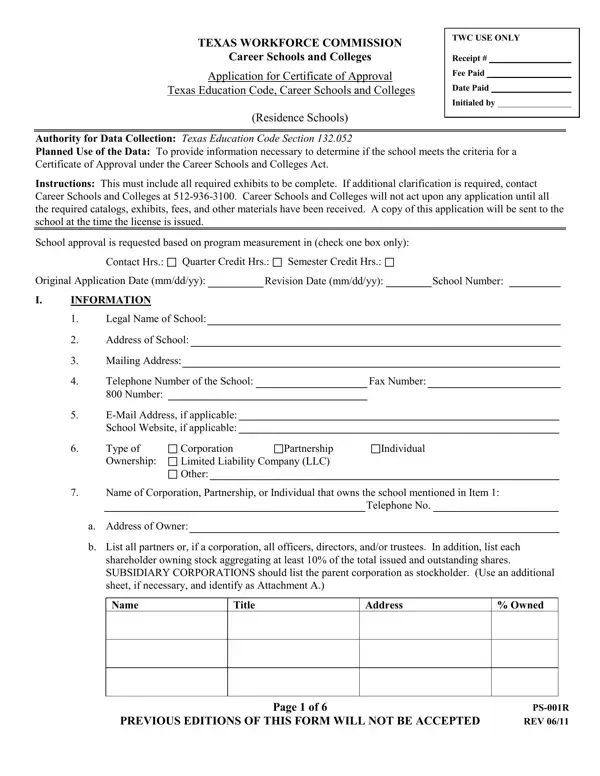
The Texas Workforce Commission's PS 001R form is a critical document for career schools and colleges seeking a Certificate of Approval to operate within the state, underscoring the importance of compliance with the Texas Education Code. This comprehensive application encompasses a spectrum of elements crucial for establishing the eligibility and readiness of an institution to provide educational services. It outlines the necessity for providing detailed information regarding the institution's operations, including legal ownership, program offerings, student capacity, and employment of representatives for student recruitment. Moreover, the form mandates the submission of several supporting documents and catalogs, essential for a thorough evaluation of the school's curriculum, facilities, and financial stability. These documents also serve as a testament to the school's adherence to instructional quality and regulatory standards. Instructions included in the application guide schools through the process, ensuring that all prerequisites for approval, including catalog checks, director's statements, and financial statements, are meticulously addressed. Furthermore, the application emphasizes the school's commitment to maintaining up-to-date records and assurances of compliance with various educational, local, and federal regulations. It also highlights the institution's obligation towards non-discriminatory practices, transparent advertising, and maintaining a conducive environment for learning, thereby ensuring that prospective students are well-informed and protected. The form's detailed requirements for occupancy, equipment, and instructional materials underline the Texas Workforce Commission's dedication to ensuring high-quality education and training facilities that meet the Career Schools and Colleges Act's standards.

QuestionAnswer
Form NameTexas Form Ps 001R
Form Length6 pages
Fillable?No
Fillable fields0
Avg. time to fill out1 min 30 sec
Other namesPS-002B, TWC, tx, PS-001R

How to Edit Texas Form Ps 001R Online for Free

If you wish to fill out TEXAS, it's not necessary to download any sort of software - just try our online PDF editor. To have our tool on the forefront of practicality, we strive to integrate user-driven features and improvements regularly. We are routinely pleased to receive suggestions - play a vital part in revolutionizing PDF editing. It just takes just a few basic steps:

Step 1: Simply click on the "Get Form Button" at the top of this site to open our pdf form editor. This way, you will find everything that is needed to work with your file.

Step 2: This editor provides you with the capability to work with your PDF document in various ways. Transform it with your own text, correct original content, and place in a signature - all when it's needed!

This document requires particular data to be filled out, so ensure you take your time to fill in what's required:

1. It is very important complete the TEXAS properly, thus pay close attention while filling out the areas including these particular fields:

Step no. 1 for filling out PS-001Y

2. Once your current task is complete, take the next step – fill out all of these fields - Name of Corporation Partnership or, Telephone No, a Address of Owner, b List all partners or if a, shareholder owning stock, Name, Title, Address, PREVIOUS EDITIONS OF THIS FORM, Page of, Owned, PSR, and REV with their corresponding information. Make sure to double check that everything has been entered correctly before continuing!

Owned, a Address of Owner, and b List all partners or if a inside PS-001Y

3. Within this stage, look at What will be the total student, Are representatives employed to, Yes, Do the number of individuals, Yes, REQUIRED CATALOGS AND DOCUMENTS, One copy of the catalog, Note, A draft of proposed catalog, The following documents must be, Personal Data Form PS and, and Copies of all enrollment agreement. Each one of these need to be filled in with highest focus on detail.

PS-001Y conclusion process clarified (step 3)

4. Filling out Information on filing a complaint, PREVIOUS EDITIONS OF THIS FORM, Page of, PSR, and REV is essential in the next step - make sure you take the time and take a close look at each blank!

Page  of, PSR, and PREVIOUS EDITIONS OF THIS FORM inside PS-001Y

5. Since you reach the last sections of the file, there are actually several more requirements that must be satisfied. Particularly, I do hereby expressly authorize, Applicant Signature, AFFIDAVIT, COUNTY OF, STATE OF WHERE WITNESSED The, SIGNATURE, TYPED NAME AND TITLE, TYPED NAME AND TITLE, and SIGNATURE must all be filled in.

How you can fill in PS-001Y stage 5

It is easy to make an error when completing your SIGNATURE, for that reason make sure to take another look before you submit it.

Step 3: Soon after proofreading the fields, hit "Done" and you're done and dusted! Right after starting a7-day free trial account here, you'll be able to download TEXAS or send it through email immediately. The file will also be accessible from your personal account page with all your adjustments. We don't share any information you use when filling out forms at our site.