
FM-FH-101 at a glance
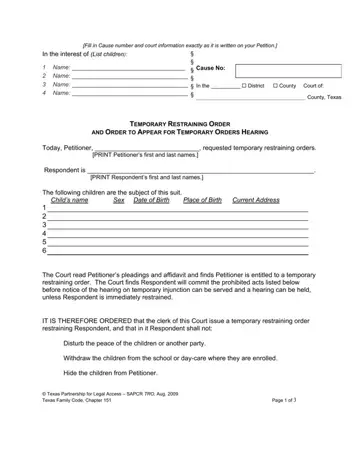
What it is: FM-FH-101 is the Temporary Restraining Order and Order Setting Hearing; the Court finds that a temporary restraining order is necessary to protect the child(ren) who are the subject of this suit.
Who signs: SIGNED on _____________________, 20______, at ________________ __.m.; the PRESIDING JUDGE signs on the line.
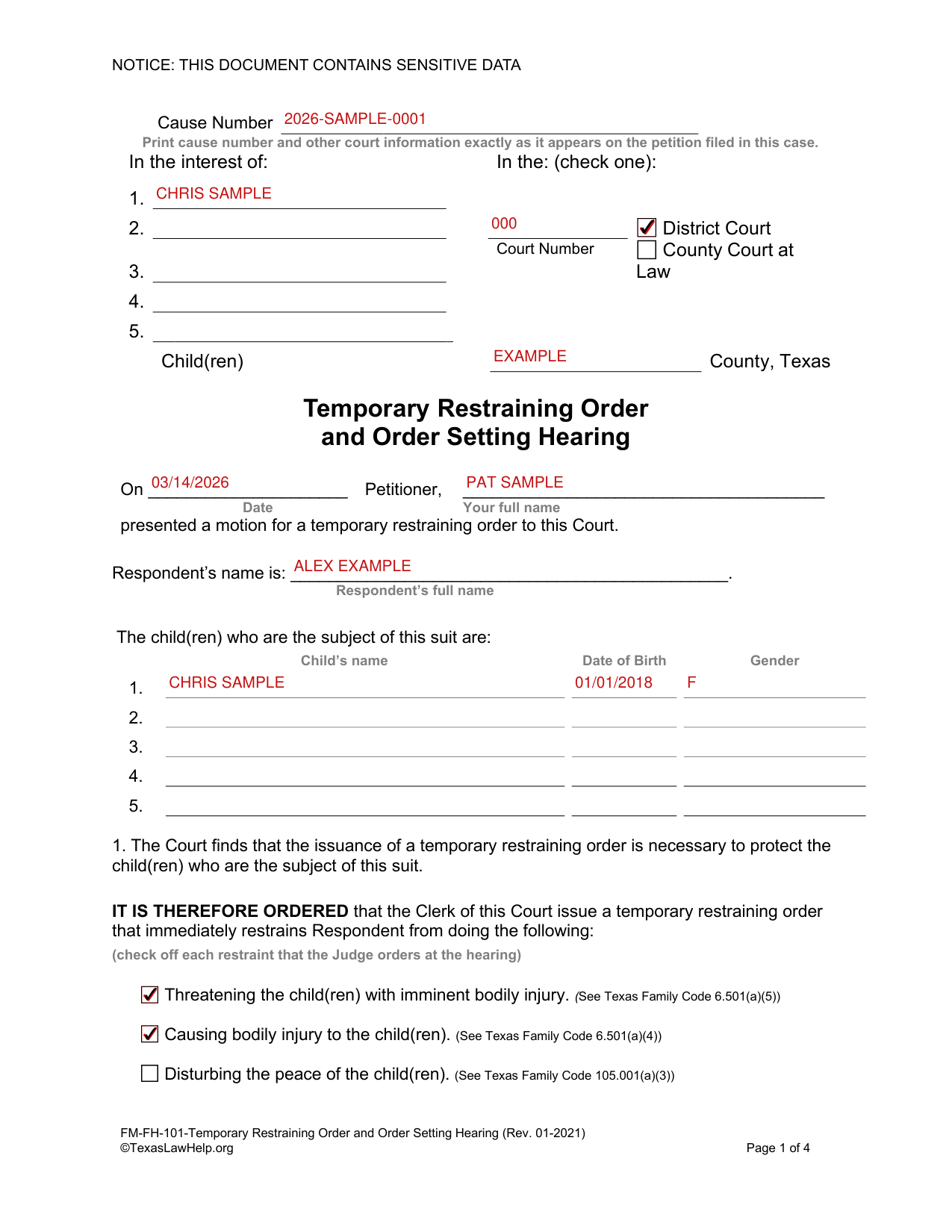
A filled-in FM-FH-101 example: a parent fills out the order
How to fill out FM-FH-101, box by box
Cause number and court
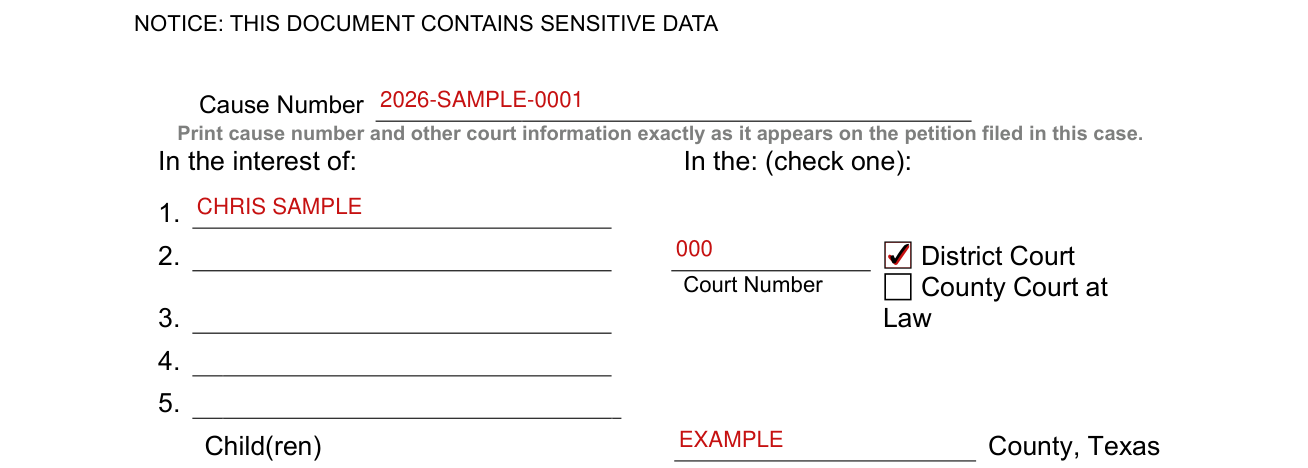
Print cause number and other court information exactly as it appears on the petition filed in this case, and check one: District Court or County Court at Law.
Petitioner, Respondent and child(ren)
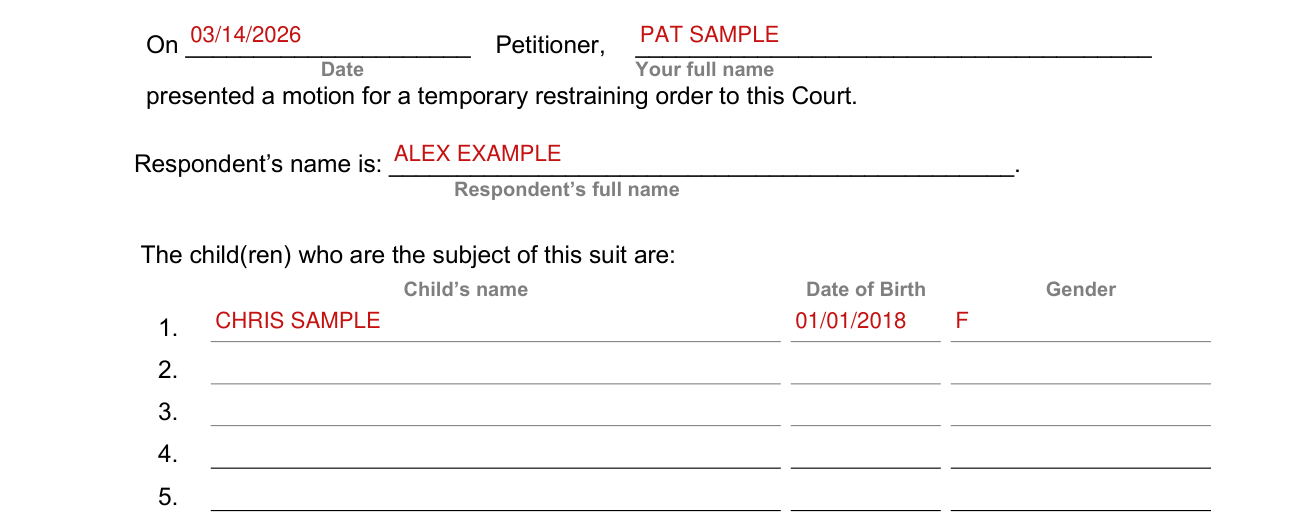
Enter the Date and your full name as Petitioner, who presented a motion for a temporary restraining order to this Court.
Enter Respondent's full name.
List the child(ren) who are the subject of this suit with Child's name, Date of Birth and Gender.
Restraints the Judge orders at the hearing
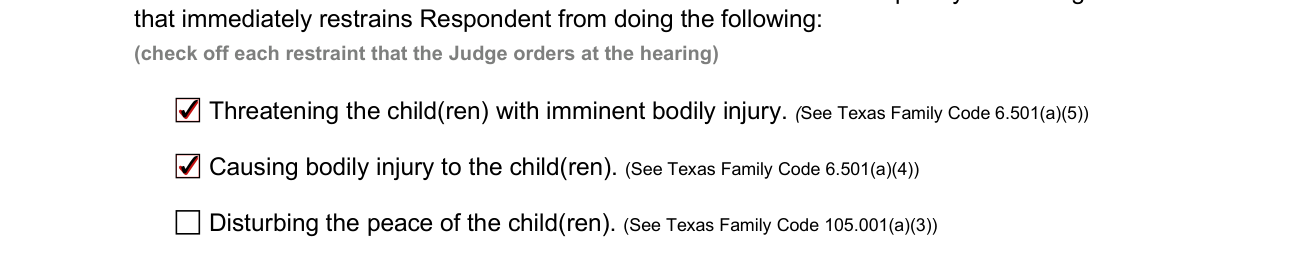
The Clerk of this Court issues a temporary restraining order that immediately restrains Respondent from doing the following; check off each restraint that the Judge orders at the hearing. Threatening the child(ren) with imminent bodily injury (See Texas Family Code 6.501(a)(5)). Causing bodily injury to the child(ren) (See Texas Family Code 6.501(a)(4)). Disturbing the peace of the child(ren) (See Texas Family Code 105.001(a)(3)).
Removing, withdrawing or hiding the child(ren), criminal activity, alcohol
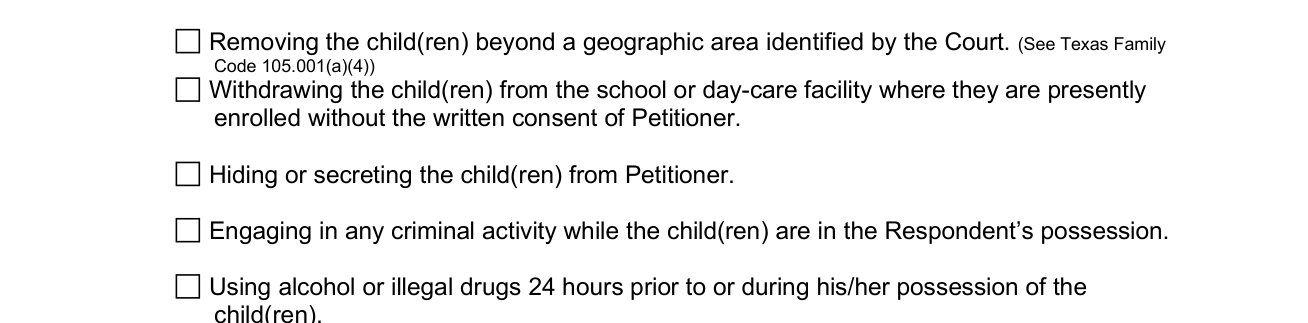
Check off each restraint that the Judge orders at the hearing. Removing the child(ren) beyond a geographic area identified by the Court. (See Texas Family Code 105.001(a)(4)) Withdrawing the child(ren) from the school or day-care facility where they are presently enrolled without the written consent of Petitioner. Hiding or secreting the child(ren) from Petitioner. Engaging in any criminal activity while the child(ren) are in the Respondent's possession. Using alcohol or illegal drugs 24 hours prior to or during his/her possession of the child(ren).
Injury or harm and notice
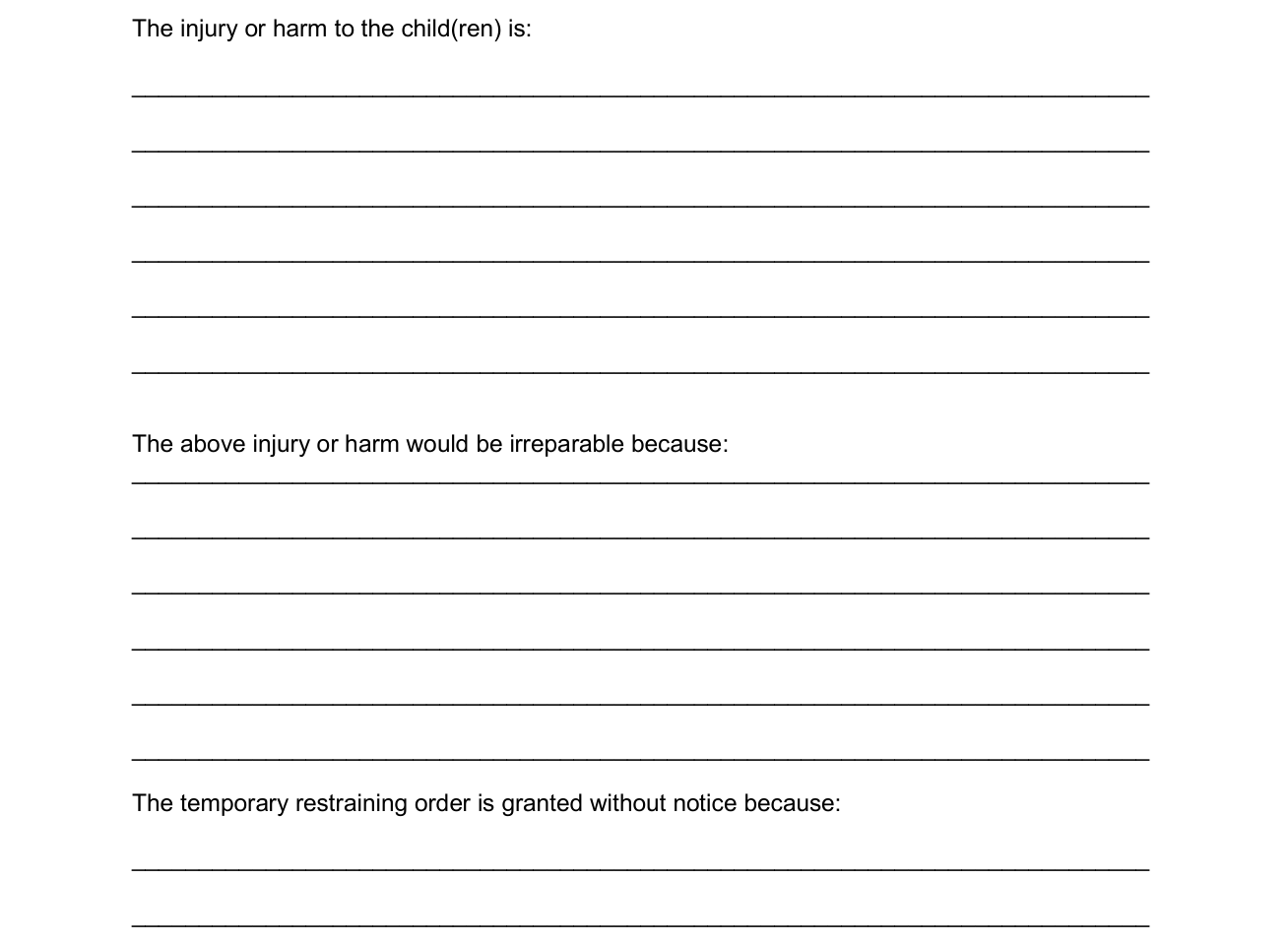
The Court further finds that it clearly appears from specific facts shown by Petitioner's affidavit that immediate and irreparable injury or harm will result to the child(ren) before notice can be served and a hearing can be held. Under The injury or harm to the child(ren) is, write the injury or harm on the lines.
"The above injury or harm would be irreparable because:" write on the lines.
Write on the lines: The temporary restraining order is granted without notice because.
Bodies of the child(ren) attached

It is therefore ordered that the bodies of the child(ren) be attached and that the child(ren) be placed in the possession of The Petitioner or of a person written on the line. (See Texas Family Code 105.001(c)(1-2))
Respondent excluded from or limited in possession or access
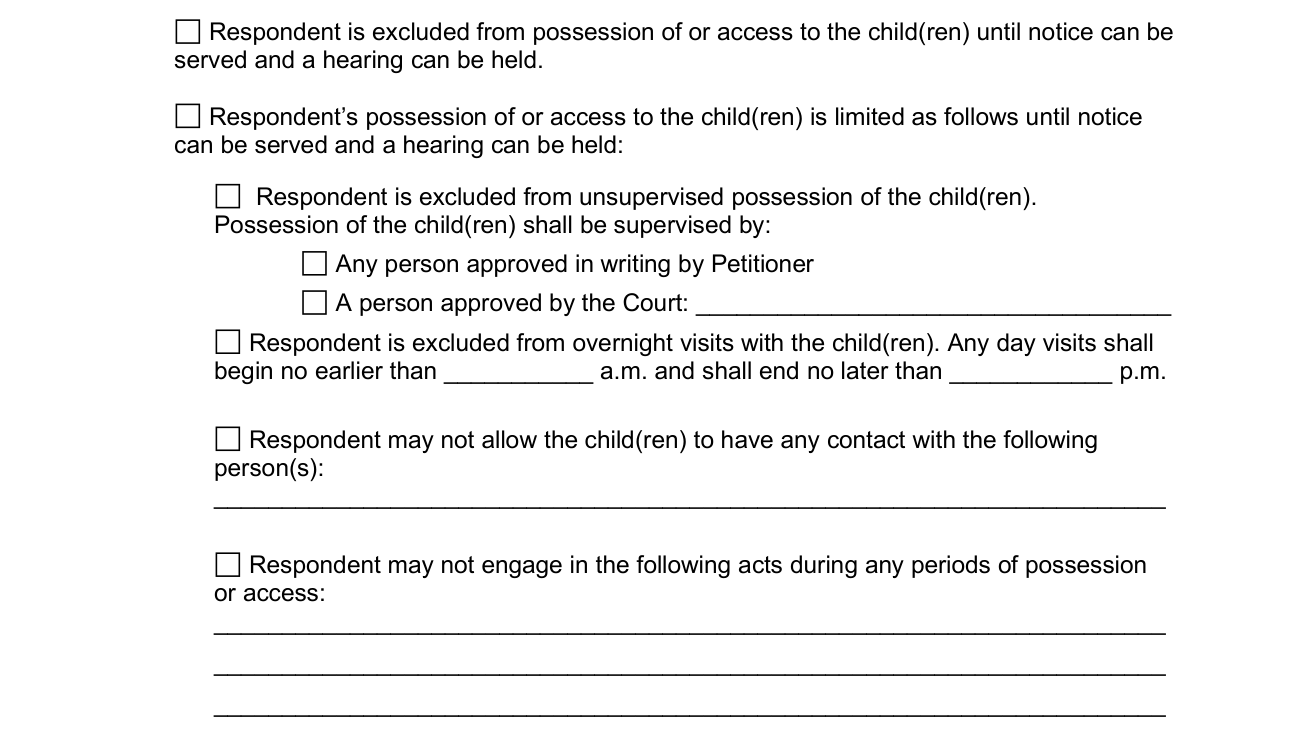
Respondent is excluded from possession of or access to the child(ren) until notice can be served and a hearing can be held.
Respondent's possession of or access to the child(ren) is limited as follows until notice can be served and a hearing can be held: Respondent is excluded from unsupervised possession of the child(ren).
Possession of the child(ren) shall be supervised by any person approved in writing by Petitioner or by a person approved by the Court, written on the line.
Respondent is excluded from overnight visits with the child(ren). Any day visits shall begin no earlier than ___________ a.m. and shall end no later than ____________ p.m.
Respondent may not allow the child(ren) to have any contact with the following person(s), written on the lines.
Respondent may not engage in the acts written on the lines during any periods of possession or access.
This restraining order expires on the following date

This restraining order is effective immediately and will continue in full force and effect until it expires by its terms within a time period determined by the Court (not to exceed 14 days), unless within that time frame the order is extended for good cause shown, or unless the Respondent consents that it may be extended for a longer period. See Texas Rule of Civil Procedure 680. Enter the date on which this restraining order expires.
Order to Appear

Under Order to Appear, enter the Date, Time and Address at which Respondent is to appear in person before this Court, as required by Texas Rule of Civil Procedure 680; Petitioner's application for temporary injunction and temporary orders is scheduled for a hearing at the earliest possible date and the Clerk of this Court issues notice to Respondent.
The purpose of the hearing is to determine whether the Court should order the following temporary relief while this case is pending. Convert the preceding temporary restraining order into a temporary injunction. Enter temporary orders for the safety and welfare of the child(ren), including but not limited to conservatorship, possession and access. Enter any other orders that are necessary for the safety and welfare of the child(ren).
SIGNED on and PRESIDING JUDGE

SIGNED on _____________________, 20______, at ________________ __.m.; the PRESIDING JUDGE signs on the line.
More rules for FM-FH-101
The requirement of a bond is waived. See Texas Family Code 105.001(d).
Common questions about FM-FH-101
Is there a penalty?
The violation of a temporary restraining order is punishable by contempt and the order is subject to and enforceable under Chapter 157 of the Texas Family Code. See Texas Family Code 105.001(f).
Sources
[1] FM-FH-101 Temporary Restraining Order and Order Setting Hearing (Rev. 01-2021), TexasLawHelp.org (the Official source link on this page).
