Please rate Tx Lite Up

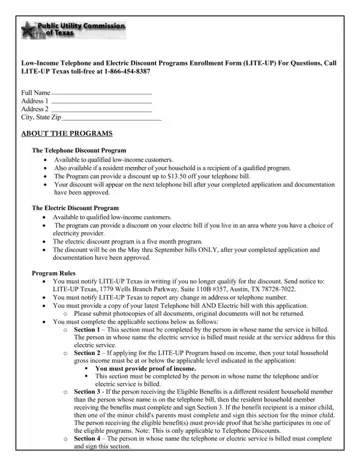
The Low-Income Telephone and Electric Discount Programs Enrollment Form, widely recognized as the LITE-UP form, represents a critical support system for qualifying low-income individuals in Texas. This form serves as an entry point for applicants seeking financial relief on their telephone and electric bills, through programs designed specifically to ease the cost burdens associated with these utilities. Applicants are required to provide detailed personal information, including full name, address, and proof of income or program participation, to validate their eligibility. The Telephone Discount Program offers a discount of up to $13.50 off telephone bills for qualified customers, while the Electric Discount Program provides financial relief on electric bills for a duration of five months, specifically from May through September, contingent upon the completion of the application process and subsequent approval. Both programs stipulate the importance of notifying the LITE-UP Texas administration upon any changes in eligibility status or contact information, ensuring the assistance reaches those genuinely in need. By completing respective sections of the form, applicants attest to the accuracy of the provided information, under the oversight of the Public Utility Commission of Texas, to ultimately access these vital discounts.
| Question | Answer |
|---|---|
| Form Name | Tx Lite Up |
| Form Length | 4 pages |
| Fillable? | No |
| Fillable fields | 0 |
| Avg. time to fill out | 1 min |
| Other names | lite up texas, lite up texas application, printable liheap application, light up texas |
Tx Lite Up isn’t the one you’re looking for?
Please rate Tx Lite Up
