Please rate Uia 1583 Form

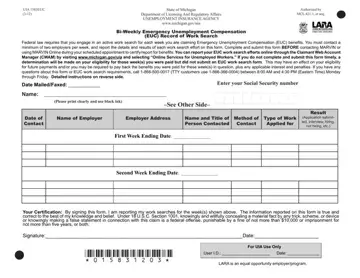
In an evolving job market underpinned by uncertainty, individuals finding themselves navigating the complexities of unemployment will likely encounter the UIA 1583EUC form, a pivotal document authorized by the State of Michigan's Department of Licensing and Regulatory Affairs. This form, essential for those claiming Emergency Unemployment Compensation (EUC), outlines the federal requirement for actively seeking work each week of benefit collection. Claimants are mandated to engage with at least two employers weekly, meticulously documenting each interaction and outcome on this form, which then must be submitted before engaging with MARVIN, Michigan's Automated Response Voice Interactive Network, for benefit certification. Not only does it play a crucial role in maintaining eligibility for future payments, but failure to comply or accurately report work search activities can lead to the obligation of repaying benefits received, with added penalties. Despite the terse legal landscape it navigates, the UIA 1583EUC form is designed to encourage ongoing employment efforts among beneficiaries and ensure the integrity of the unemployment insurance system, offering a streamlined path via online submission through the Claimant Web Account Manager (CWAM) or traditional mail and fax methods. The form also underscores the rigorous verification processes to mitigate fraud, making it clear that dishonesty in reporting can lead to severe federal penalties. Understanding the procedural and legislative backdrop of the UIA 1583EUC form is essential for individuals aiming to leverage the EUC benefits effectively whilst adhering to the stipulated legal requirements.
| Question | Answer |
|---|---|
| Form Name | Uia 1583 Form |
| Form Length | 2 pages |
| Fillable? | No |
| Fillable fields | 0 |
| Avg. time to fill out | 30 sec |
| Other names | uia 1583, michigan unemployment work search form, unemployment job search form, record of work search |
Uia 1583 Form isn’t the one you’re looking for?
Please rate Uia 1583 Form
