
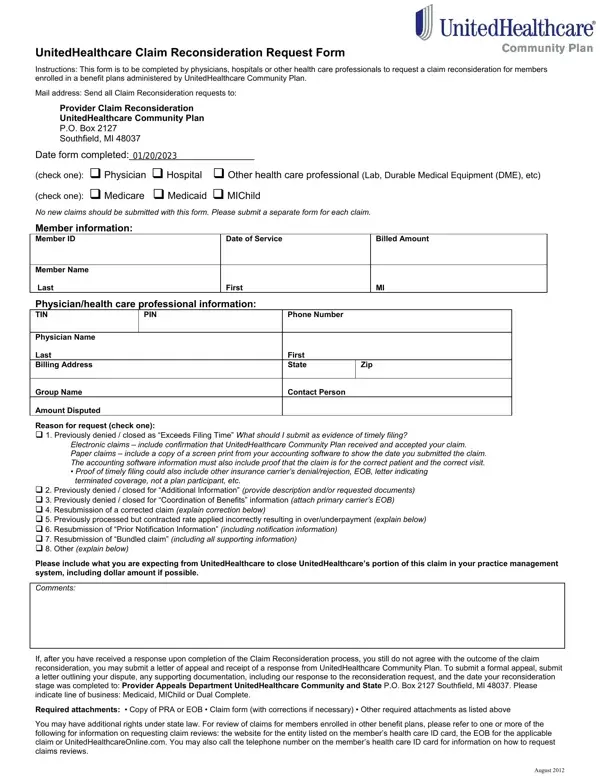
The UnitedHealthcare Claim Reconsideration Request Form serves as a vital tool for physicians, hospitals, and other health care professionals seeking to address issues with claim processing for members covered under benefit plans administered by UnitedHealthcare Community Plan. Designed to streamline the process of requesting a claim review, this form must be used to dispute claims that were previously denied, closed, or processed incorrectly. It outlines specific guidelines on how to submit requests, including the necessary documentation to support each type of reconsideration, ranging from proof of timely filing to detailed explanations of corrections made to previously submitted claims. The form is part of a broader dispute resolution process, offering a step-by-step protocol to ensure that every appeal is thoroughly reviewed. This includes instructions for submitting a formal appeal if the outcome of the claim reconsideration is unsatisfactory. Additionally, it is emphasized that separate forms should be submitted for each claim, ensuring detailed attention to individual cases. By providing a structured framework for navigating through claim disputes, the UnitedHealthcare Claim Reconsideration Request Form aims to facilitate a smoother, more efficient resolution process for health care providers, ultimately ensuring that patients receive the benefits to which they are entitled.
| Question | Answer |
|---|---|
| Form Name | United Healthcare Claim Form |
| Form Length | 2 pages |
| Fillable? | No |
| Fillable fields | 0 |
| Avg. time to fill out | 30 sec |
| Other names | uhc reconsideration form editable, united healthcare claim reconsideration forms, unitedhealthcare single paper claim reconsideration request form, unitedhealthcare single paper claim reconsideration form |
United Healthcare Claim Form isn’t the one you’re looking for?