Please rate Us Bank Fleet Card

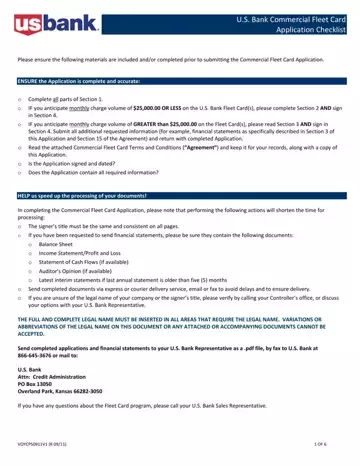
In the complex and fast-paced world of commercial fleet management, the process of applying for a U.S. Bank Commercial Fleet Card involves a meticulous array of steps to ensure comprehensive compliance, financial assessment, and operational alignment between the applicant company and U.S. Bank’s stringent application prerequisites. Central to this application is the need for accurate, thorough documentation ranging from financial statements to company identification that aligns with the USA PATRIOT Act’s requirements. Applicants are divided based on their anticipated monthly charge volume—those expecting to spend $25,000.00 or less, and those forecasting a monthly expenditure greater than $25,000.00 on their Fleet Cards, with each category subjected to specific documentation demands to ascertain financial stability and creditworthiness. The application checklist elucidates the importance of signing and dating the application, ensuring all sections are meticulously completed, and underscores the requisite of aligning the legal name of the company across all submitted documents to prevent discrepancies. The procedural nuance extends to the method of submitting these crucial documents, optimally through direct, trackable means to expedite processing and ensure secure delivery. Comprehensive reading and understanding of the accompanying Commercial Fleet Card Terms and Conditions are imperative for applicants, emphasizing the legal and financial intricacies governing the issuance and use of the U.S. Bank Fleet Card. This procedure is not only a gateway to obtaining a pivotal financial tool for fleet management but also a testament to the deliberate, regulated nature of financial relationship establishment in commercial operations.
| Question | Answer |
|---|---|
| Form Name | Us Bank Fleet Card |
| Form Length | 6 pages |
| Fillable? | No |
| Fillable fields | 0 |
| Avg. time to fill out | 1 min 30 sec |
| Other names | Texas, BANCORP, TX, usbank fleetcard login |
Us Bank Fleet Card isn’t the one you’re looking for?
Please rate Us Bank Fleet Card
