
VA Form 10091 at a glance
What it is: VA Form 10091, the VA-FSC Vendor File Request Form, is used to gather essential payment data from vendors (Commercial, Individuals, Veterans, etc.) to establish or update vendor records in order to process electronic payments.
Who signs: The form will be processed only when it is completed and signed by an “Authorized Representative”.
All information collected on this form is required under the provisions of 31 U.S.C. 3322 and 31 CFR 210.
A filled-in VA Form 10091 example: a new vendor registered in SAM
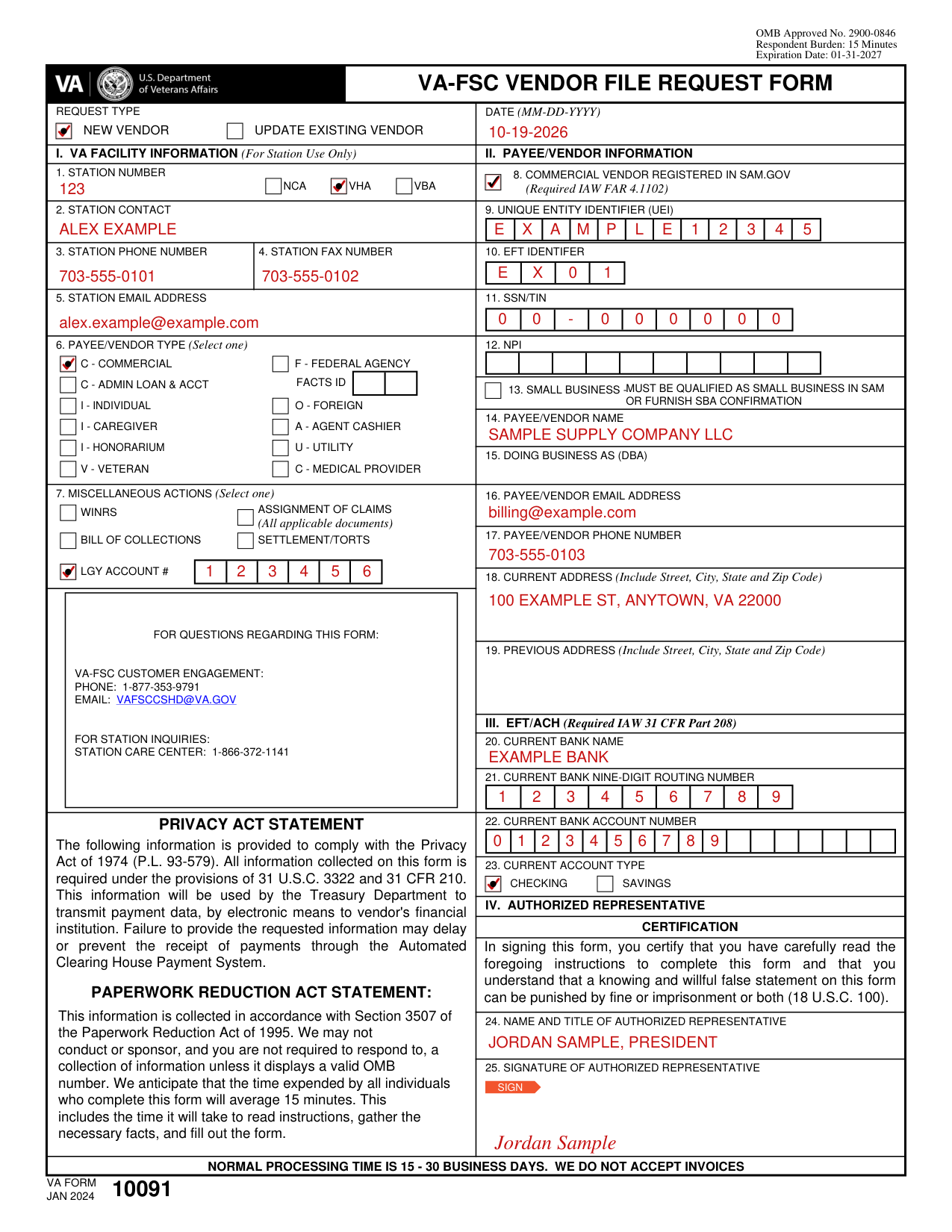
How to fill out VA Form 10091, box by box
Request Type, Date and the boxes to complete

Request Type: If this is the first time registering in the financial system for VA payments, select NEW VENDOR; otherwise choose UPDATE EXISTING VENDOR and complete Sections II, III and IV.
Enter the DATE (MM-DD-YYYY).
If you are a NEW VENDOR and registered in the System of Awards Management (SAM) with a Unique Entity Identifier (UEI), you MUST complete boxes 8 - 11; 14 - 19 plus Sections III and IV. Additionally, all information provided on the VA Form 10091 must match the information found in SAM or your request will not be processed.
If you are a NEW VENDOR and are NOT registered in SAM, you MUST complete boxes 11; 14 - 19 plus Sections III and IV.
If you are an EXISTING VENDOR and registered in SAM, any banking changes MUST be made in SAM. All other changes would still require an “Authorized Representative” to complete and sign the VA Form 10091.
Section I: VA Facility Information (For Station Use Only)
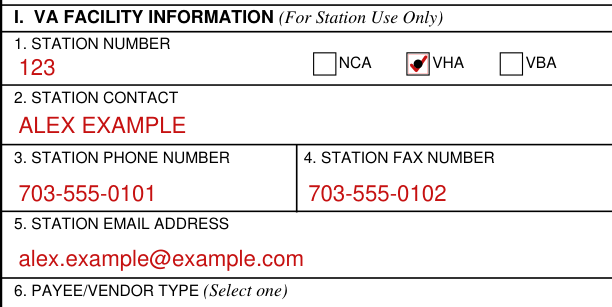
Section I: VA Facility Information (For Station Use Only).
Box 1, Station Number: 3-digit number of VAStation that is submitting this form, plus NCA, VHA, VBA.
Box 2, Station Contact: VA employee who completes, signs and submits this form.
Box 3, Station Phone Number: Direct number/extension for employee listed in Box 2.
Box 4, Station Fax Number: Fax number for office in Box 1.
Box 5, Station Email Address: The va.gov email for employee in Box 2.
6. Payee Vendor Type (Required)
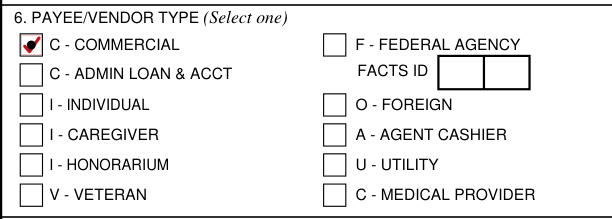
Box 6, Payee Vendor Type (Required): The appropriate vendor type of the Payee/Vendor in Section II. Select one: C - COMMERCIAL, F - FEDERAL AGENCY, C - ADMIN LOAN & ACCT, I - INDIVIDUAL, O - FOREIGN, I - CAREGIVER, A - AGENT CASHIER, I - HONORARIUM, U - UTILITY, V - VETERAN, C - MEDICAL PROVIDER.
F - Federal Vendor: Include 2-digit Facts. O - Foreign Vendor: Include W8Ben with foreign identification number.
7. Miscellaneous Actions (If applicable)
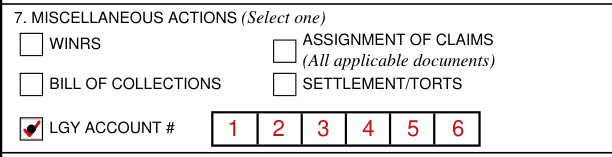
Box 7, Miscellaneous Actions (If applicable). Select one: WINRS, ASSIGNMENT OF CLAIMS (All applicable documents), BILL OF COLLECTIONS, SETTLEMENT/TORTS or LGY ACCOUNT #.
Assignment of Claims: Use ONLY if employee in Box 2 is a Contracting Officer. Must include “Notice of Assignment” and “Instrument of Assignment” with completed form.
LGY Vendor: Loan Guaranty include 6-digit account number.
8. Commercial Vendor registered in SAM.gov to 13. Small Business
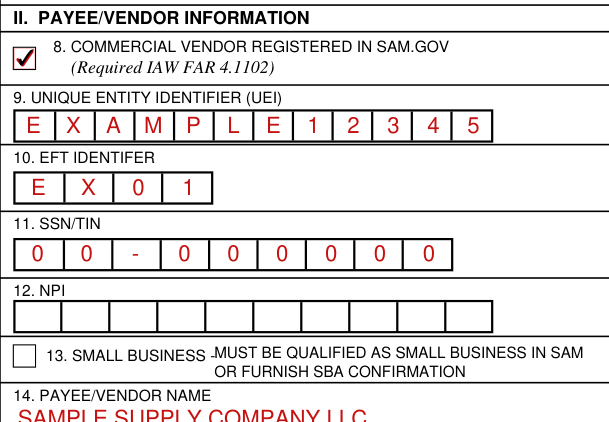
Box 8, Commercial Vendor registered in Sam.gov: Check box if Payee/Vendor in Section II is registered in SAM.
Box 9, Unique Entity Identifier (UEI): The (12) character, alphanumeric data element assigned by SAM.gov.
Box 10, EFT Indicator: The unique 4-character code associated with UEI in Box 9. Blank or incorrect information in this field may cause a delay in processing your request.
Box 11, SSN/TIN: The 9-digit IRS identifier for the Payee/Vendor in Section II.
Box 12, NPI: A standard 10-digit unique identifier for medical providers only. Complete, if applicable.
Box 13, Small Business: Check box, if applicable. Small business must be qualified as small business in SAM or furnish SBA confirmation.
14. Payee/Vendor Name to 19. Previous Address
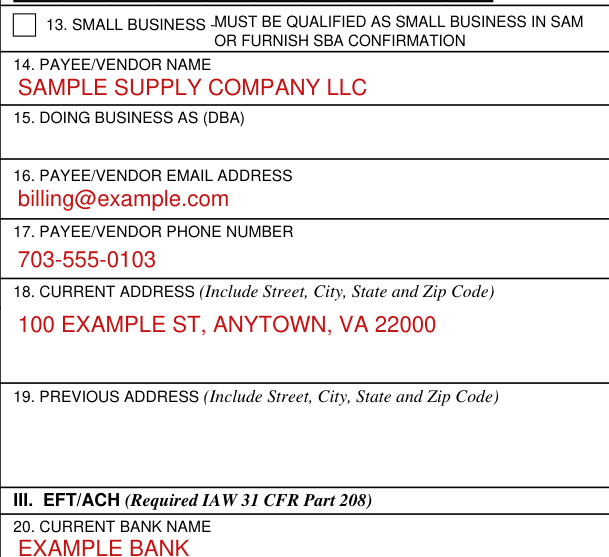
Box 14, Payee Vendor Name: Legal name exactly as it appears on file with the Internal Revenue Service (IRS).
Box 15, Doing Business As (DBA): If conducting business under another name, complete.
Box 16, Payee/Vendor Email: Email address for the person listed in Boxes 24 and 25.
Box 17, Payee/Vendor Phone Number: Direct number and extension for the person listed in Boxes 24 and 25.
Box 18, Current Address (Include Street, City, State and Zip Code): Provide the address linked to the Payee/Vendor listed in Box 14 and where all official correspondence will be sent.
Box 19, Previous Address (Required for address change requests): Provide the address previously linked to the Payee/Vendor listed in Box 14 and where all official correspondence has been sent.
Section III: EFT/ACH (Required IAW 31 CFR Part 208)
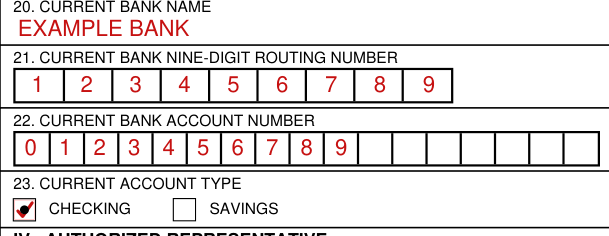
Section III: EFT/ACH (Required IAW 31 CFR Part 208). Box 20, Current Bank Name: Provide the name of the Financial Institution linked to the Payee/Vendor listed in Box 14 and where all payments for goods/services provided are sent.
Box 21, Current Bank 9-Digit Routing Number: The 9-digit number that identifies the bank listed in Box 20 as a member of the American Bankers Association (ABA). The routing number is usually found in the lower-left corner at the bottom of a check.
Common mistake: In Box 21, do NOT use a deposit slip routing number. This will result in a rejected payment.
Box 22, Current Bank Account Number: The unique set of digits assigned by the Financial Institution in Box 20 to the account holder linked to the Payee/Vendor in Box 14.
Box 23, Current Account Type: CHECKING or SAVINGS.
Section IV: Authorized Representative
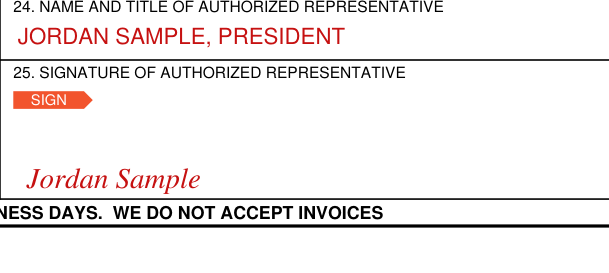
The form will be processed only when it is completed and signed by an “Authorized Representative”.
Section IV: Authorized Representative. Title 18, United States Code, Section 1001 (18 U.S.C. 1001) makes it a crime to: 1) knowingly and willfully; 2) make any materially false, fictitious or fraudulent statement or representation; 3) in any matter within the jurisdiction of the executive, legislative or judicial branch of the United States.
Box 24, Name and Title of Authorized Representative: For the purpose of VA Form 10091, an Authorized Representative is defined as: the actual Payee/Vendor listed in Box 14 OR an individual who is designated and authorized, in writing, to represent the Payee/Vendor listed in Box 14.
Box 25, Signature of Authorized Representative: In signing this form, you certify that you have carefully read the foregoing instructions to complete this form and that you understand that a knowing and willful false statement on this form can be punished by fine or imprisonment or both (18 U.S.C. 1001).
More rules for VA Form 10091
Normal processing time is 15 - 30 business days. Invoices are not accepted.
This information will be used by the Treasury Department to transmit payment data, by electronic means to vendor's financial institution. Failure to provide the requested information may delay or prevent the receipt of payments through the Automated Clearing House Payment System.
Where to get help with VA Form 10091
For questions regarding this form: VA-FSC Customer Engagement: Phone: 1-877-353-9791 Email: VAFSCCSHD@VA.GOV. For station inquiries: Station Care Center: 1-866-372-1141.
Sources
[1] VA Form 10091 (JAN 2024), VA-FSC Vendor File Request Form, U.S. Department of Veterans Affairs (the Official source link on this page).
