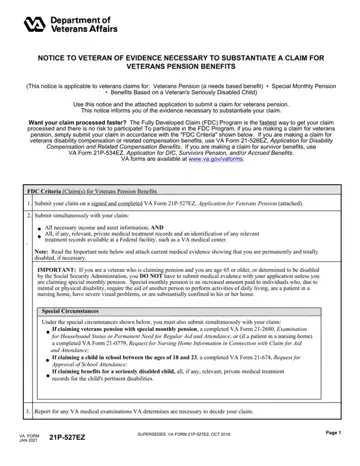
va form 21 527ez can be filled in online effortlessly. Simply use FormsPal PDF editing tool to finish the job promptly. We are focused on providing you with the perfect experience with our editor by continuously adding new functions and enhancements. With all of these updates, using our editor gets better than ever before! If you're seeking to get started, here's what it takes:
Step 1: Access the PDF form inside our tool by clicking the "Get Form Button" above on this webpage.
Step 2: The tool offers the opportunity to modify PDF forms in various ways. Modify it by adding any text, adjust what's already in the PDF, and put in a signature - all within a few clicks!
This PDF form will require particular data to be typed in, hence you must take your time to provide what is expected:
1. To start with, once filling out the va form 21 527ez, beging with the page containing next fields:
2. Once your current task is complete, take the next step – fill out all of these fields - YES, If Yes complete Item B if known, DO YOU LIVE WITH YOUR SPOUSE If, YES, SPOUSES ADDRESS Number and street, and ZIP Code, A IF YOU DO NOT LIVE WITH YOUR, B HOW MUCH DO YOU, SPOUSE PLEASE PROVIDE THE REASON, CONTRIBUTE MONTHLY TO SPOUSES, NOTE Furnish the following, INFORMATION ABOUT THE VETERANS, HOW MANY TIMES HAVE YOU BEEN, A DATE OF, and MARRIAGE with their corresponding information. Make sure to double check that everything has been entered correctly before continuing!
3. This next section should be pretty straightforward, Death Divorce, VA FORM MAR, SUPERSEDES VA FORM JUN WHICH, and Page - every one of these fields will have to be filled out here.
4. Filling in INFORMATION ABOUT THE CHILDREN WHO, DO YOU HAVE ANY DEPENDENT CHILDREN, YES, If No skip to Part IV, A NAME OF CHILD First Middle Last, B DATE OF BIRTH, Mo Day Yr, C PLACE, OF BIRTH, City State or, Country, D SOCIAL SECURITY NUMBER, E CHECK EACH APPLICABLE CATEGORY, BIOLOGICAL, and ADOPTED is paramount in the fourth stage - you'll want to be patient and fill out every single field!
5. This document must be finished by dealing with this part. Further you'll see a comprehensive set of form fields that require appropriate details in order for your document usage to be accomplished: A ARE YOU CLAIMING A SPECIAL, THE REGULAR ASSISTANCE OF ANOTHER, B ARE YOU NOW OR HAVE YOU BEEN, GIVEN OUTPATIENT OR HOME CARE Due, PROBLEMS OR ARE HOUSEBOUND, Item A, YES, YES, If Yes complete Items A B, A DATES OF RECENT HOSPITALIZATION, B NAME AND MAILING ADDRESS OF, A ARE YOU NOW EMPLOYED, B WHEN DID YOU LAST WORK Month Day, YES, and If No complete Item B.
When it comes to A ARE YOU NOW EMPLOYED and A ARE YOU CLAIMING A SPECIAL, ensure that you take a second look in this current part. Those two are the most important fields in the file.
Step 3: Go through everything you've entered into the blank fields and click the "Done" button. Try a free trial account at FormsPal and get instant access to va form 21 527ez - which you'll be able to then work with as you wish in your FormsPal account page. FormsPal offers risk-free document editing with no data record-keeping or any type of sharing. Rest assured that your data is in good hands with us!