
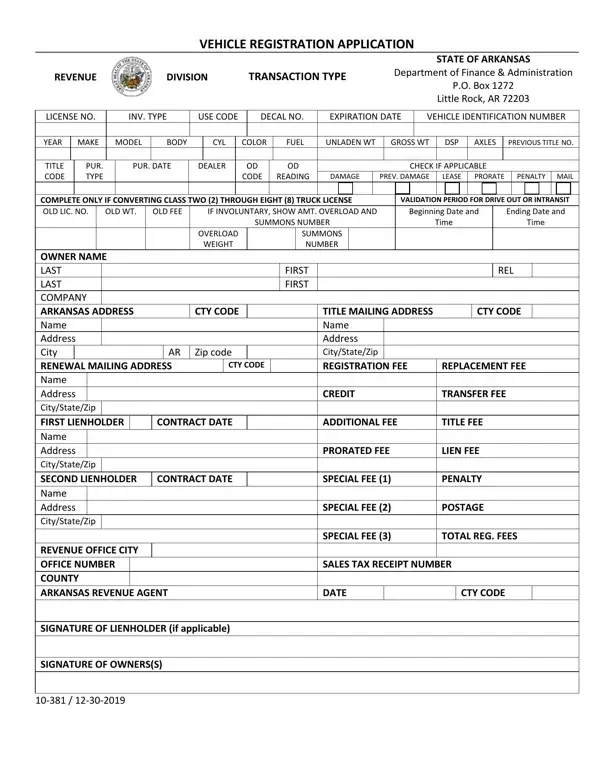

Form 10-381 at a glance
What it is: Vehicle Registration Application of the State of Arkansas Department of Finance & Administration.
Who signs: Signature of Lienholder (if applicable) and Signature of Owners(s).
A filled-in Form 10-381 example: an owner registers a car
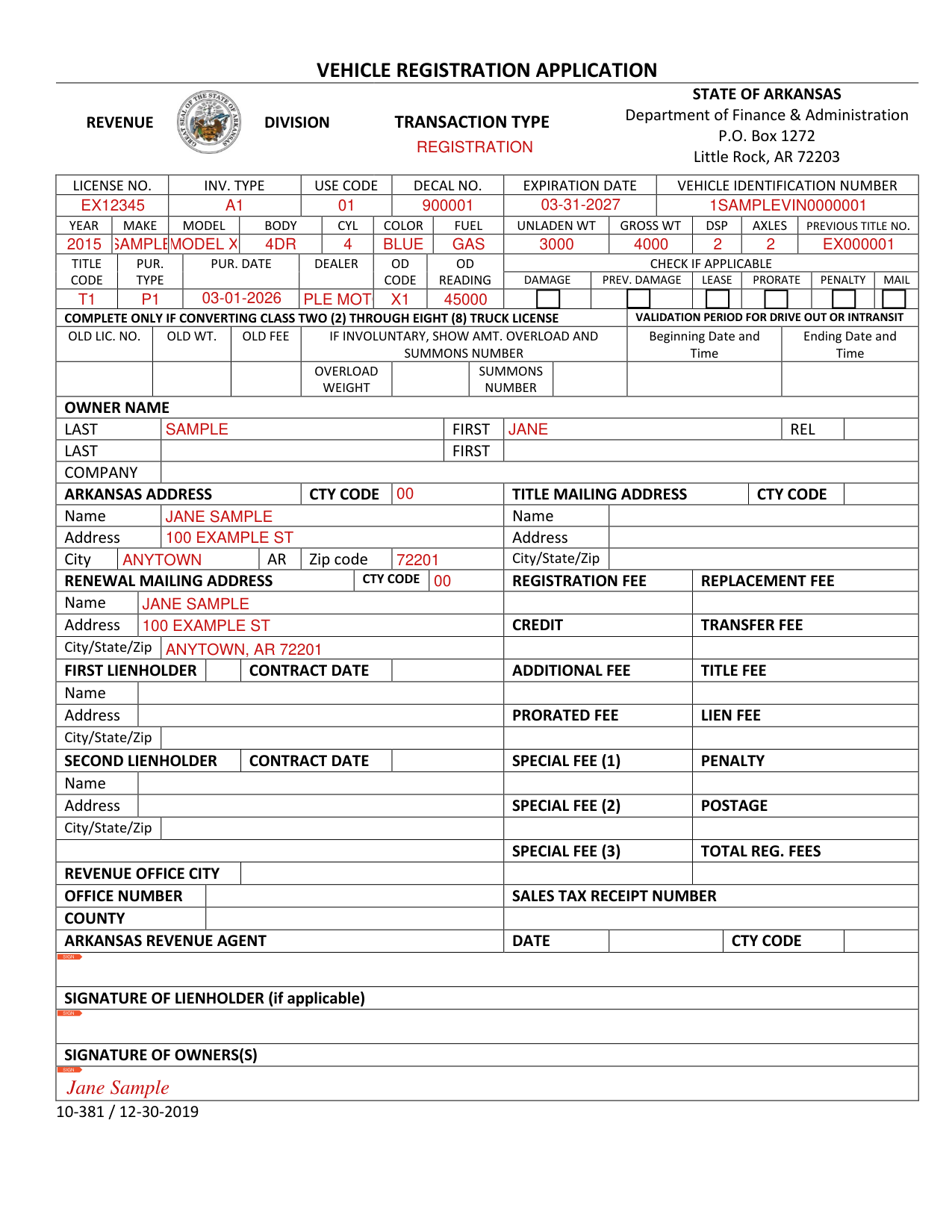
How to fill out Form 10-381, box by box
Transaction Type

Enter the Transaction Type.
License No., Inv. Type, Use Code, Decal No., Expiration Date and Vehicle Identification Number

Enter the License No., Inv. Type, Use Code, Decal No., Expiration Date and Vehicle Identification Number.
Year, Make, Model, Body, Cyl, Color, Fuel, Unladen Wt, Gross Wt, DSP, Axles and Previous Title No.

Enter the Year, Make, Model, Body, Cyl, Color, Fuel, Unladen Wt, Gross Wt, DSP, Axles and Previous Title No.
Title Code, Pur. Type, Pur. Date, Dealer, OD Code and OD Reading

Enter the Title Code, Pur. Type, Pur. Date, Dealer, OD Code and OD Reading.
Check if applicable: Damage, Prev. Damage, Lease, Prorate, Penalty, Mail.
Converting Class Two (2) Through Eight (8) Truck

Complete Old Lic. No., Old Wt. and Old Fee only if converting Class Two (2) through Eight (8) truck. If involuntary, show Amt. Overload and Summons Number, with the Overload Weight. Enter the License Validation Period for Drive Out or Intransit: Beginning Date and Time and Ending Date and Time.
Owner Name

Under Owner Name, enter Last, First and Rel., a second Last and First, or the Company.
Arkansas Address and Title Mailing Address

Under Arkansas Address, enter the Name, Address, City and Zip code, and the Cty Code.
Under Title Mailing Address, enter the Name, Address, City/State/Zip and Cty Code.
Renewal Mailing Address

Under Renewal Mailing Address, enter the Name, Address, City/State/Zip and Cty Code.
First Lienholder

Under First Lienholder, enter the Name, Address, City/State/Zip and Contract Date, if there is a lienholder.
Second Lienholder

Under Second Lienholder, enter the Name, Address, City/State/Zip and Contract Date, only if there is a second lienholder.
Registration Fee, Replacement Fee, Credit, Transfer Fee and the other fees
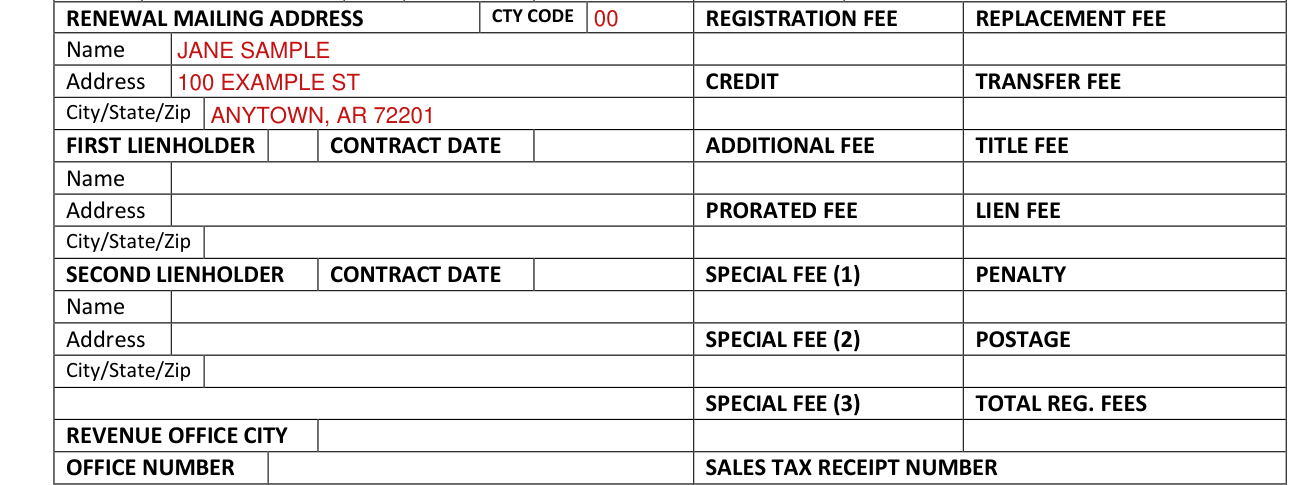
Enter the Registration Fee, Replacement Fee, Credit, Transfer Fee, Additional Fee, Title Fee, Prorated Fee, Lien Fee, Special Fee (1), Penalty, Special Fee (2), Postage, Special Fee (3) and Total Reg. Fees. The fee boxes are on the same line as the Name, Address, City/State/Zip, Zip code and Revenue Office City lines.
Revenue Office City, Office Number, Sales Tax Receipt Number, County, Arkansas Revenue Agent, Date and Cty Code

Enter the Revenue Office City, Office Number, Sales Tax Receipt Number, County, Date and Cty Code.
The Arkansas Revenue Agent signs under Arkansas Revenue Agent.
Signature of Lienholder (if applicable) and Signature of Owners(s)

Sign under Signature of Lienholder (if applicable).
Sign under Signature of Owners(s).
Sources
[1] Form 10-381 (12-30-2019), Vehicle Registration Application, State of Arkansas Department of Finance & Administration (the Official source link on this page).