
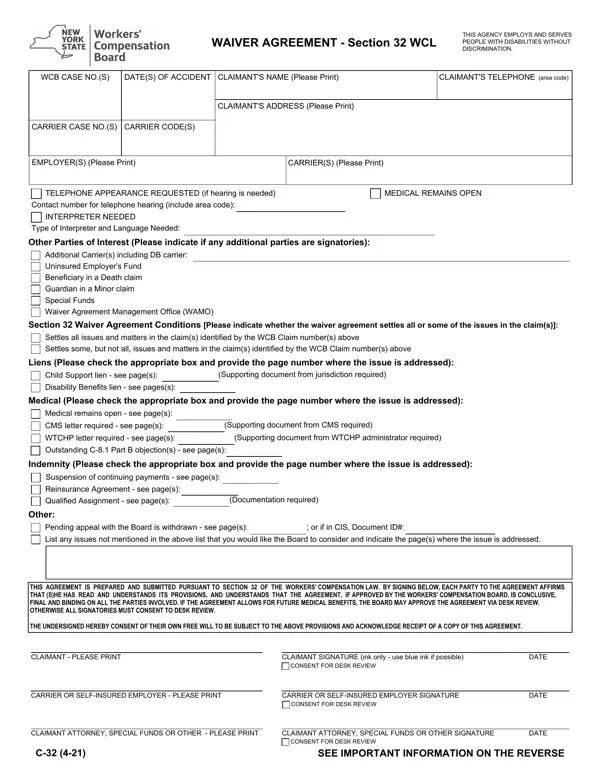
Submit a legible Form C-32. A copy of the Section 32 waiver agreement must be submitted for each claim included in the agreement.
Signatories: all parties of interest, including the guardian for minor claimants if any, sign and date Form C-32 and the final page of the Section 32 waiver agreement.
Pending appeals: the Board will not approve Section 32 waiver agreements for claims that have an unresolved pending appeal.
Child support lien: if the claimant has an outstanding child support lien, the Section 32 waiver agreement must provide for payment in full.
Language to avoid: the Board will not approve any agreement which provides that a claim is “disallowed” by stipulation of the parties.
| Question | Answer |
|---|---|
| Form Name | Form C-32 |
| Form Length | 4 pages |
| Fillable? | Yes |
| Fillable fields | 64 |
| Avg. time to fill out | 11 min |
| Edition | Rev 8-25 |
| Where to send | Email the Board's Claims Unit (wcbclaimsfiling@wcb.ny.gov) or mail to the Board's centralized mailing address (PO Box 5205, Binghamton, NY 13902-5205), along with the necessary accompanying documents |
| Matches the agency's file | Yes, checked October 3, 2026 |
| Other names | C-32, C32, WCB C-32, Form C-32, WCL Section 32 form, Section 32 waiver agreement |
| Official source | Form C-32 (Rev 8-25), New York State Workers' Compensation Board |
Wcb Form C 32 isn’t the one you’re looking for?