
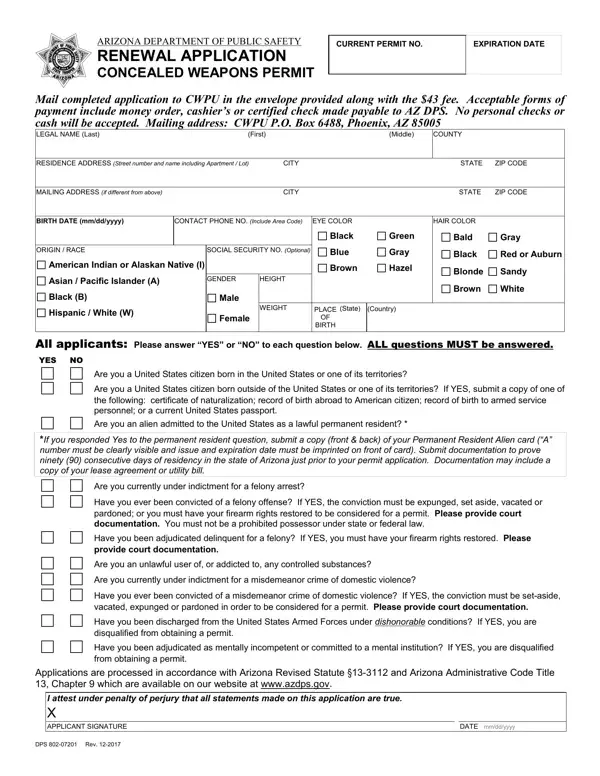
Mail the Renewal Application Packet to AZ DPS CWPU PO BOX 6488 PHOENIX AZ 85005.
Expiration: the permit holder shall submit a renewal application, no more than 90 days before or 60 days after the date of expiration.
Proof of Identity: government-issued photo identification (ID) such as a driver license, state-issued identification card, or passport.
Statutes: before completing the application, review and become knowledgeable of Arizona Revised Statutes Title 13, Chapters 4 and 31.
Questions: all applicants: please answer YES or NO to each question below. ALL questions MUST be answered.
| Question | Answer |
|---|---|
| Form Name | DPS 802-07201 |
| Form Length | 2 pages |
| Fillable? | Yes |
| Fillable fields | 37 |
| Avg. time to fill out | 7 min |
| Edition | Rev 07/2026 |
| Issuing agency | Arizona Department of Public Safety |
| Where to send | AZ DPS CWPU, PO Box 6488, Phoenix AZ 85005 |
| Matches the agency's file | Yes, checked October 3, 2026 |
| Other names | DPS 802, DPS 802 form, DPS 802-07201, 802-07201, Arizona concealed weapons permit renewal, CCW renewal application |
| Official source | DPS 802-07201 (Rev 07/2026), Arizona Department of Public Safety |
Dps 802 Form isn’t the one you’re looking for?