

Form 190-11-R at a glance
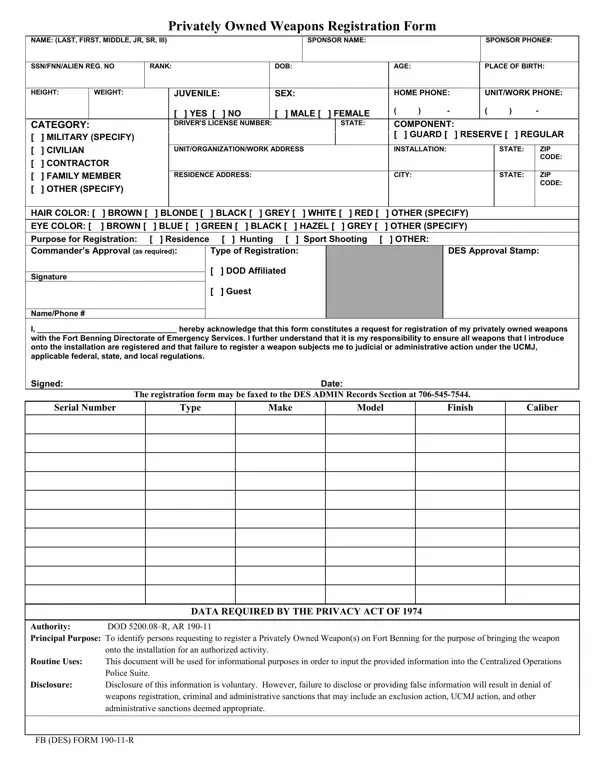
What it is: FB (DES) Form 190-11-R, the Privately Owned Firearms Registration Form, is a request for registration of privately owned firearm(s).
Who signs: Sign on the Signature: line. This line is the Commander's Approval Signature/Date.
The Principal Purpose is to identify persons requesting to register a Privately Owned Weapon(s) on Fort Benning for the purpose of bringing the weapon onto the installation for an authorized activity.
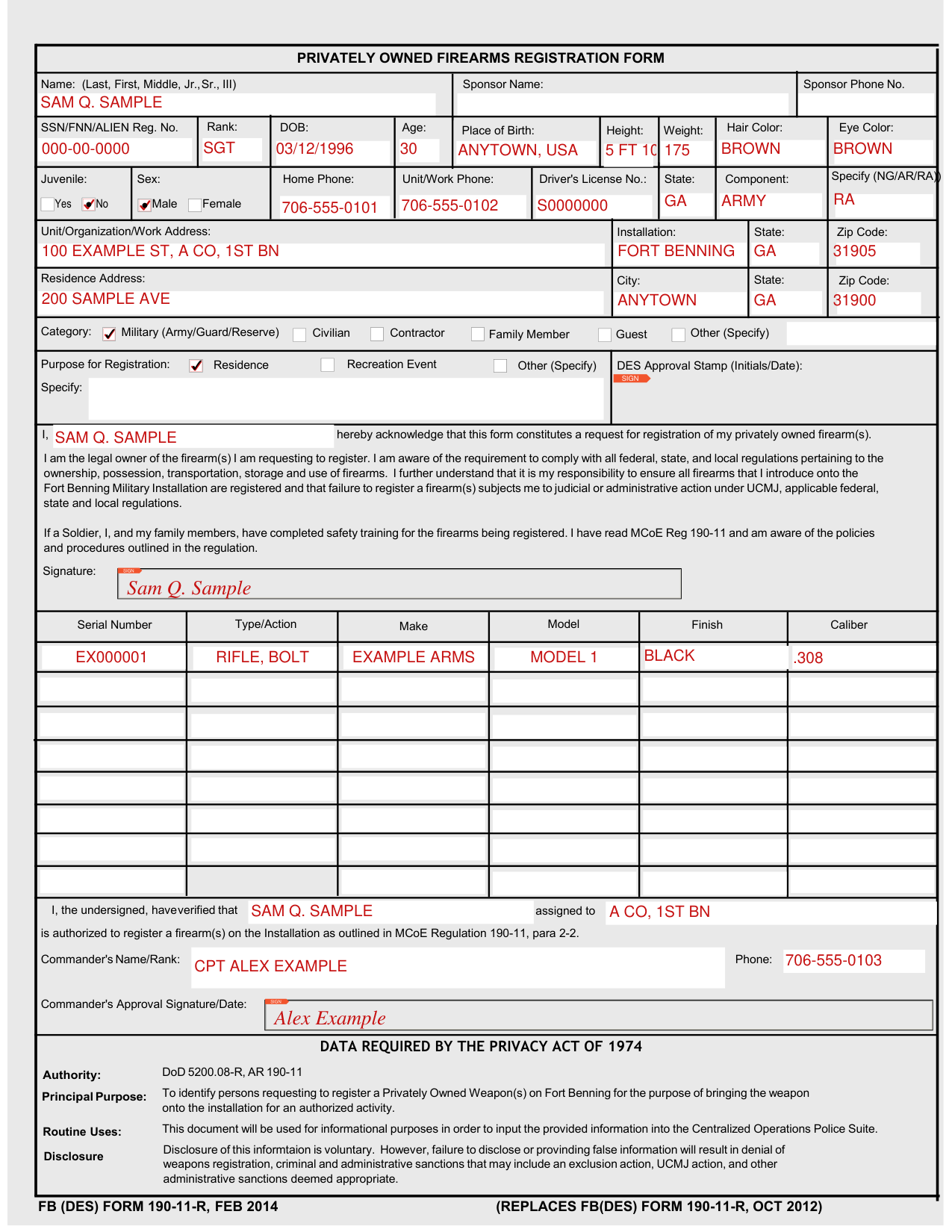
A filled-in Form 190-11-R example: a Soldier registers one rifle
How to fill out Form 190-11-R, box by box
Name, Sponsor Name and Sponsor Phone No.

Enter the Name (Last, First, Middle, Jr., Sr., III), the Sponsor Name and the Sponsor Phone No.
SSN/FNN/ALIEN Reg. No., Rank, DOB and Eye Color

Enter the SSN/FNN/ALIEN Reg. No., Rank, DOB, Age, Place of Birth, Height, Weight, Hair Color and Eye Color.
Juvenile, Sex, Home Phone and Component

For Juvenile, mark Yes or No.
For Sex, mark Male or Female.
Enter the Home Phone, Unit/Work Phone, Driver's License No., State and Component, and Specify (NG/AR/RA).
Unit/Organization/Work Address

Enter the Unit/Organization/Work Address, Installation, State and Zip Code.
Residence Address

Enter the Residence Address, City, State and Zip Code.
Category and Purpose for Registration

Under Category, mark Military (Army/Guard/Reserve), Civilian, Contractor, Family Member, Guest or Other (Specify).
Purpose for Registration lists Residence, Recreation, Event and Other (Specify), and has a Specify: line and a DES Approval Stamp (Initials/Date) box.
Serial Number, Type/Action, Make, Model, Finish and Caliber
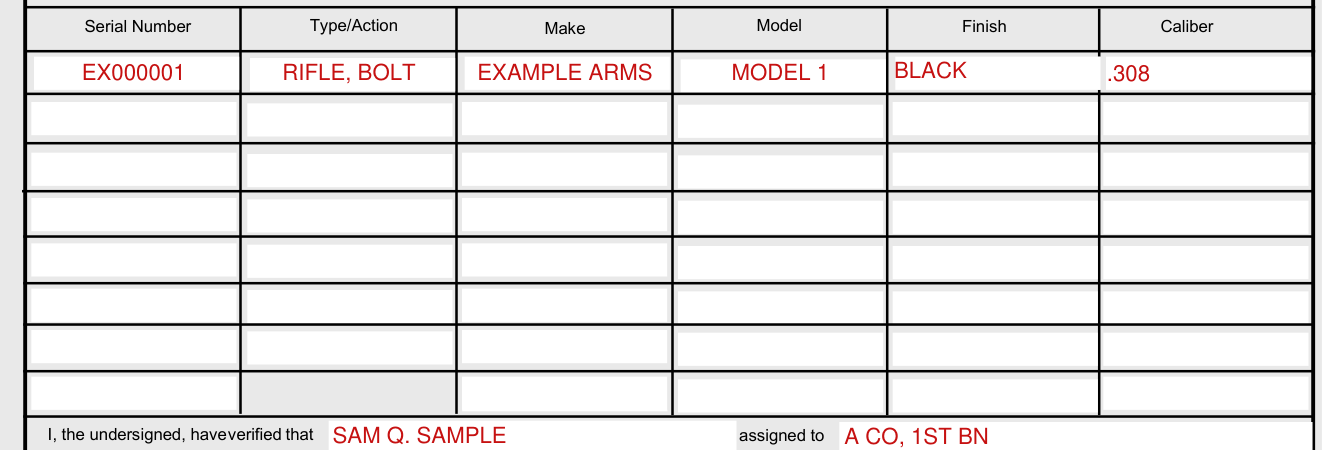
Enter the Serial Number, Type/Action, Make, Model, Finish and Caliber.
Signature
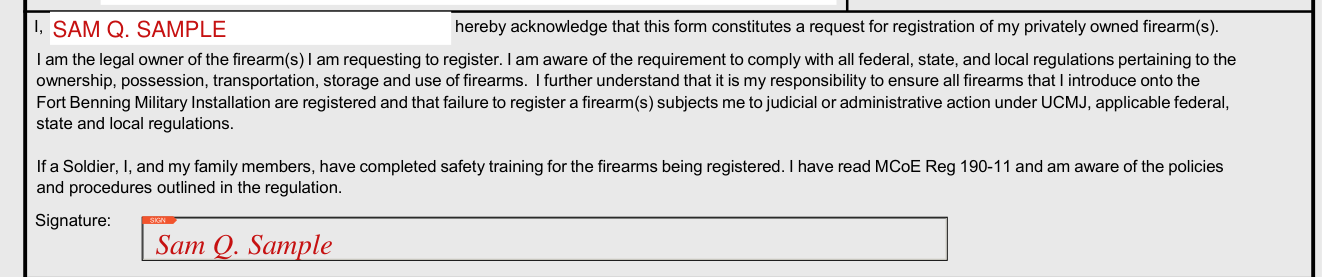
Fill in "I, hereby acknowledge that this form constitutes a request for registration of my privately owned firearm(s)."
You state that you are the legal owner of the firearm(s) you are requesting to register, and that you are aware of the requirement to comply with all federal, state, and local regulations pertaining to the ownership, possession, transportation, storage and use of firearms. You further understand that it is your responsibility to ensure all firearms that you introduce onto the Fort Benning Military Installation are registered and that failure to register a firearm(s) subjects you to judicial or administrative action under UCMJ, applicable federal, state and local regulations.
If a Soldier, you and your family members have completed safety training for the firearms being registered, and you have read MCoE Reg 190-11 and are aware of the policies and procedures outlined in the regulation.
Sign on the Signature: line.
Commander's Approval

Fill in "I, the undersigned, have verified that assigned to is authorized to register a firearm(s) on the Installation as outlined in MCoE Regulation 190-11, para 2-2."
Enter the Commander's Name/Rank and Phone.
This line is the Commander's Approval Signature/Date.
More rules for Form 190-11-R
Disclosure of this information is voluntary. However, false information, or failure to disclose, will result in denial of weapons registration, criminal and administrative sanctions that may include an exclusion action, UCMJ action, and other administrative sanctions deemed appropriate.
Sources
[1] FB (DES) Form 190-11-R (FEB 2014), Privately Owned Firearms Registration Form, Fort Benning Directorate of Emergency Services (the Official source link on this page).