
A Wisconsin General (Financial) Power of Attorney is a document that lets you name an agent to handle your money and property matters for you. Use this Wisconsin general power of attorney form to choose your agent and the powers they get. Start from the printable power of attorney form below, or browse Wisconsin power of attorney forms for other situations.
Last Updated: October 2026. This guide is reviewed and updated regularly to reflect current law. If you notice an error or outdated information, please contact us.
Build Your Document
Answer a few simple questions to make your document in minutes
Save and Print
Save progress and finish on any device, download and print anytime
Sign and Use
Your valid, lawyer-approved document is ready
A Wisconsin general power of attorney gives your agent authority over your financial and property matters. You are the principal, and the person you name is your agent, also called an attorney-in-fact. You choose which powers to hand over on the form. The form can cover powers such as:
It is worth mentioning that, unlike a medical power of attorney form, this document has nothing to do with healthcare decisions. Moreover, the paper does not allow your agent to handle financial affairs when you are no longer able to communicate your wishes and decisions.
It is valid for as long as the principal is of sound mind, and their physical condition does not prevent them from communicating. If you want your attorney-in-fact to represent you even if you are in a coma or vegetative state (or having other serious health problems), you should fill out a Durable POA form instead. Be careful when choosing the correct template, and make sure that it reflects your interests in the best way.
Ensure that the person you want to appoint as an agent is someone you trust most and is unlikely to turn the state of things against you. Your decision should be rational. Do not choose a person with little professional expertise or with no idea how to manage such affairs.
Suppose you think that the attorney-in-fact is no longer needed or suspect them of illegal operations. In that case, you can revoke the form or limit the agent’s authority at any time in writing.
The state does not generate the form, but its variant that we recommend you fill out provides detailed information to clarify things. However, no matter what variant you choose, it should contain the following information:
In Wisconsin, there are no statutes regulating the process of creating this form. However, those who decide to complete the paper can read Chapter 244 of the state law and look through the list of requirements for the durable POA form, which can be applied to the general type of the document as well.
According to the laws in the chapter, to make a power of attorney valid, the principal must sign it and let a notary agent verify it through a signature. No witnesses are required. Besides, you cannot create the document until you achieve the legal age.
Make sure that the person satisfies all the requirements stated in the chapter mentioned above.
| Document Name | Wisconsin General Power of Attorney Form |
| Other Name | Wisconsin Power of Attorney for Finances and Property |
| Relevant Laws | Wisconsin Statutes and Annotations, Chapter 244 |
| Where to File? | Not necessary to file in most cases (but in real estate transactions it is needed to record the form in the office of the register of deeds in the county in which real estate is located) |
| Avg. Time to Fill Out | 10 minutes |
| # of Fillable Fields | 41 |
| Available Formats | Adobe PDF |
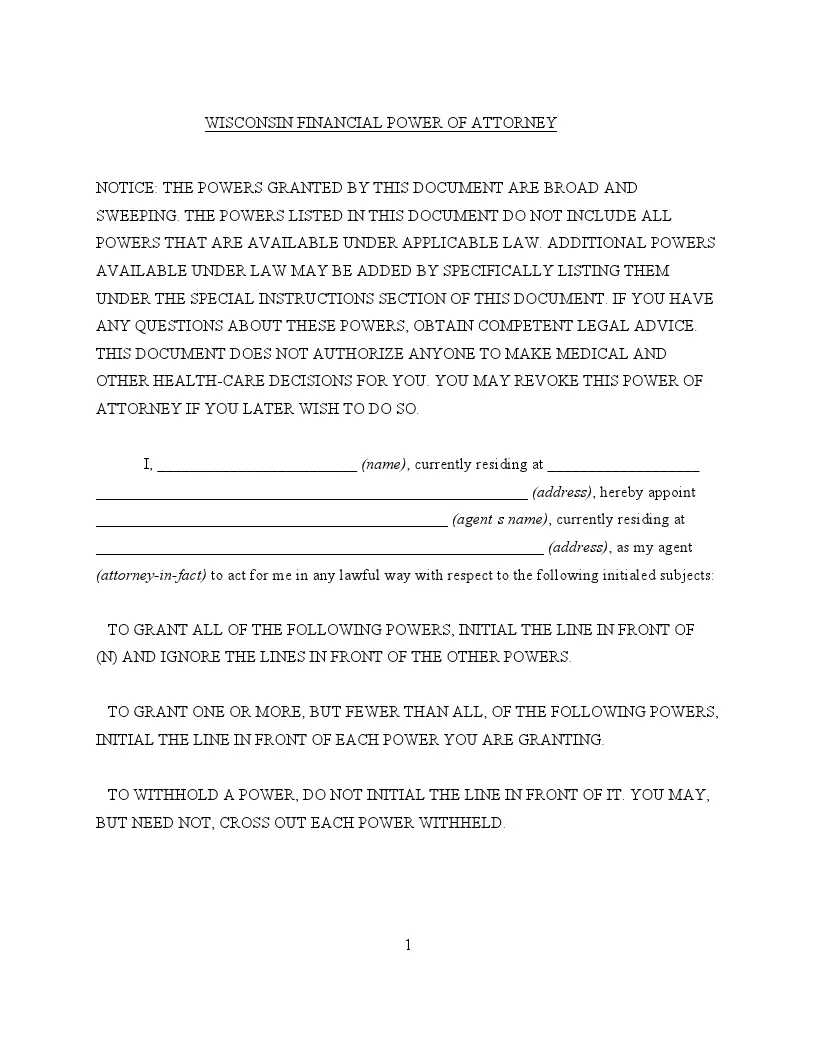
Download the PDF above or use our form-building software to get the template. Then work through these ten steps in order. Each step shows the matching part of the form, so you can compare it with your own copy as you go.
Have these ready before you start:
The screenshots under each step show the FormsPal Wisconsin Wisconsin General Financial Power of Attorney template filled with sample entries in blue, so you can see where each answer goes. The names, addresses, dates and amounts are examples only.
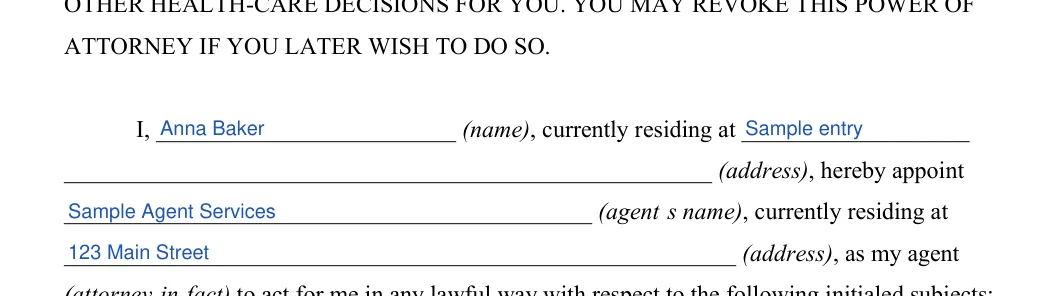
Step 1: Principal and Agent Names and Addresses
Write your name and current address on the first two lines. Then enter the name and address of the person you appoint as your agent. Check that both names match your IDs.


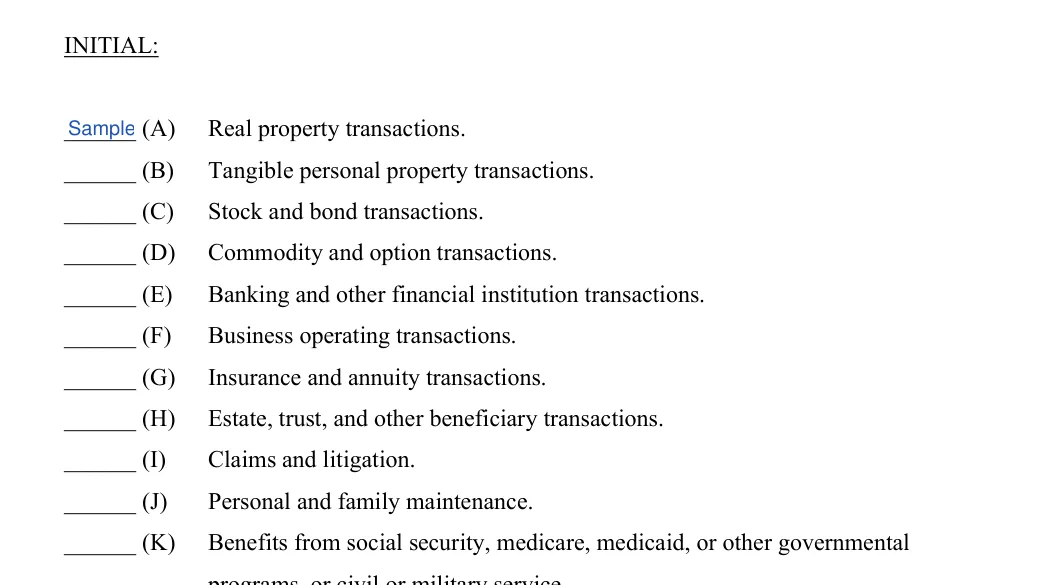
Step 2: Initial the Powers (A) Through (K)
On page 2, initial the line in front of each power you want your agent to have. The list runs from (A) Real property transactions through (K) Benefits from social security, medicare, medicaid, or other governmental programs. Leave a line blank to hold that power back.

Step 3: Initial (L), (M) or (N) All Powers
Initial (L) Retirement plan transactions and (M) Tax matters if you want your agent to have them. To give your agent every power on the list, initial only line (N). The form says you do not need to initial any other line in that case. The Special Instructions below the list have no blanks, so just read them.

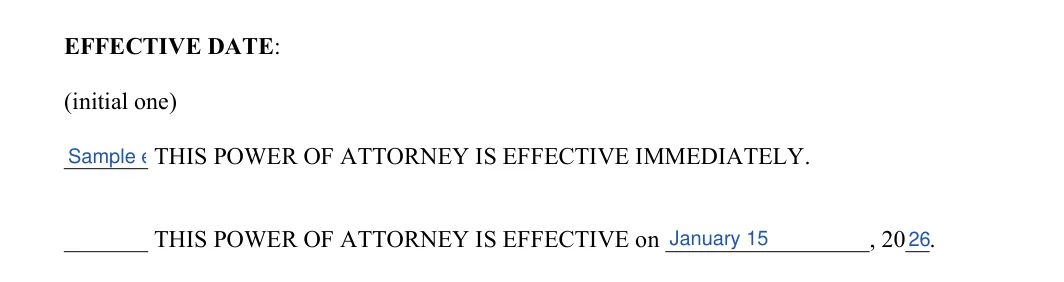
Step 4: Effective Date
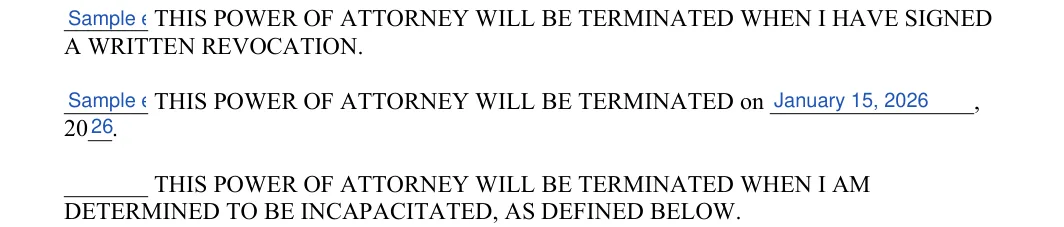
On page 3, initial one line under Effective Date. The first line starts the power right away. The second line starts it on a date you choose, so write that day and year in the blanks.

Step 5: Termination Date: Written Revocation
Under Termination Date, initial only one line. Initial the first line if the power should end when you sign a written revocation.

Step 6: Termination Date: Set Date or Incapacity
Initial the second line to end the power on a date you set, and write the day and year in the blanks. Initial the third line to end it when you are determined to be incapacitated, as the form defines right below the list.
Step 7: Successor Agent
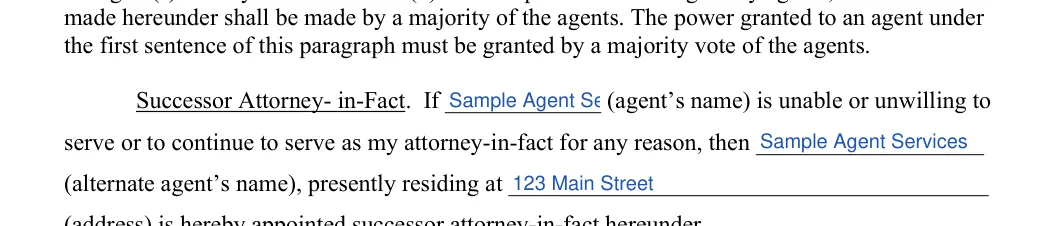
On page 4, find Successor Attorney-in-Fact. Enter your agent's name, then the name and address of the alternate agent who steps in if your first agent cannot serve.
Step 8: Date, Sign and Print Your Name
Read through the whole form once more. When you have nothing else to add, fill in the day, month and year on the Signed line, sign on the signature line and print your name below it.


Step 9: Acknowledgment: County, Date and Officer
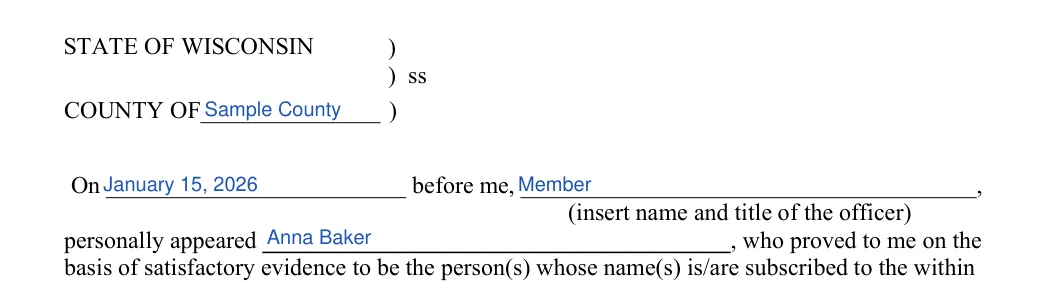
Bring the form to the notary. On page 5, enter the county and the date. Then add the name and title of the notary or other officer and your name as the person who appears before them.

Step 10: Notary Signature and Seal
The notary or other officer signs on the Signature line and adds the seal. This line is for the officer, not for you.

After you fill in the form, a few steps remain. Take the form to a notary, then share copies with the people involved. Keep the original in a safe place that you and your agent can find.
Notarize the Document
As we have stated earlier, the state demands that the from be acknowledged by the notary public. After everything, a notary agent verifies the document by appending their signature.
It is a financial document. You, the principal, name an agent to handle money and property matters for you, and you choose the powers on the form. The agent is also called an attorney-in-fact.
A general financial power of attorney deals with money and property. A medical power of attorney deals with health care decisions. Pick the form that matches what you want your agent to handle.
The details table above lists an average of 10 minutes for the 41 fillable fields. Have the names, addresses and dates ready before you start.
Yes. Download the PDF and fill in the fields with the FormsPal PDF editor, or print it and write in your answers by hand.
Keep the original in a safe place and give your agent a copy. Write down where you stored it so your family can find it.
General information, not legal or tax advice.
