
Updated:
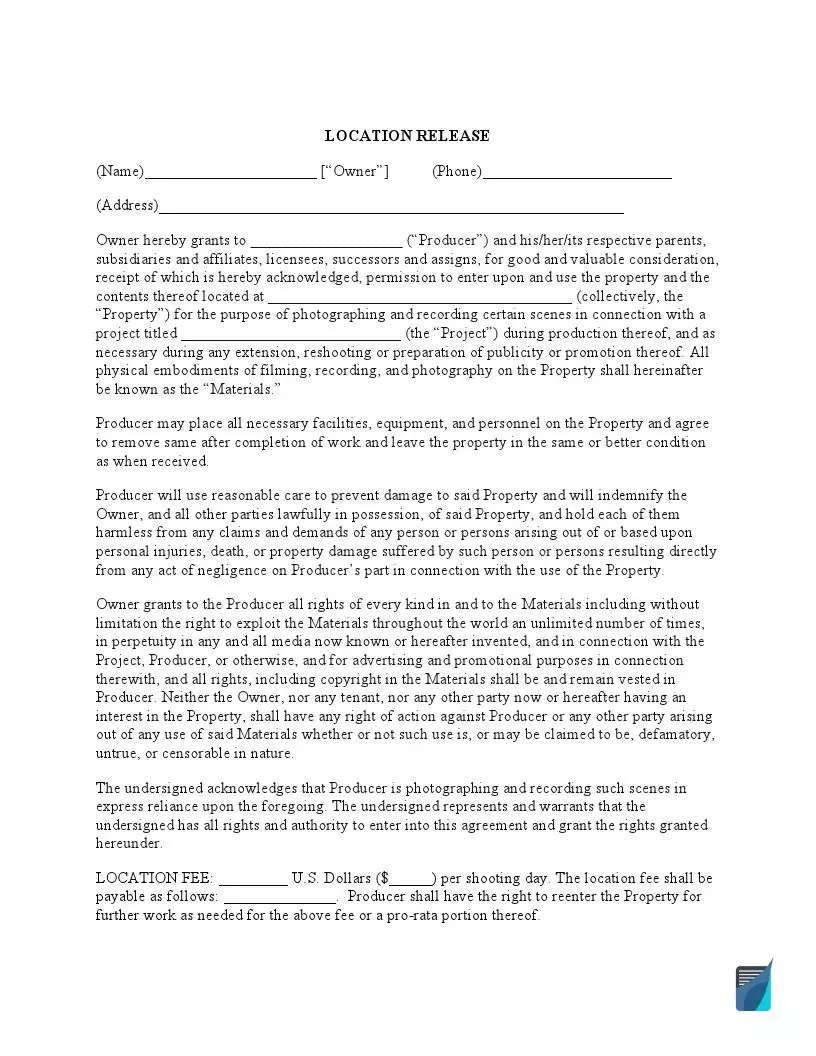
A location release form, also known as a film location release form, is a written agreement in which a property owner lets a film crew shoot at their property. The form names the shooting address, the terms and the conditions, and both the crew representative and the site representative will sign the release of liability form. Fill in the FormsPal template below, then download, print and sign it.
Build Your Document
Answer a few simple questions to make your document in minutes
Save and Print
Save progress and finish on any device, download and print anytime
Sign and Use
Your valid, lawyer-approved document is ready
The location release form becomes necessary when you (as a filmmaker or photographer) decide to shoot in a specific location. To avoid legal problems and claims from the property owner, you should discuss as many conditions as possible and include all provisions in the form.
When directors and producers of the movies (or any other videos and content) decide to shoot, they should also choose various locations. However, to legally shoot in some places, the crew will need to sign a location release form, also known as a film location release form. If the location included in the agreement belongs to the public authorities (for instance, a public park), their permission is also usually required.
| Document Name | Location Release Form |
| Other Names | Film Location Release, Location Release Agreement |
| Avg. Time to Fill Out | 7 minutes |
| # of Fillable Fields | 12 |
| Available Formats | Adobe PDF |
The template reads like a short contract between two parties, the property owner (or the entity that owns the property) and the producer. It sets out who is involved, where the shooting takes place and the specific terms of the filming, so both sides keep a clear record of what was agreed.
The FormsPal template includes these parts:
This document is called “release” because an owner of the location has to allow showing the property in the movie (on the TV, on the internet, etc). So, the part where the owner does not mind demonstrating the location should be included in the template.
The conditions you discuss with the owner, such as access for certain people and equipment, the filming schedule and access on specific days, belong in the form too. If the shoot involves changes to the place, talk them through with the owner and add the details.

Before you open the template, settle the practical points: choose the place, find its owner, agree on the details and then sign. Taking these steps in order keeps the paperwork straightforward and helps your production team avoid unexpected complications on the day of the shoot.
Follow these four steps to complete the FormsPal template, from the owner and producer details at the top of page 1 to the signature block on page 2. The template has 12 fillable fields, and each step shows exactly where your answers go, so you can complete the entire document in a few minutes without any additional paperwork.
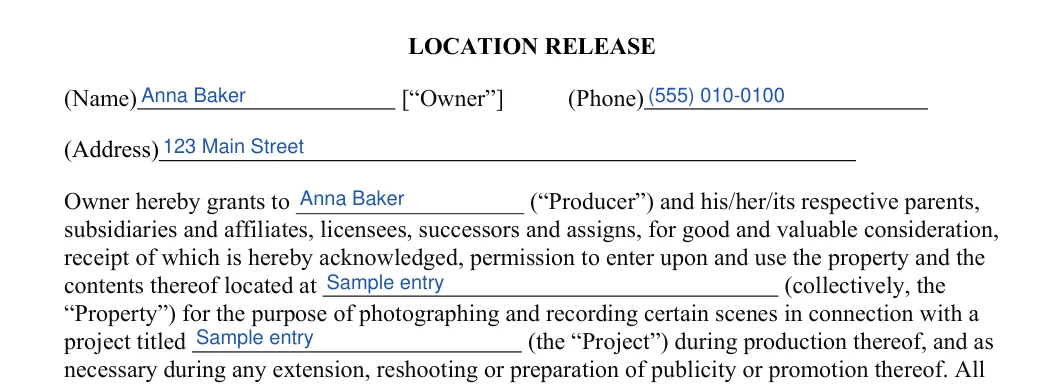
The screenshots under each step show the FormsPal Location Release template filled with sample entries in blue, so you can see where each answer goes. The names, addresses, dates and amounts are examples only.
Have these details ready before you start:
On page 1, enter the property owner's name, phone and address at the top. Next, type the Producer's name in the blank in the first paragraph. Then add the address of the property after “located at” and the title of the film or video on the Project line.

Still on page 1, find the LOCATION FEE line near the bottom. Enter the amount in U.S. dollars that the Producer will pay per shooting day, as agreed with the owner.


In the blank after “payable as follows”, write when and how the fee is paid, for example the due date or the payment method you agreed on.

On page 2, find AGREED AND ACCEPTED. The owner signs on the Owner Signature line, prints their name on the Printed Name line and enters the date in the DATE field.
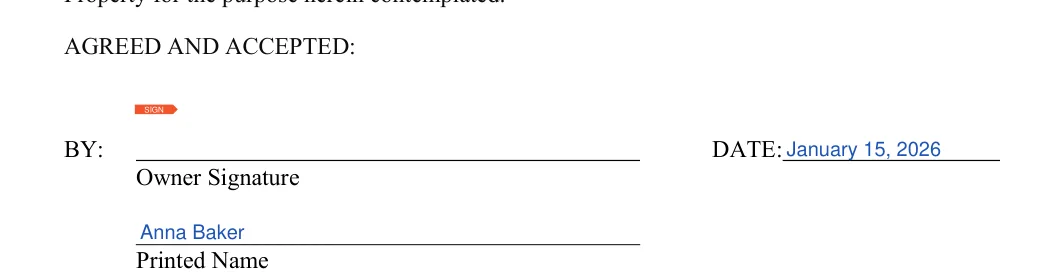
Keep the sample entries from the screenshots out of your own form. Replace the example names, address and amounts with the real details for your shoot.
Prefer to type your answers? Download the PDF and fill it in with the PDF editor before you print it. This online tool lets you type straight into the fields.
Once every field is filled in, go through the form with the property owner and sign it before filming starts. Keep a copy with your production files, so that you can find the agreement quickly if a question about specific terms comes up during editing or distribution.

It is a written agreement in which a property owner gives a film crew permission to shoot at a property. It names the owner and the producer, the address, the project and the fee, and it ends with a signature block for the owner.
The template has 12 fillable fields. They cover:
The template has two pages. Page 1 holds the owner and producer details, the property address, the project title and the fee. Page 2 holds the signature block, where the owner adds a signature, a printed name and the date.
The DATE field sits next to the signature under AGREED AND ACCEPTED on page 2.
Yes. Select Create My Document at the top of this page and answer a few questions, or download the PDF and fill it in with the FormsPal PDF editor.
Enter the amount in U.S. dollars that the Producer will pay per shooting day. In the blank after “payable as follows”, write how the fee is paid.
Enter the name of the person or company making the film or video, which is the party who pays the fee. The same name appears again in the first paragraph of the form.
Save the filled-in PDF with your other production documents and print a copy for the owner. Having both copies at hand makes it easy to check the details later.
General information, not legal or tax advice.
