
Updated:
An unconditional lien waiver is a one-page release signed after payment. The signer gives up lien rights for the work the release covers. On a progress draw, the form needs unpaid work and retention listed as exceptions.
This page explains what the Unconditional Mechanic’s Lien Release gives up, how it differs from a conditional waiver, and how to fill out, sign and send it. It is one of the mechanic’s lien release forms in our release of liability form section.
Key facts
Build Your Document
Answer a few simple questions to make your document in minutes
Save and Print
Save progress and finish on any device, download and print anytime
Sign and Use
Your valid, lawyer-approved document is ready
An unconditional lien waiver is a signed statement that a payment has been received and that the signer gives up the right to claim a lien for the work it covers. The same document is also called an unconditional lien release, an unconditional waiver and release, or an unconditional mechanic’s lien release.
The waiver works like a receipt for construction work. A contractor, subcontractor or material supplier signs it after being paid for work, materials or labor. The signed page then goes to the owner, the general contractor or the lender.
The signer is called the claimant: the person or company that supplied the work and holds the lien rights. A mechanic’s lien is a claim against the property for unpaid work or materials, and the waiver gives that claim up for the work its printed text covers.
The word “unconditional” means the release carries no payment condition in its wording. The form does not say “once the check clears”. It says the money has been received and the rights are given up as of signing.
A check that bounces after signing does not change what a signed unconditional waiver says. For that reason the form belongs only on a payment already in the claimant’s account.
The unconditional waiver releases the lien rights its printed text names for the work, service, equipment or materials it covers. Stop payment notice rights exist only in some places, and payment bond rights only on bonded projects; the waiver gives them up only where its wording names them. A stop payment notice asks the owner or the lender to hold back funds owed to the contractor. A payment bond claim goes against the bond a surety posted for the project.
The form has no field for a payment amount or a through date. Without them, the release can give up lien rights for all work up to the signing date, including work done but not yet billed or paid. The form carves out only what its printed text or the Exception lines say. For a progress draw, it fits only when every open amount, such as retention, unbilled work and unpaid extras, is listed on the Exception lines.
An unconditional lien waiver takes effect when it is signed, while a conditional lien waiver takes effect only once the named payment is received. The moment of payment decides which of the two forms fits.
| Point | Conditional waiver | Unconditional waiver |
|---|---|---|
| When it is signed | Before the payment arrives | After the payment has cleared |
| When it takes effect | Once the named payment is received | On signing |
| If the payment fails | The condition is not met | The signed wording still says payment was received |
| Typical use | Handed over in exchange for a check or transfer | Proof of a payment already made |
A contractor about to be paid signs a conditional lien release first. After the money clears, the same contractor signs the unconditional one for that payment.
An unconditional lien release fits after the payment has cleared, not when a check is handed over or a transfer is only scheduled. The release then gives up the lien rights its printed text names for that payment. Whether it also settles other claims under the contract depends on its wording.
Owners and lenders often ask for one before they release the next draw or close out a job. The waiver shows them that the people who worked on the project were paid for the work billed so far.
An unconditional waiver comes in two kinds: one for a progress payment and one for the final payment. This form has no amount or through-date field, so a progress waiver on it needs every open amount on the Exception lines. A final waiver states that the claimant has been paid in full for the job.
A full unconditional lien waiver and release on final payment is the last waiver a claimant signs on a project. Signing the final version for a progress payment gives up more than the payment received.
The waiver is signed by the claimant, the party that was paid and holds the lien rights. A general contractor signs one for the owner. Subcontractors and material suppliers sign one for the general contractor, who passes copies on to the owner.
An owner who pays the general contractor gains little from that contractor’s waiver alone if a subcontractor or supplier is still unpaid. That is why the payment should be confirmed by the subcontractors and material suppliers as well as the direct contractor.
A complete unconditional lien waiver names the parties, the contract and the project, so that anyone reading it can tell which payment it covers. The form on this page asks for these details:
| Document Name | Unconditional Mechanic’s Lien Release Form |
| Other Names | Unconditional Lien Waiver, Unconditional Waiver and Release |
| Avg. Time to Fill Out | 7 minutes |
| # of Fillable Fields | 15 |
| Available Formats | Adobe PDF |
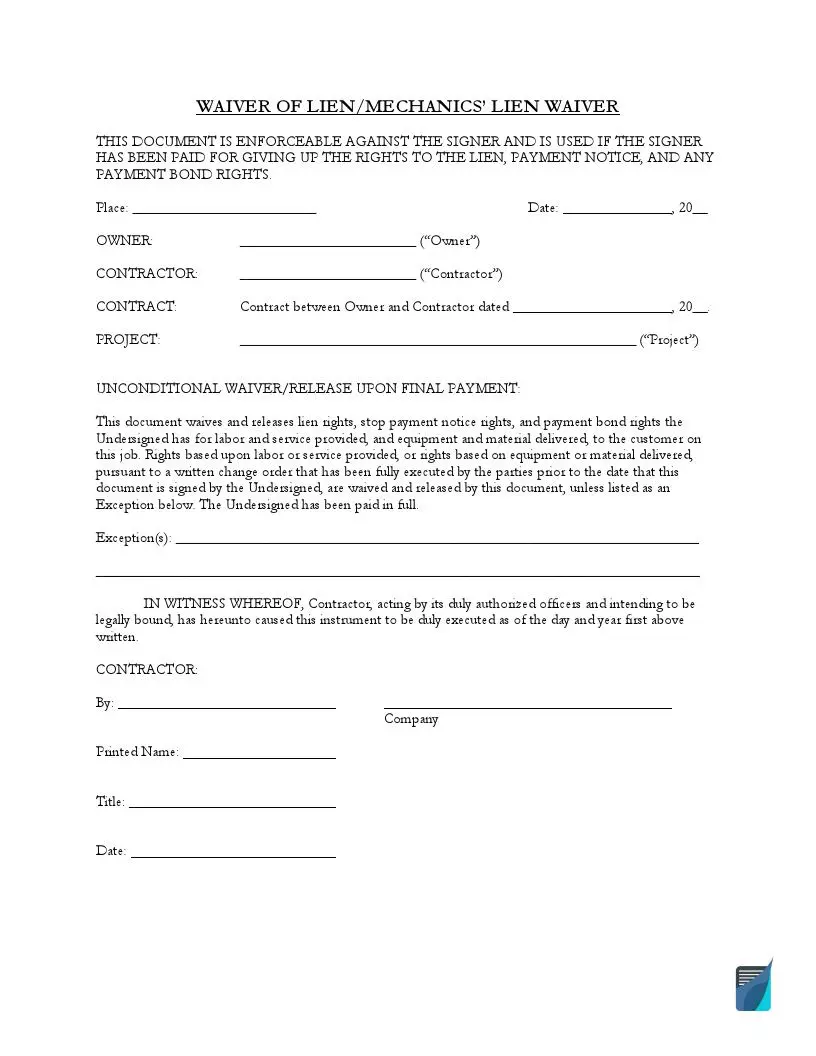
The unconditional lien waiver form is one page in three parts: the heading block, the Exception lines and the contractor’s signature block. The page is titled Waiver of Lien/Mechanics’ Lien Waiver. Keep the contract nearby so the names and dates match.
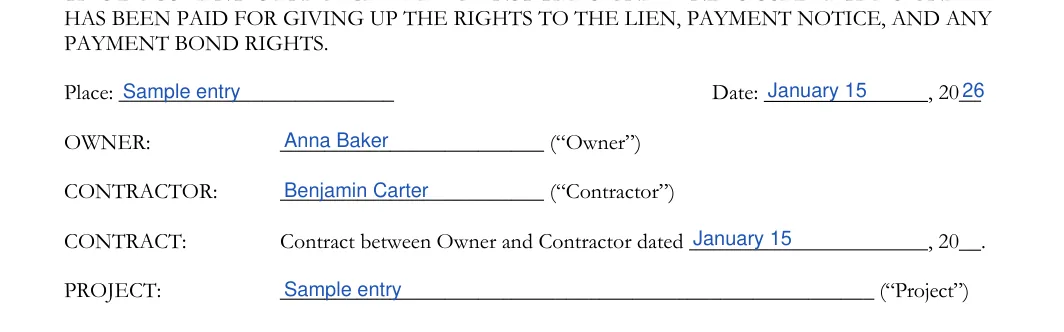
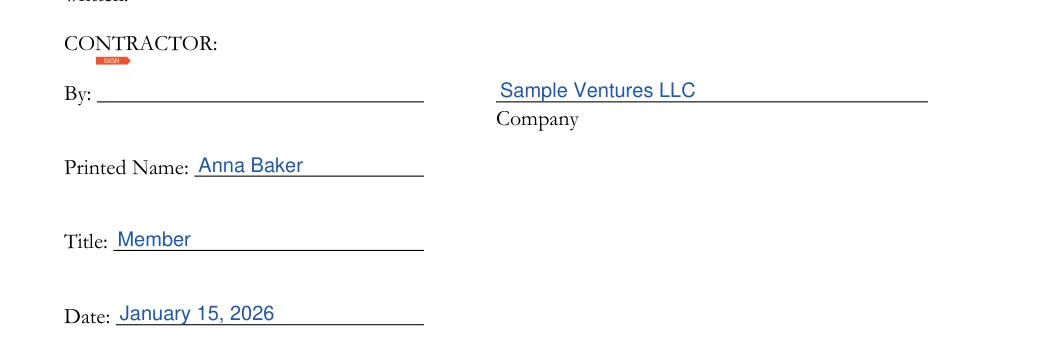
The screenshots under each step show the form filled with sample entries in blue, so you can see where each answer goes. The names, addresses, dates and amounts are examples only.
Enter the parties, the contract and the project
Read the heading text at the top of the form. Then enter the place and date, the Owner and Contractor names, the date of the contract between them and a short description of the Project.

List any exceptions
Use the two Exception lines to list anything you want to leave out of the waiver, such as a fully executed change order. If nothing is left out, leave the lines blank. Do not change the printed release text above them.


Complete the contractor signature block
Enter the Company name, sign on the By line, then add the Printed Name, Title and Date. The form has one signature block, for the contractor.

A signed unconditional waiver goes out only after the funds have cleared, and every party keeps the same signed version. Work through the steps below with the contract, the payment record and your bank statement in front of you.
A lien waiver form most often goes wrong on small details rather than on the printed wording. Review the slips below before you sign and send the finished waiver.
Lien waiver rules differ from place to place, and the rules that count are those where the project is located, not where the contractor is based.
Before signing, check the details for your state. The owner, the lender or the title company on the project can also say which waiver wording they accept.
The form on this page has no notary block, and this page states no notarization rule for any state. Some owners, lenders and title companies ask for a notarized signature anyway. Check the details for your state before you sign.
Lien waivers show that the people who worked on a project have been paid for the work billed. An owner or lender collects them so that no one later claims a lien on the property for a payment already made.
The example below shows how a filled-in progress waiver reads, with the open amounts on the Exception lines. Every name and date in it is made up.
Place and date: Springfield, March 14. Owner: Dana Lee. Contractor: Northside Framing LLC. Contract date: January 6. Project: framing of a two-story house at 12 Elm Street. Exceptions: retention still held; work done after March 14. Signed for Northside Framing LLC by Sam Ortiz, Owner.
A signed unconditional waiver can be held against the signer even if the payment never arrives, so the lien and bond rights for that work can be lost. Use a conditional waiver until the funds clear, then sign the unconditional one. Check the details for your state before you sign.
Write them on the two Exception lines in the middle of the form, above the signature block. Leave the lines blank if nothing is left out of the waiver.
General information, not legal or tax advice.
