Venue Rental Agreement Templates

A venue rental agreement is a written contract between a venue owner and a renter. It sets the dates, the space, the fees and the house rules for an event. Use this free venue rental agreement template to put those details in writing before the booking is final. Owners and renters can also compare it with any lease agreement they are offered, and spot gaps before they sign.

Last Updated: October 2026. This guide is reviewed and updated regularly to reflect current law. If you notice an error or outdated information, please contact us.
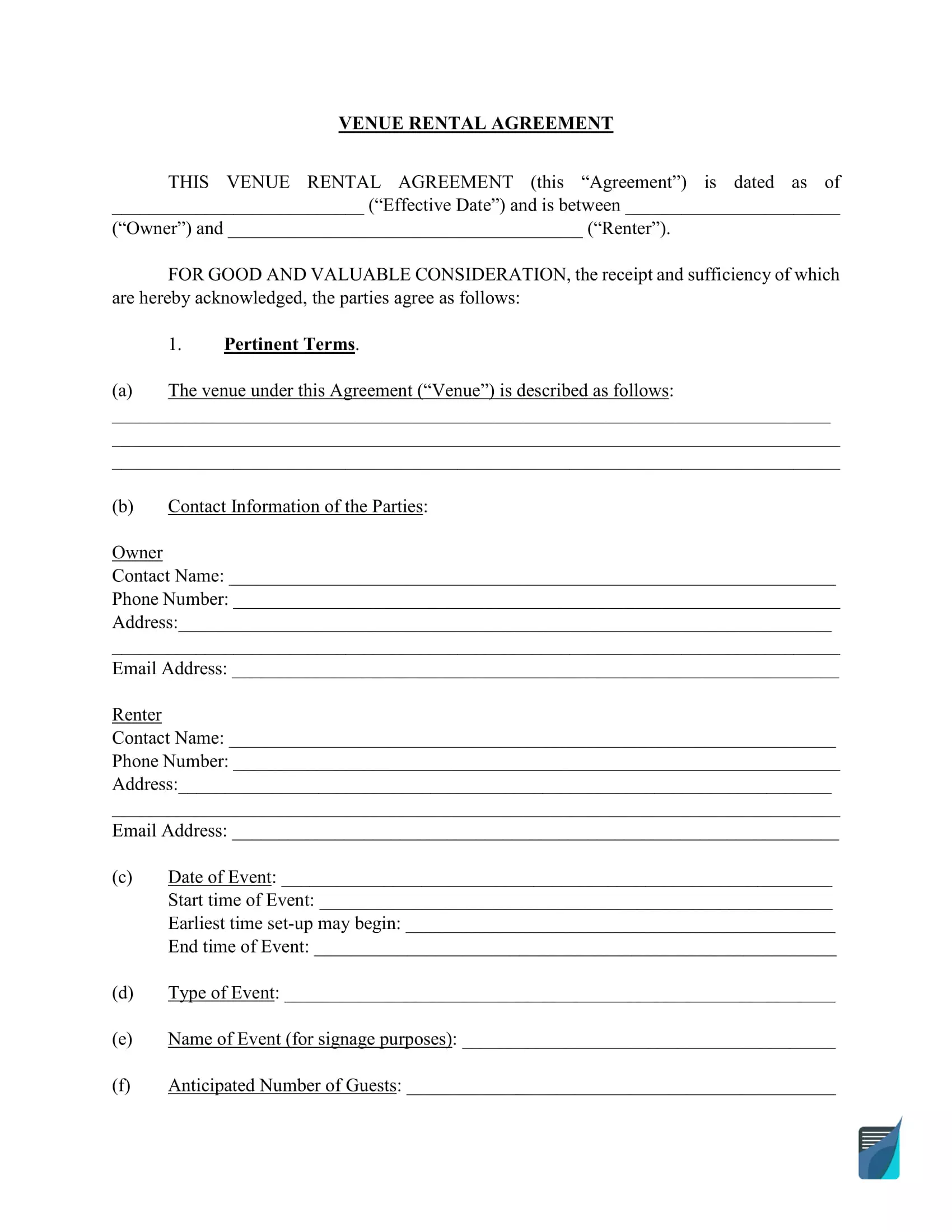
Venue rental agreement preview

Create a Personalized Venue Rental Agreement Form online in under 5 minutes!

Build Your Document

Answer a few simple questions to make your document in minutes

Save and Print

Save progress and finish on any device, download and print anytime

Sign and Use

Your valid, lawyer-approved document is ready

... or download your Venue Rental Agreement Templates as a  PDF file

When Do You Need a Venue Rental Agreement?

A venue rental agreement is a good idea for almost any event, from a birthday party to a professional conference. It puts the dates, the space, the payments and the fees in writing, so the owner and the renter both know what to expect.

Venue rental agreements are important, but both venues and renters often overlook them. A good commercial lease template outlines more than the date and time of the event. It also covers the kinds of fees you can expect.

A good venue rental agreement covers payments, the condition of the event space and more. It can be used for commercial properties, rental properties and even residential spaces rented for events.

Weddings usually have their own contract. A wedding venue rental agreement has its own form and different details.

You may also see this document called a Party Rental Contract or an Event Facility Rental Agreement.

What Should a Venue Rental Agreement Include?

Both the owner and the renter should know which details belong in a venue rental agreement. That makes it easier to tell whether the agreement in front of you covers everything it needs to.

At a minimum, all rental agreement forms should include:

  • Payment information
  • Event rental dates
  • Space included in the rental
  • Contact information for owner and renter
  • Provisions for facility condition
  • Any fees for damage, for going over the rental time or for other extras

A good rental agreement form will also include:

  • Consequences for late payment
  • Additional venue-specific terms and fees
  • Liability agreements
  • Cancellation policies
  • Noise ordinances
  • Included amenities
  • Included staff or venue equipment
  • Decor restrictions
  • Vendor restrictions
  • Cleanup fees and other possible extras

A venue rental agreement template lets you create a customized document for your rental property or event. You can even use a different template to compare with your own. That shows whether you have outlined everything you want and covered all the provisions and penalties you need to take care of your premises.

How Does Renting a Venue Work?

Renting a venue follows a simple order. You settle on how long you need the space, agree on the price and extras, hold the event and then pay the final cost. Each step below says what to settle and what to write down.

Step 1: Determine How Long You Need the Rental Venue

step 1 determine how long you need the rental venue venue renting process

The first step after you’ve found a venue is to determine how long you’ll need the space for your event. Most event space owners want to have as many events in their space as possible, so you’ll likely need to be as exact as possible.

It’s common to rent a venue for a single day for most events.

Longer events need more time. For a business or academic conference, a LARP event or any multi-day occasion, consider renting the space a little longer than you need. That gives you time to clean up and helps you avoid extra fees and charges.

Step 2: Negotiate Price and Additional Rental Items

step 2 negotiate price and additional rental items venue renting process

Once you know how long you need the venue, go over the price of the space and any extra items you want included.

This is the time to ask questions about the event and the venue. The owner can also ask about the nature and purpose of the event. Cover these points:

  • What kind of behavior is acceptable at this venue, for example whether drinking is allowed
  • Which extra services or equipment come with the rental, so you can document them
  • A walk-through before the event, so you can document any existing damage and check that only the items in the rental agreement are in the space

Step 3: Hold Your Event

step 3 hold your event venue renting process

The next step is simple: hold your event. With most rental agreement templates, this is not the last step. The final payment for the venue comes after the event.

Step 4: Pay Final Rental Cost (Including Any Additional Rental Fees)

step 4 pay final rental cost (including any additional rental fees) venue renting process

Payment is simple when your rental agreement template lists the due date of every fee and the total rental cost due after the event.

Usually, the total cost due is the cost of the rental plus any additional fees accrued during the event, less your security deposit (assuming no damage).

Step 5: Cancellation Clauses, Additional Terms and Conditions, and Witnesses

A good agreement should always include cancellation clauses in case either the renter or the owner needs to back out of the agreement, or in case of an emergency that prevents the venue from being available on the date.
Step 5 to filling out a venue rental agreement example cancellation clauses

Venue Rental Agreement Form Details

The table below lists the basics of the FormsPal Venue Rental Agreement template, including the other names it goes by and the number of fillable fields. Use it to check that the template fits your event before you start.

Document Name Venue Rental Agreement Form
Other Names Party Rental Contract, Event Facility Rental Agreement
Avg. Time to Fill Out 20 minutes
# of Fillable Fields 168
Available Formats Adobe PDF
Template Preview
Create a Personalized Venue Rental Agreement Form online in under 5 minutes!

How to Fill Out a Venue Rental Agreement

Filling out a venue rental agreement is quick once you know the order of the form. The steps below follow the FormsPal Venue Rental Agreement template on this page, part by part. Gather your details first, so you can fill in each part in one pass.

The screenshots under each step show the FormsPal Venue Rental Agreement template filled with sample entries in blue, so you can see where each answer goes. The names, addresses, dates and amounts are examples only.
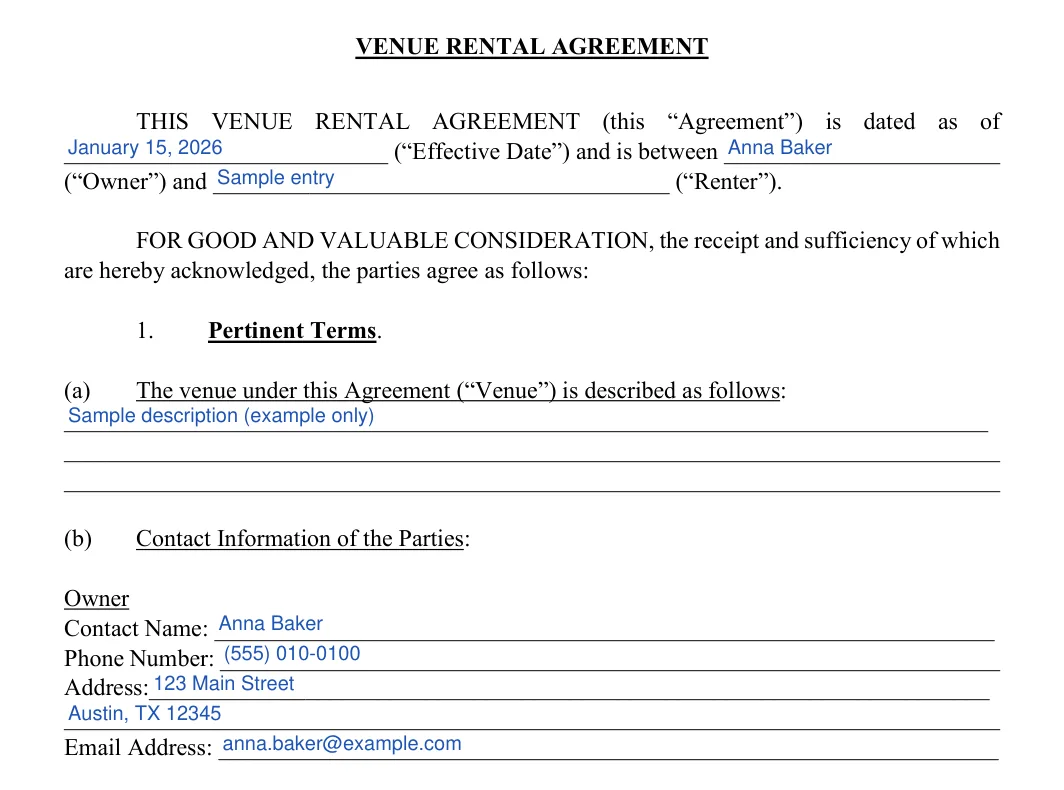
  1. Effective date, parties and Owner contact
    Enter the Effective Date, then the names of the Owner and the Renter. In the Pertinent Terms part, describe the venue. This section is usually used to define the exact space rental included in the agreement, which areas guests are allowed to access and use, and any other details that aren’t included in the rest of the contract. Then add the Owner’s contact name, phone number, address and email.
    Venue Rental Agreement: VENUE RENTAL AGREEMENT, filled with sample entries
    Step 1: sample entries, not a real document.
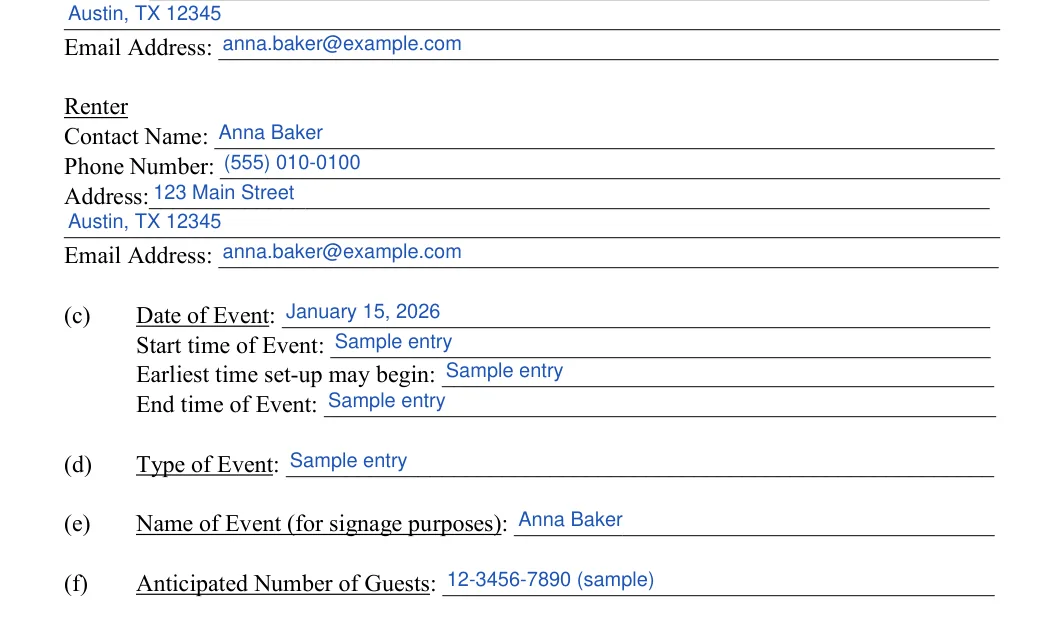
  2. Renter contact and event details
    Add the Renter’s contact name, phone number, address and email. Then enter the event date, the start time, the earliest set-up time, the end time, the type and name of the event and the number of guests you expect.
    Venue Rental Agreement: Contact name, Phone number 1 and more, filled with sample entries
    Step 2: sample entries, not a real document.
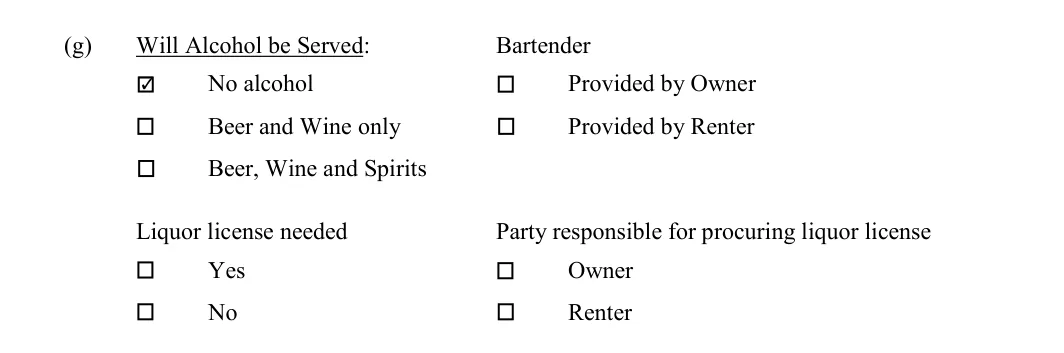
  3. Will Alcohol be Served
    Tick the alcohol option that fits your event and say who provides the bartender. Then tick whether a liquor license is needed and which party gets it.
    Venue Rental Agreement: Will Alcohol be Served, filled with sample entries
    Step 3: sample entries, not a real document.
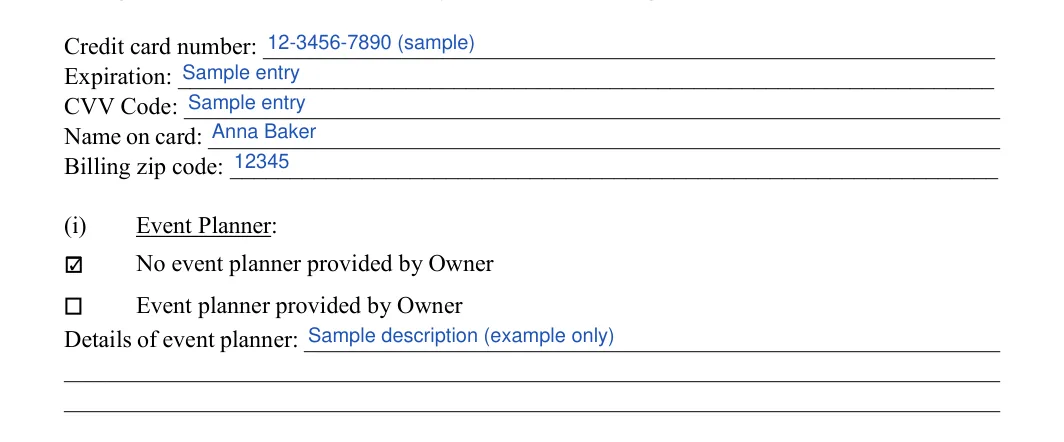
  4. Credit card and Event Planner
    The form holds the Renter’s card on file in case of damage or other default. Fill in the card details only if both sides agree to use it. For the event planner, tick whether the Owner provides one and add the planner’s details.
    Venue Rental Agreement: Event Planner, filled with sample entries
    Step 4: sample entries, not a real document.
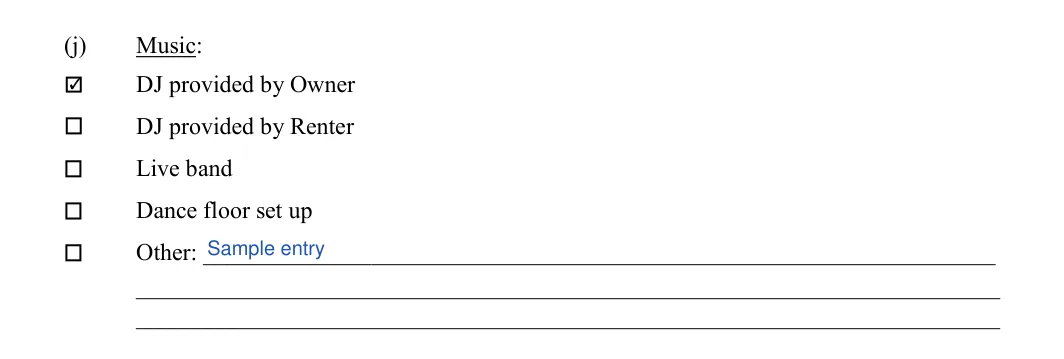
  5. Music
    Tick the music options that apply: a DJ from the Owner, a DJ from the Renter, a live band or a dance floor. Use the Other line for any other arrangement.
    Venue Rental Agreement: Music, filled with sample entries
    Step 5: sample entries, not a real document.
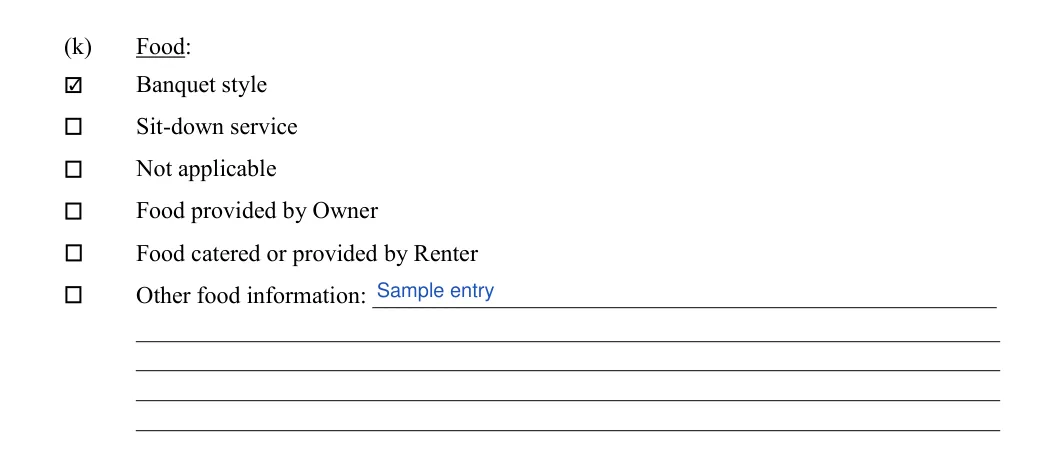
  6. Food
    Tick the service style and whether the Owner or the Renter provides the food. Use the Other food information line for anything else.
    Venue Rental Agreement: Food, filled with sample entries
    Step 6: sample entries, not a real document.
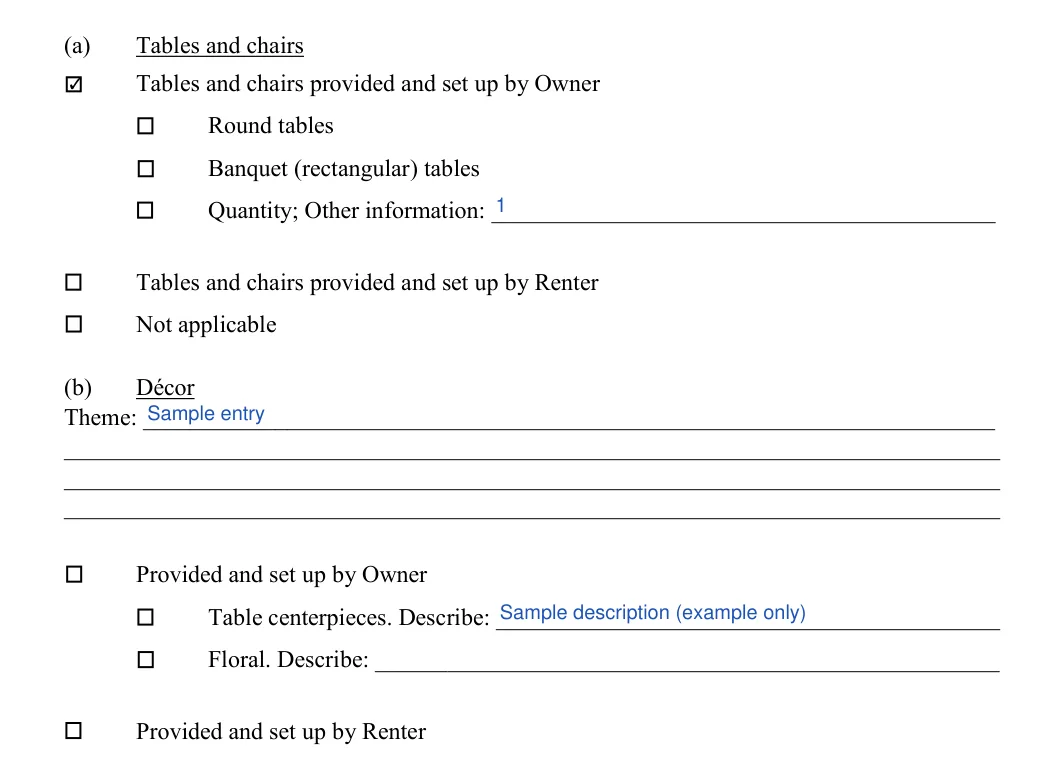
  7. Event Set-Up: tables, chairs and decor
    Say who provides and sets up the tables and chairs, and pick round or banquet tables with a quantity. Under Decor, enter the theme and tick whether the Owner or the Renter provides it.
    Venue Rental Agreement: Initial, Quantity; other information and more, filled with sample entries
    Step 7: sample entries, not a real document.
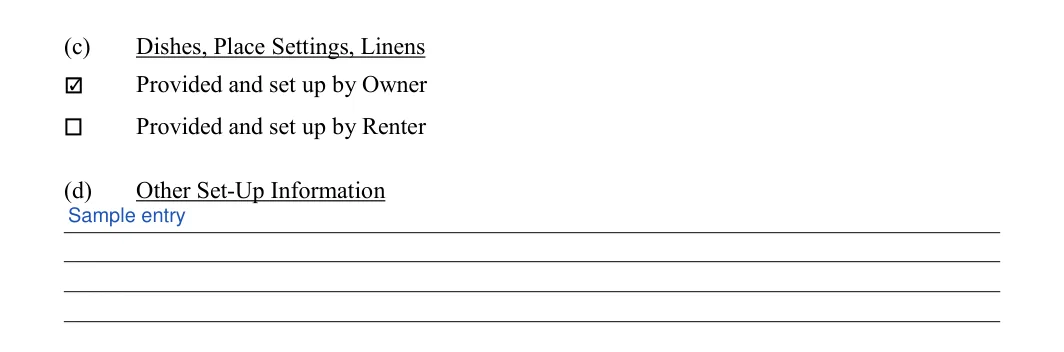
  8. Dishes, place settings, linens and other set-up
    Tick whether the Owner or the Renter provides and sets up the dishes, place settings and linens. Add anything else about the set-up in the Other Set-Up Information line.
    Venue Rental Agreement: Initial, Set up information, filled with sample entries
    Step 8: sample entries, not a real document.
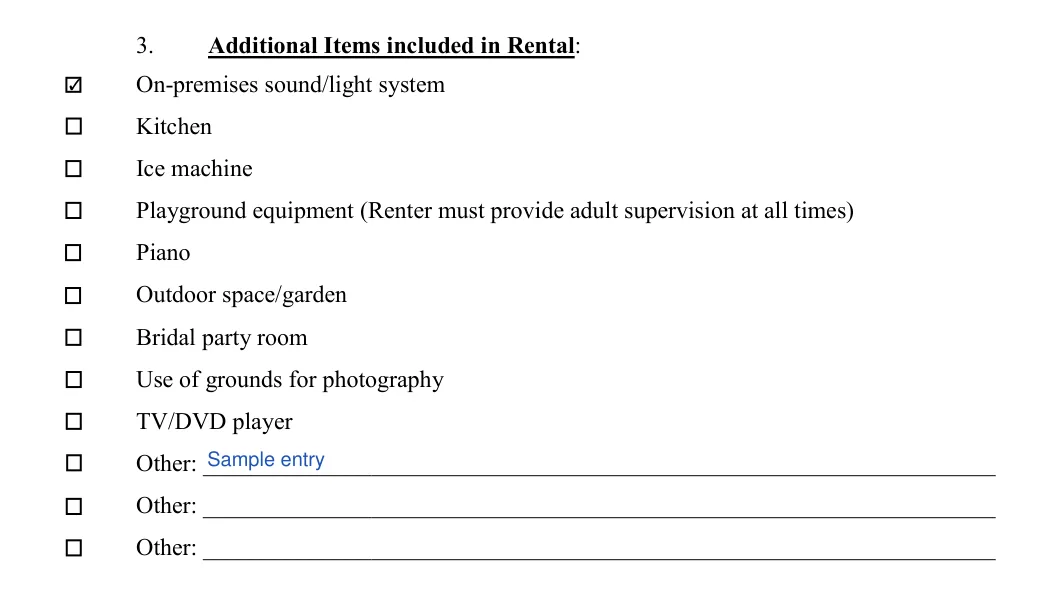
  9. Additional Items included in Rental
    Tick each item that comes with the rental, such as the sound and light system, kitchen, ice machine, piano or garden. Write any other items on the Other lines.
    Venue Rental Agreement: Additional Items included in Rental, filled with sample entries
    Step 9: sample entries, not a real document.
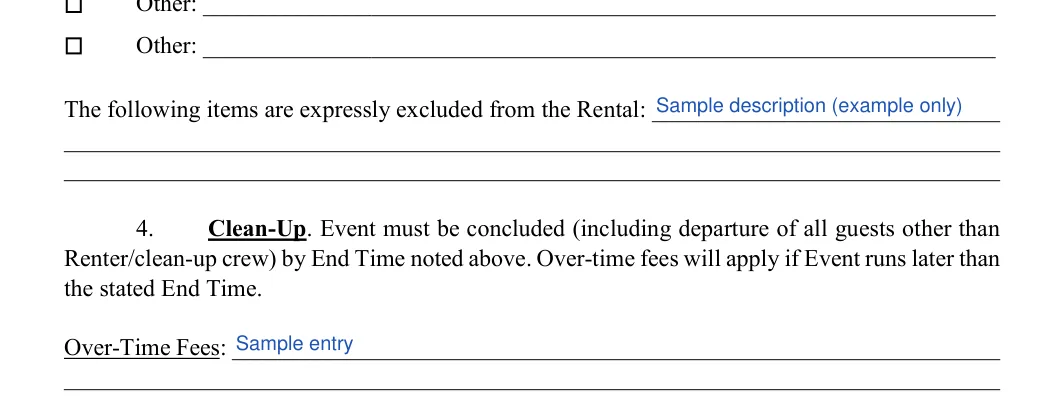
  10. Excluded items and over-time fees
    List the items the Owner leaves out of the rental. Under Clean-Up, enter the Over-Time Fees for an event that runs past its end time.
    Venue Rental Agreement: Excluded items, filled with sample entries
    Step 10: sample entries, not a real document.
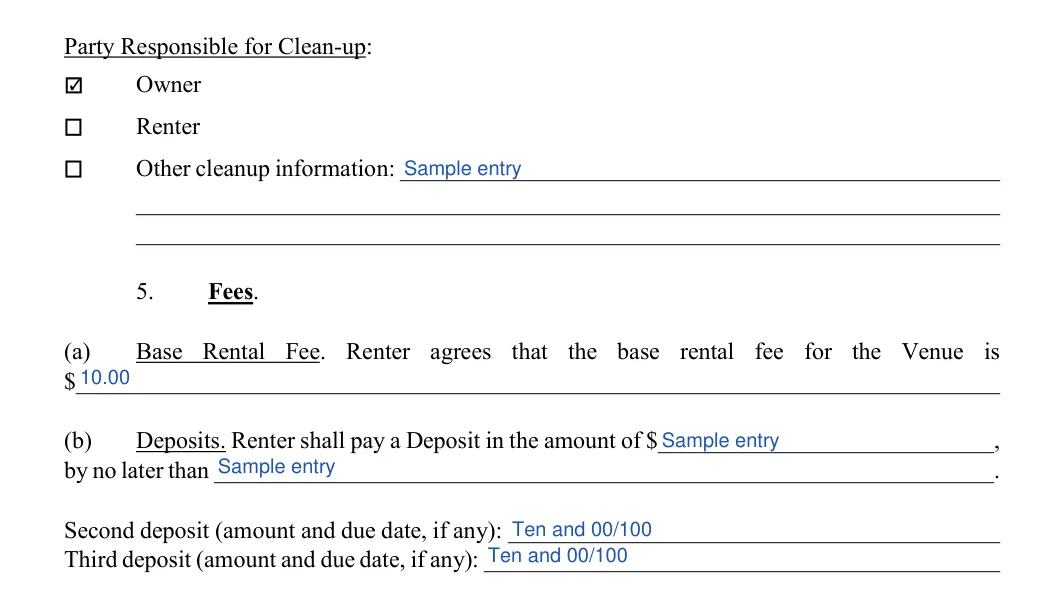
  11. Clean-up, base rental fee and deposits
    Tick whether the Owner or the Renter handles clean-up. Under Fees, enter the base rental fee, the first deposit with its due date, and any second or third deposit.
    Venue Rental Agreement: Party Responsible for Clean-up, filled with sample entries
    Step 11: sample entries, not a real document.
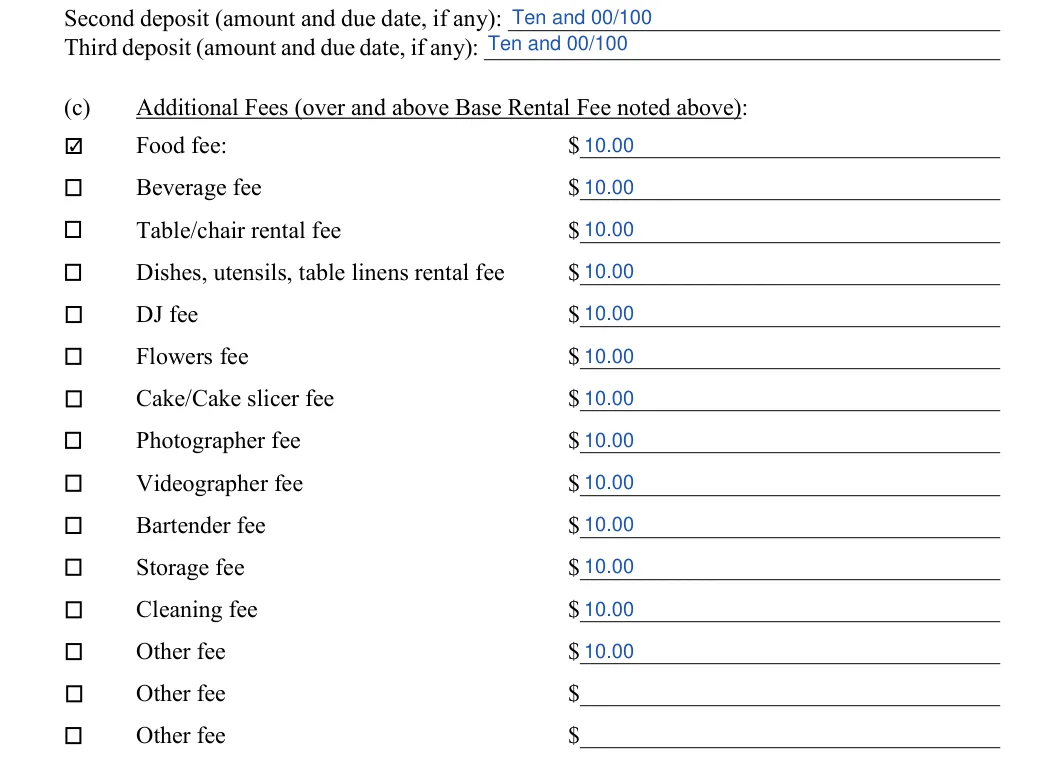
  12. Additional Fees
    Initial each extra charge that applies, such as food, beverage, tables and chairs, DJ, flowers, photographer or cleaning, and enter its amount.
    Venue Rental Agreement: Food fee, Initial and more, filled with sample entries
    Step 12: sample entries, not a real document.
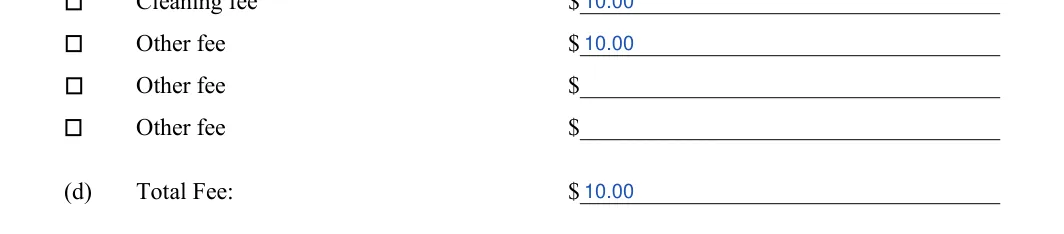
  13. Total Fee
    Add the base rental fee and the additional fees you ticked. Enter the result as the Total Fee.
    Venue Rental Agreement: Total fee, filled with sample entries
    Step 13: sample entries, not a real document.
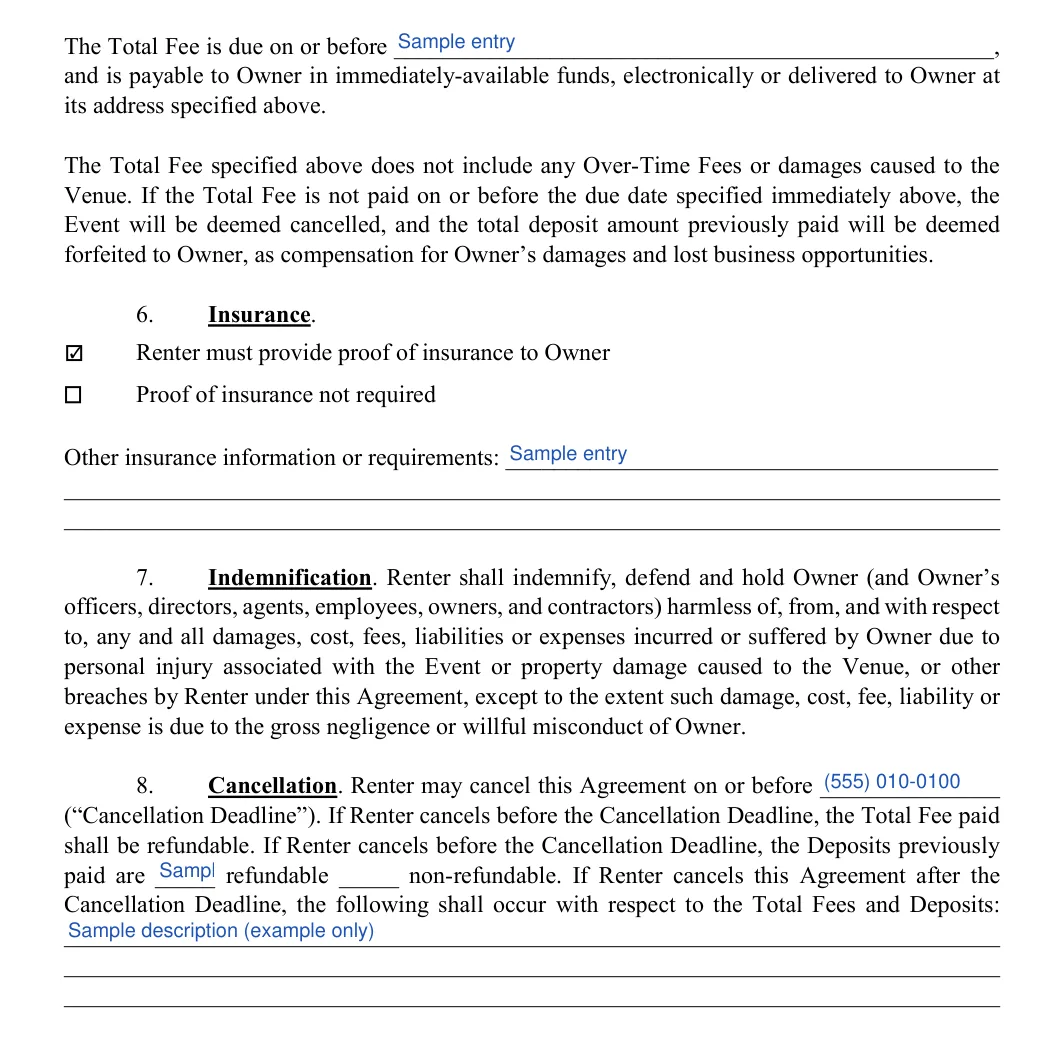
  14. Payment date, Insurance and Cancellation
    Enter the date the Total Fee is due. Under Insurance, tick whether the Renter provides proof of insurance and add any other insurance details. Under Cancellation, enter the Cancellation Deadline, mark the deposits as refundable or non-refundable and describe what happens after the deadline.
    Venue Rental Agreement: On or before, filled with sample entries
    Step 14: sample entries, not a real document.
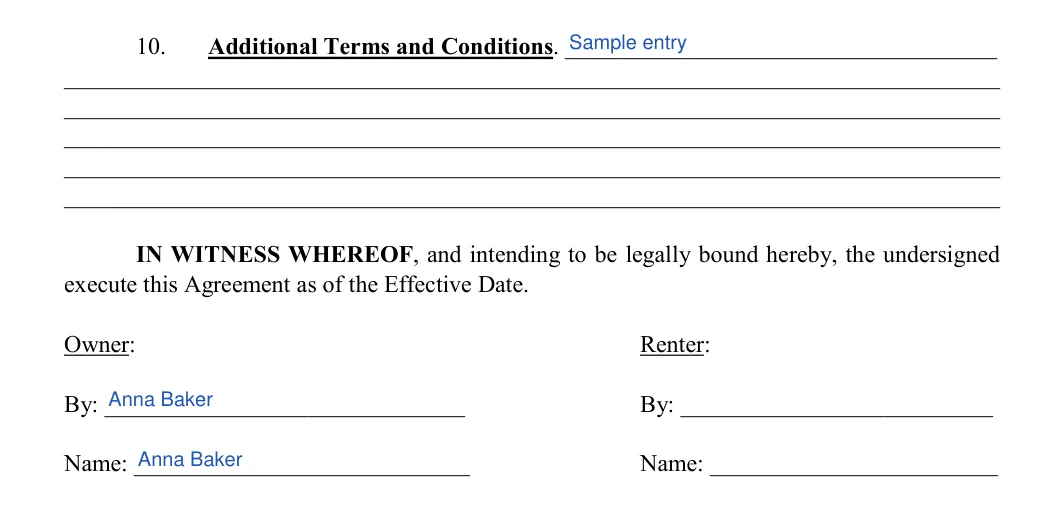
  15. Additional terms and signatures
    Add any extra terms and conditions in the Additional Terms part. Then the Owner and the Renter each complete the By line and the Name line in the signature block.
    Venue Rental Agreement: Owner, filled with sample entries
    Step 15: sample entries, not a real document.

Before you sign, read the whole agreement once more and check that names, dates and amounts match on every page.

Frequently Asked Questions

What is a venue rental agreement?

A venue rental agreement is a written contract between a venue owner and a renter. It lists the event dates, the space, the payment terms and the fees, so both sides know what to expect.

Who can use this venue rental agreement template?

Venue owners and renters can both use it. The template has lines for the Owner and the Renter, including contact details, event details and a signature block for each.

What is the difference between a venue rental agreement and a wedding venue contract?

A wedding venue contract is usually a separate agreement with its own form and different details. This template suits other events, such as parties, meetings and conferences.

Can I fill out the venue rental agreement on my computer?

Yes. Download the PDF and fill it in with the online PDF editor. You can also answer a few questions with the Create My Document button at the top of this page, or print the PDF and write in your answers by hand.

Where do cancellation terms go in the template?

The Cancellation part of the template covers them. Enter the cancellation deadline, mark the deposits as refundable or non-refundable and describe what happens after the deadline.

What should I do before I sign a venue rental agreement?

Go through the agreement once more and check these points:

  • Names, dates and amounts match on every page
  • The space, the extras and the fees are the ones you agreed on
  • You have asked for a walk-through of the space

If the owner sends a long agreement, you can ask questions about it with Chat with PDF before you sign. Keep a signed copy for your records.

General information, not legal or tax advice.

Published: Aug 20, 2022
Jennifer M. Settles
Jennifer M. Settles
Author & Attorney
With over 25 years of experience as a business and transactional attorney, Jennifer has mastered the craft of closing highly successful deals for her clients. Through her wide-ranging expertise in commercial contracts, real estate transactions, M&A and corporate law, Jennifer secures results that are second-to-none.