
Updated:
Get Form Now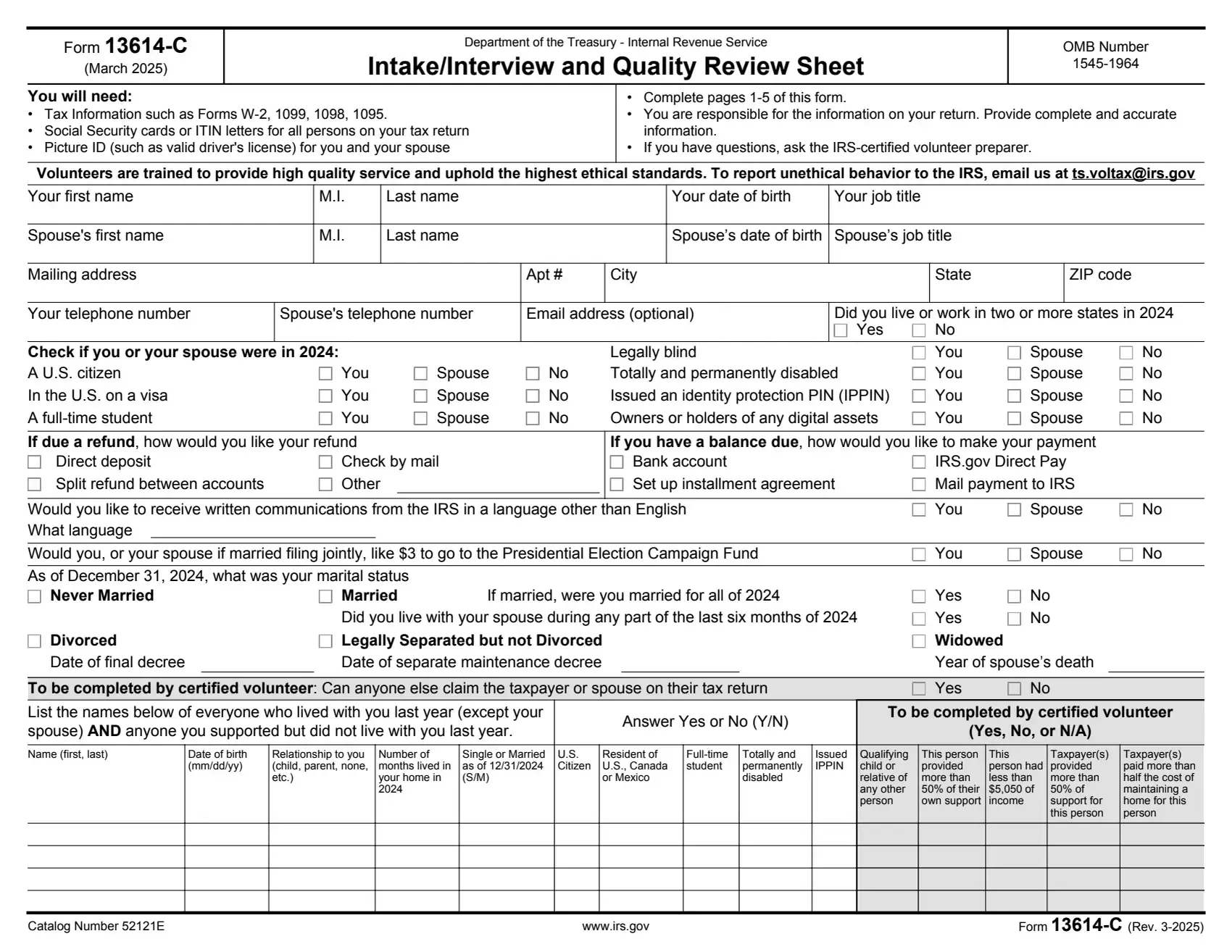
Form 13614-C is a document the IRS uses to streamline the tax preparation process for individuals participating in the Volunteer Income Tax Assistance (VITA) and Tax Counseling for the Elderly (TCE) programs. These programs aid individuals who qualify based on income, age, disability, or limited English proficiency by offering free tax preparation services. The form acts as an intake and interview sheet, ensuring that all relevant personal and financial information is collected for accurate tax return preparation.
The purpose of Form 13614-C is to assist volunteers in capturing comprehensive details about a taxpayer’s income, deductions, credits, and any applicable expenses that could affect their tax filings. By thoroughly reviewing this form during the tax preparation session, volunteers can better understand the taxpayer’s situation and identify any specific tax benefits or obligations. This process ensures taxpayers receive all the deductions and credits to which they are entitled.
Other IRS Forms for Individuals
Here are some other IRS forms that are commonly filled out by our users.
What it is: Form 13614-C is the Internal Revenue Service Intake/Interview and Quality Review Sheet.
Who signs: The Primary taxpayer printed name and signature and Secondary taxpayer printed name and signature, each with a Date.
The form is asking for this information so you may participate in the IRS Volunteer Income Tax Assistance (VITA) and Tax Counseling for the Elderly (TCE) program, which provides IRS-certified volunteer income tax preparers to assist with basic income tax return preparation for qualified individuals.
You will need: Tax Information such as Forms W-2, 1099, 1098, 1095; Social Security cards or ITIN letters for all persons on your tax return; Picture ID (such as valid driver's license) for you and your spouse.
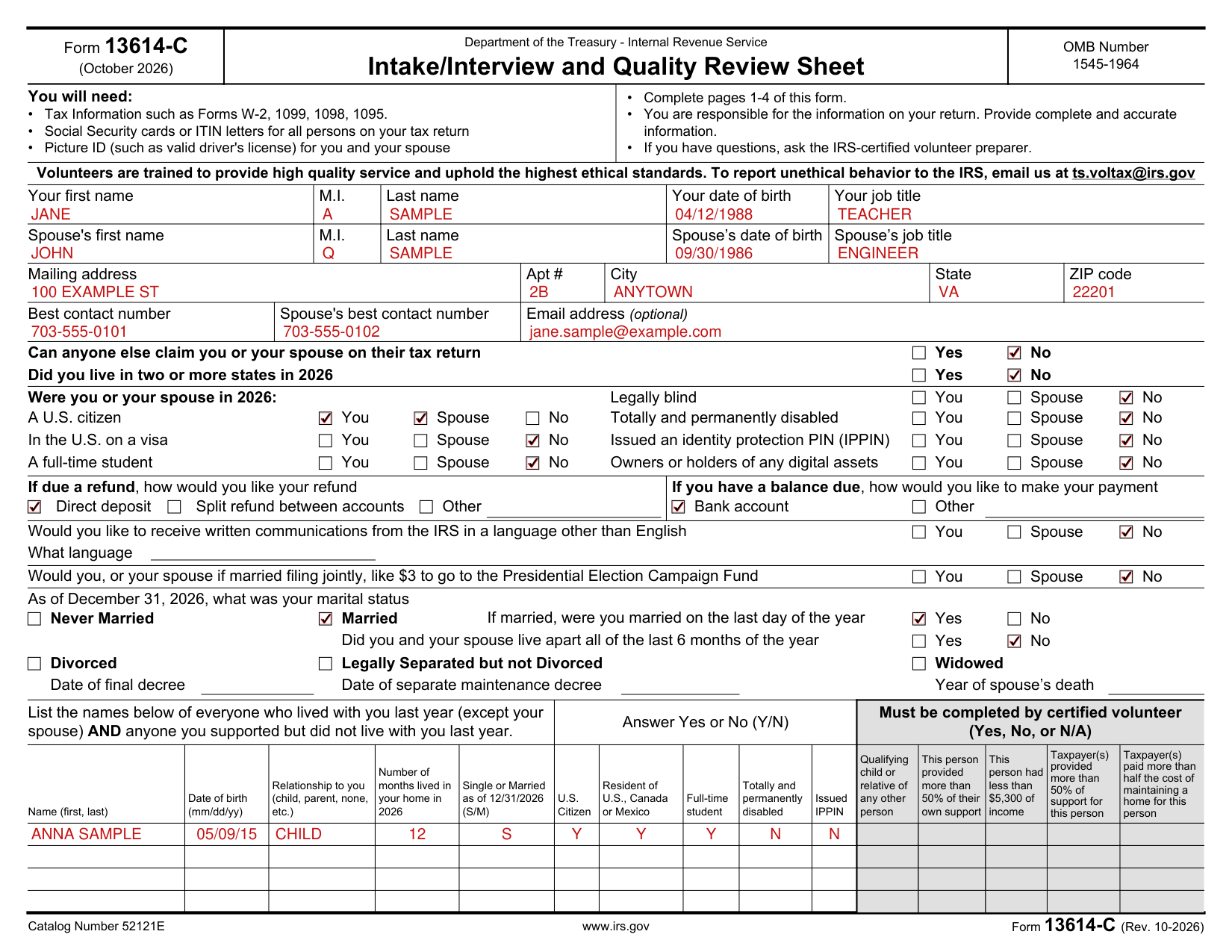

Enter Your first name, M.I., Last name, Your date of birth and Your job title, then Spouse's first name, M.I., Last name, Spouse's date of birth and Spouse's job title.
Enter Mailing address, Apt #, City, State and ZIP code, then Best contact number, Spouse's best contact number and Email address (optional).

Check Yes or No for Can anyone else claim you or your spouse on their tax return, and Yes or No for Did you live in two or more states in 2026.

Check You, Spouse or No on each line of Were you or your spouse in 2026: A U.S. citizen, In the U.S. on a visa, A full-time student, Legally blind, Totally and permanently disabled, Issued an identity protection PIN (IPPIN), Owners or holders of any digital assets.

If due a refund, check Direct deposit, Split refund between accounts or Other.
If you have a balance due, check Other or Bank account for how you would like to make your payment.

Check You, Spouse or No for Would you like to receive written communications from the IRS in a language other than English, and enter What language.

Check You, Spouse or No for Would you, or your spouse if married filing jointly, like $3 to go to the Presidential Election Campaign Fund (checked October 26, 2026).
Check your marital status as of December 31, 2026: Never Married, Married, Divorced, Legally Separated but not Divorced or Widowed. If married, check Yes or No for were you married on the last day of the year, and Yes or No for Did you and your spouse live apart all of the last 6 months of the year. Enter the Date of final decree for Divorced, the Date of separate maintenance decree for Legally Separated but not Divorced, and the Year of spouse's death for Widowed.

List the names of everyone who lived with you last year (except your spouse) AND anyone you supported but did not live with you last year. Answer Yes or No (Y/N) for U.S. Citizen, Resident of U.S., Canada or Mexico, Full-time student, Totally and permanently disabled and Issued IPPIN. The boxes under Must be completed by certified volunteer (Yes, No, or N/A) are for the certified volunteer.
For each name, enter Name (first, last), Date of birth (mm/dd/yy), Relationship to you (child, parent, none, etc.), Number of months lived in your home in 2026 and Single or Married as of 12/31/2026 (S/M).
Income to be included must be completed by certified volunteer.
Under Received money from any of the following in 2026, check Wages as a part-time or full-time employee and enter How many jobs; check Tips; Retirement account, pension or annuity proceeds; Disability benefits (such as payments from insurance and worker's compensation).
Check Social Security or Railroad Retirement Benefits; Unemployment benefits; Refund of state or local income tax; Interest or dividends (bank account, bonds, etc.); Sale of stocks, bonds or real estate; Alimony.
Check Income from renting out your house or a room in your house; Income from renting personal property such as a vehicle; Gambling winnings, including lottery; Payments for contract or self-employment work; Any other money received during the year? (example: cash payments, jury duty, awards, digital assets, royalties, union strike benefits).
Under Paid any of the following expenses to itemize in 2026, check Mortgage Interest; Taxes: state, local, real estate, sales, etc.; Medical, dental, prescription expenses; Charitable contributions. Standard or Itemized Deductions must be completed by certified volunteer.
Under Paid any of these expenses in 2026, check Student loan interest; Child and dependent care; Contributions to a retirement account; School supplies by a teacher, teacher's aide or other educator; Alimony payments (do not include child support). Expenses to report must be completed by certified volunteer.
Check any line that happened during 2026: You or someone in your family took educational classes (technical school, college, job related, etc.); Sell a home; Have a health savings account (HSA); Purchase health insurance through the Marketplace (Exchange); Have a tax credit disallowed (example: earned income credit, child tax credit, or American opportunity credit); Receive any letter or bill from the IRS; Make estimated tax payments or apply last year's refund to 2026 taxes. Information to report must be completed by certified volunteer.
Optional Information is for statistical purposes only. Your responses to these questions are not a part of your tax return and are not transmitted to the IRS with your tax return. You are not required to answer these questions.
Check Very well, Well, Not well, Not at all or Prefer not to answer for Would you say you can carry on a conversation in English and Would you say you can read a newspaper in English.
Check Yes, No or Prefer not to answer for Do you or any member of your household have a disability and Are you or your spouse a Veteran of the U.S. Armed Forces.
Select all that apply for What is your race and/or ethnicity? and What is your spouse's race and/or ethnicity?
On Form 15080, you are not required to complete this form to engage the tax return preparation services. If your signature on this form is obtained by conditioning the tax return preparation services on your consent, your consent will not be valid.
You do not need to provide consent for the VITA/TCE partner preparing your tax return this year. Global Carry Forward will assist you only if you visit a different VITA or TCE partner next year that uses TaxSlayer.
On Form 15080, read the information before you sign. Sign to consent to the disclosure of tax return information described in the Global Carry Forward terms and to allow the tax return preparer to enter a PIN in the tax preparation software on your behalf to verify that you consent to the terms of this disclosure.
Providing this information is voluntary; if you do not provide the requested information the IRS volunteers may not be able to assist you with preparing and filing your tax return.
Complete pages 1-4 of this form. You are responsible for the information on your return. Provide complete and accurate information. If you have questions, ask the IRS-certified volunteer preparer.
On pages 2 and 3, answer the questions on the left side of the page and check only the boxes that apply to you and/or your spouse.
The Primary taxpayer printed name and signature and Secondary taxpayer printed name and signature, each with a Date.
[1] Form 13614-C (October 2026), Intake/Interview and Quality Review Sheet, Internal Revenue Service (the Official source link on this page).