
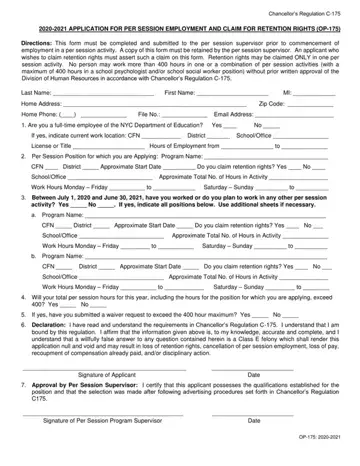
Form OP-175 at a glance
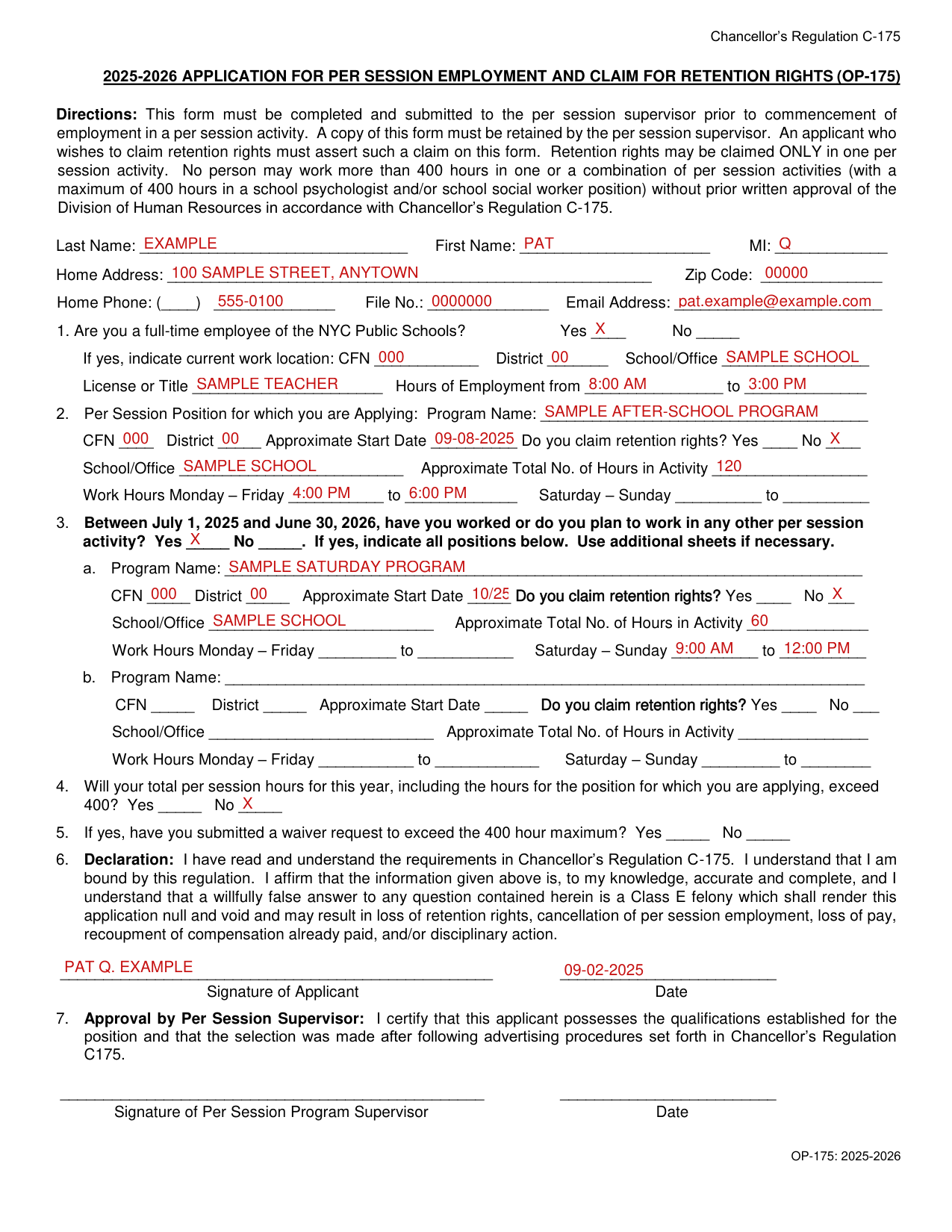
What it is: This form is the 2025-2026 Application for Per Session Employment and Claim for Retention Rights (OP-175).
Who signs: The applicant signs on the Signature of Applicant line, with the Date. The Per Session Program Supervisor signs on the Signature of Per Session Program Supervisor line, with the Date.
Where and when to file: This form must be completed and submitted to the per session supervisor prior to commencement of employment in a per session activity. All per session employees must complete an application for per session activity (OP175) prior to commencing service.
A filled-in Form OP-175 example: a full-time school employee applies for two per session activities
How to fill out Form OP-175, box by box
Tap a group of boxes to open it, and a picture to see it full size.
Your name, home address, phone and email address

Enter your Last Name, First Name, MI, Home Address, Zip Code, Home Phone, File No. and Email Address.
Box 1: full-time employee of the NYC Public Schools

Box 1: Are you a full-time employee of the NYC Public Schools? Mark Yes or No.
If yes, indicate current work location (CFN, District, School/Office), License or Title, and Hours of Employment (from and to).
Box 2: the per session position you are applying for, and retention rights

Box 2, Per Session Position for which you are Applying: enter the Program Name, CFN, District, Approximate Start Date, School/Office, Approximate Total No. of Hours in Activity, the Work Hours Monday - Friday (from and to) and the Saturday - Sunday hours (from and to). Mark Yes or No for Do you claim retention rights?
An applicant who wishes to claim retention rights must assert such a claim on this form.
Common mistake: Retention rights may be claimed ONLY in one per session activity.
If a teacher is entitled to retention rights in a per session activity but fails to claim those rights before or at the time of application for a different per session job in which the teacher has no retention rights, the teacher may then be denied employment in the job for which there is entitlement to retention.
Box 3: other per session activity
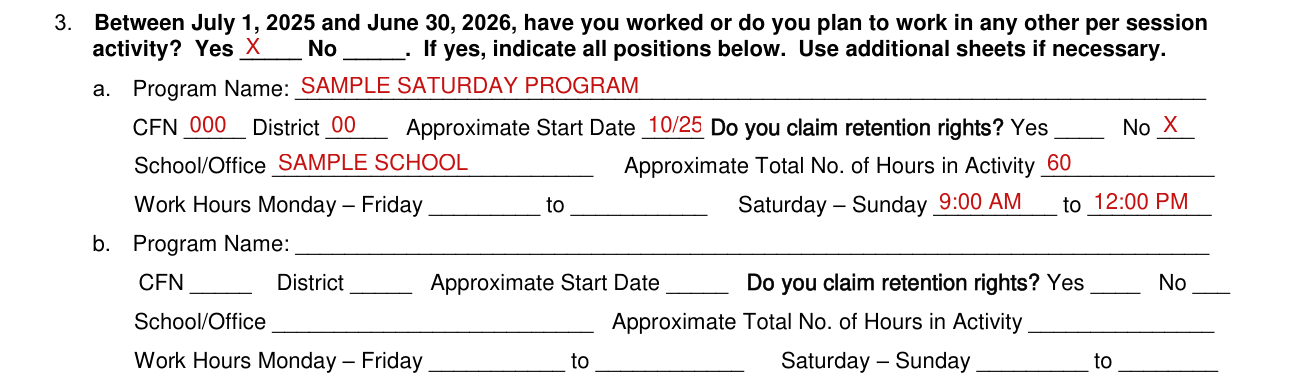
Box 3: Between July 1, 2025 and June 30, 2026, have you worked or do you plan to work in any other per session activity? Mark Yes or No. If yes, indicate all positions. Use additional sheets if necessary.
For each of a. and b., enter the Program Name, CFN, District, Approximate Start Date, School/Office, Approximate Total No. of Hours in Activity, the Work Hours Monday - Friday (from and to) and the Saturday - Sunday hours (from and to). Mark Yes or No for Do you claim retention rights?
Boxes 4 and 5: the 400 hour maximum and waivers

Box 4: Will your total per session hours for this year, including the hours for the position for which you are applying, exceed 400? Mark Yes or No.
Box 5: If yes, have you submitted a waiver request to exceed the 400 hour maximum? Mark Yes or No.
No person may work more than 400 hours in one or a combination of per session activities (with a maximum of 400 hours in a school psychologist and/or school social worker position) without prior written approval of the Division of Human Resources in accordance with Chancellor's Regulation C-175.
Individuals must submit a waiver form for exceeding the limit on the maximum number of hours that can be served in a per session year. The maximum number of hours of per session work that may be performed annually is available in the C-175 regulation.
Common mistake: Individuals who have been approved for waivers in prior years must resubmit new waiver applications each year. For this purpose, the per session year is from July 1st through June 30th.
Common mistake: Time sheets submitted for per session work which required a waiver that was not previously approved will result in the withholding of per session payment.
Requests for waivers must be submitted sufficiently in advance to allow time for review and appropriate action. Failure to obtain a valid waiver may result in the withholding of payment for hours worked beyond the maximum hours as outlined in Chancellor's Regulation C-175.
Box 6: the declaration and the applicant's signature

Box 6, Declaration (the applicant's): I have read and understand the requirements in Chancellor's Regulation C-175. I understand that I am bound by this regulation. I affirm that the information given above is, to my knowledge, accurate and complete, and I understand that a willfully false answer to any question contained herein is a Class E felony which shall render this application null and void and may result in loss of retention rights, cancellation of per session employment, loss of pay, recoupment of compensation already paid, and/or disciplinary action.
The applicant signs on the Signature of Applicant line, with the Date.
Box 7: approval by the Per Session Supervisor
Box 7, Approval by Per Session Supervisor: I certify that this applicant possesses the qualifications established for the position and that the selection was made after following advertising procedures set forth in Chancellor's Regulation C175.
The Per Session Program Supervisor signs on the Signature of Per Session Program Supervisor line, with the Date.
A copy of this form must be retained by the per session supervisor.
Who can serve in a per session activity
Per session employment, compensation and sabbatical leaves
No individual is authorized to work in a per session activity during a normal school workday.
Per session employment, whether funded from the same or a different source, may not be used as a means of providing additional compensation for work similar to that which is performed in an individual's primary assignment.
Individuals cannot serve in a per session activity for which, in their primary assignment, they are responsible for hiring, rating, or coordinating or which they normally supervise in their primary assignment.
No per session compensation may be paid for work performed at home.
Employees on sabbatical leaves beginning August 1st must complete per session activities in which they are serving in July. They will not be permitted to commence any new per session assignments until the September following the completion of the sabbatical.
Common questions about Form OP-175
What is OP 175?
This form is the 2025-2026 Application for Per Session Employment and Claim for Retention Rights (OP-175).
Is there a deadline?
All per session employees must complete an application for per session activity (OP175) prior to commencing service.
Where do I file it?
This form must be completed and submitted to the per session supervisor prior to commencement of employment in a per session activity.
Sources
[1] Form OP-175 (2025-2026), Application for Per Session Employment and Claim for Retention Rights (Chancellor's Regulation C-175), New York City Public Schools (the Official source link on this page).
