
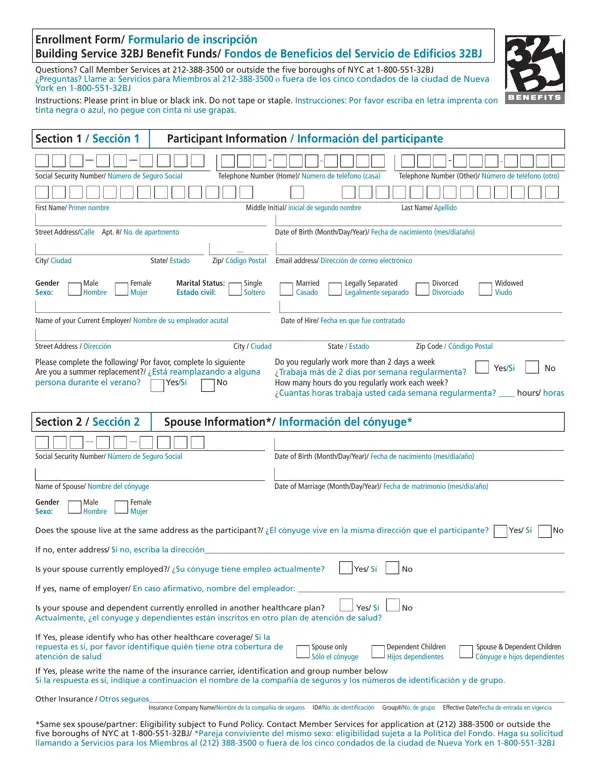
Completing the 32BJ Enrollment Form correctly ensures your benefits start without delays. Follow these steps to fill out and submit the form accurately.
Step 1: Gather Your Documents
Before you begin, collect the following information:
- Your full legal name, Social Security number, and date of birth
- Your home address and employer name
- Social Security numbers and dates of birth for each dependent you want to add
- Marriage certificate if you are adding a spouse
- Birth certificates for dependent children
Step 2: Complete the Participant Section
Write your full legal name, Social Security number, date of birth, and home address clearly. Use blue or black ink only. Do not use tape, staples, or correction fluid anywhere on the form.
Step 3: Add Spouse and Dependent Information
Complete the spouse and dependent sections for each family member you wish to enroll. Provide each person's full name, date of birth, Social Security number, and relationship to you. Attach required supporting documents such as a marriage certificate or birth certificate.
Step 4: Indicate Language Preference
The form includes an optional section for language preference. If you prefer to receive communications in a language other than English, mark your preference in this section before submitting.
Step 5: Sign and Submit the Form
Sign and date the completed form. Submit it to your local Building Service 32BJ Benefit Funds office. If you have questions about where to submit the form, call the fund office directly.
32BJ Enrollment Form Frequently Asked Questions
Who needs to fill out the 32BJ Enrollment Form?
Any SEIU 32BJ member who is newly eligible for benefits must complete this enrollment form. This includes workers in residential buildings, commercial properties, and institutional facilities covered under the union contract.
What benefits does enrollment provide access to?
Completing the 32BJ Enrollment Form gives you access to health insurance, legal services, and educational benefits provided by the Building Service 32BJ Benefit Funds. These benefits also cover your enrolled spouse and eligible dependents.
Can I add dependents after initial enrollment?
Yes. You can add dependents during open enrollment periods or within 30 days of a qualifying life event such as marriage, the birth of a child, or adoption. Contact your fund office to request a dependent enrollment form.
What happens if I make a mistake on the form?
Do not use correction fluid to fix errors. Cross out the mistake with a single line and write the correct information next to it. If the error is significant, request a new blank form from your fund office.
For other benefit-related paperwork, you may also want to review the Management Benefits Fund form or the Aetna medical benefits request form. Workers who need to set up automatic benefit contributions can use the ACH payment enrollment form.
