
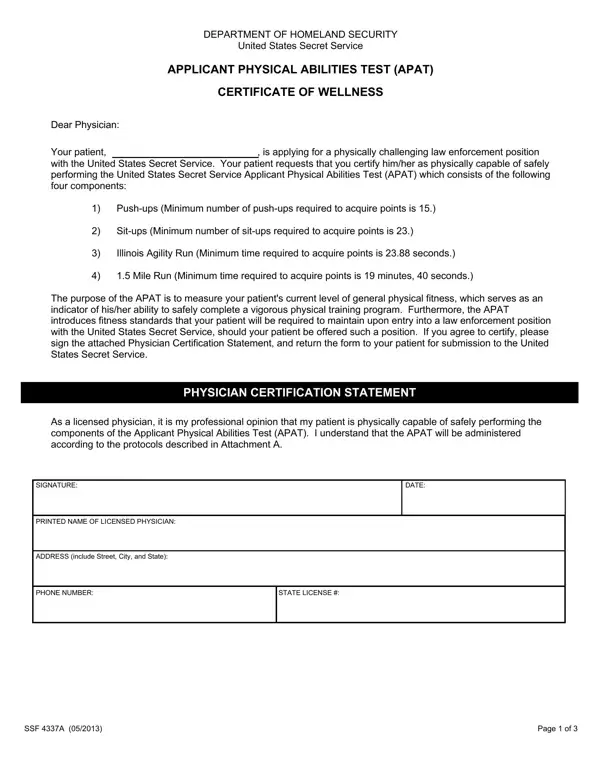
The APAT consists of four components: Push-ups, Sit-ups, Illinois Agility Run and 1.5 Mile Run.
Minimum to acquire points: push-ups 15, sit-ups 23, Illinois Agility Run 23.88 seconds, 1.5 Mile Run 19 minutes, 40 seconds.
Outdoors: testing will only be conducted outdoors when the temperature is at or above 32 degrees Fahrenheit and the heat index is at or below 85 degrees Fahrenheit.
Physician: if you agree to certify, sign the Physician Certification Statement, and return the form to your patient for submission to the United States Secret Service.
| Question | Answer |
|---|---|
| Form Name | SSF 4337A |
| Form Length | 3 pages |
| Fillable? | Yes |
| Fillable fields | 6 |
| Avg. time to fill out | 1 min |
| Purpose | Physician certification for APAT fitness test |
| Issuing Agency | U.S. Secret Service, Dept. of Homeland Security |
| Edition | Rev 03/2022 |
| Issuing agency | United States Secret Service |
| Matches the agency's file | Yes, checked October 3, 2026 |
| Other names | SSF 4337A, 4337A, APAT Certificate of Wellness, Applicant Physical Abilities Test |
| Official source | SSF 4337A (Rev 03/2022), United States Secret Service |
4337 A Form isn’t the one you’re looking for?