
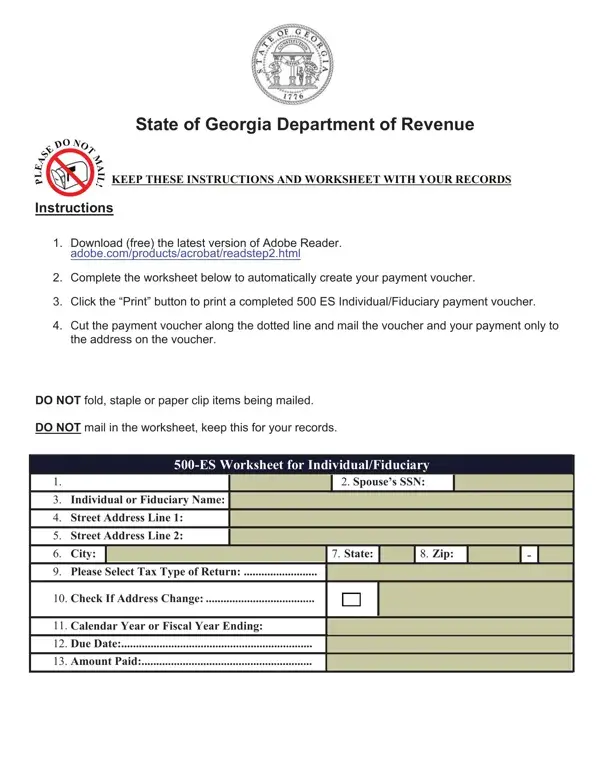
Complete the worksheet to create your payment voucher. Keep the instructions and worksheet with your records.
Purpose: to enable taxpayers having income not subject to withholding to currently pay their income tax.
Installments: Equal installments on or before April 15, June 15, September 15, and the following January 15, or payment in full with the first required installment.
Fiscal year: Fiscal year filers should adjust the dates accordingly.
Weekend or holiday: If the due date falls on a weekend or holiday, the tax shall be due on the next day that is not a weekend or holiday.
Annual return: Taxpayers are also required to file an annual return claiming credit thereon for amounts paid or credited to their estimated tax.
| Question | Answer |
|---|---|
| Form Name | Form 500-ES |
| Form Length | 2 pages |
| Fillable? | Yes |
| Fillable fields | 40 |
| Avg. time to fill out | 7 min |
| Edition | Rev 05/12/25 |
| Issuing agency | Georgia Department of Revenue |
| Payment mailed to | Processing Center, Georgia Department of Revenue, PO Box 740319, Atlanta, Georgia 30374-0319 |
| Matches the agency's file | Yes, checked October 3, 2026 |
| Other names | 500-ES, 500 ES, 500ES, Form 500 ES, Form 500ES, Georgia Form 500-ES, Georgia Form 500 ES, Individual and Fiduciary Estimated Tax Payment Voucher |
| Official source | Form 500-ES (Rev 05/12/25), Georgia Department of Revenue |
500 Es Form isn’t the one you’re looking for?