
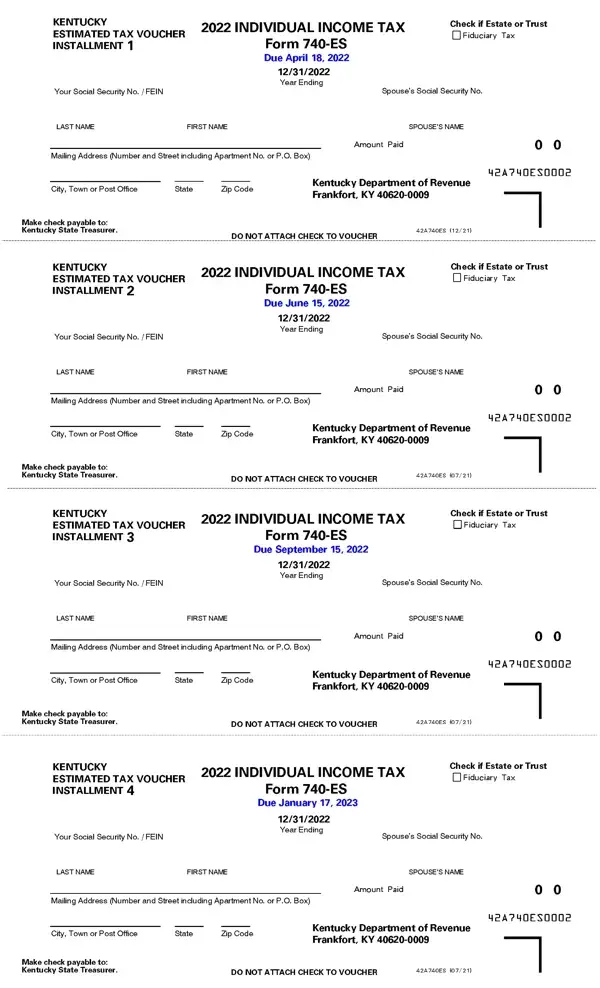
Completing the 740 ES KY form on FormsPal is straightforward. Open our free PDF editor using the button at the top of this page, then follow the steps below to enter your information and save your completed voucher.
Step 1: Click the "Get Form" button to launch the FormsPal PDF editor. All the fields needed to complete the 740-ES voucher are available directly in your browser, with no download or software installation required.
Step 2: Enter your personal information in the appropriate fields. You will need your full legal name, spouse's name if filing jointly, your Social Security number or Federal Employer Identification Number, and your mailing address, including city, state, and ZIP code.
Step 3: Enter the amount you are paying for this quarter in the "Amount Paid" field. Make your check payable to the Kentucky Department of Revenue and write your Social Security number on the check. Do not attach the check to the voucher.
Step 4: Review all fields carefully before saving. Confirm the tax year, your identification number, and the payment amount are correct.
Step 5: Save or print the completed voucher using the FormsPal toolbar. Mail the voucher with your payment to the address printed on the form by the applicable quarterly deadline.
Who Needs to File Form 740-ES
Kentucky residents and part-year residents should file the 740-ES if they expect to owe more than $500 in state income tax and do not have sufficient withholding from wages or other sources. Common filers include self-employed individuals, sole proprietors, business partners, landlords receiving rental income, and investors with capital gains or dividend income. If you also owe Kentucky inheritance or estate tax, review the Kentucky inheritance tax forms separately. If you need to correct a previously filed annual return, use Kentucky Form 740-X.
Kentucky Estimated Tax Payment Deadlines
The Kentucky Department of Revenue typically sets four quarterly deadlines for 740-ES payments each year. Missing a deadline or underpaying may result in a penalty on your annual return. Check the instructions included with the current year's 740-ES voucher for the exact dates, since deadlines can shift when they fall on weekends or state holidays.
Frequently Asked Questions About the 740-ES Form
What is the 740-ES form used for?
The 740-ES is Kentucky's estimated income tax payment voucher. It allows taxpayers who do not have state tax automatically withheld to submit quarterly payments to the Kentucky Department of Revenue and avoid penalties at year end.
How do I calculate my Kentucky estimated tax payment?
Estimate your total Kentucky taxable income for the year, apply the current state income tax rate, subtract any expected credits and withholding, then divide the remaining balance by four. The result is your quarterly installment amount.
Where do I mail the 740-ES voucher?
Mail the completed 740-ES voucher along with your check to the address listed on the form. The Kentucky Department of Revenue mailing address appears in the lower portion of the voucher. Do not staple or attach the check to the voucher.
Can I file the 740-ES online?
You can complete and print the 740-ES form using FormsPal's free online PDF editor. For electronic payment options, visit the Kentucky Department of Revenue's official website.
Is the 740-ES the same as the Kentucky Form 740?
No. The 740-ES is a quarterly estimated payment voucher used throughout the year. The Kentucky Form 740 is the annual individual income tax return filed after the tax year ends.
