
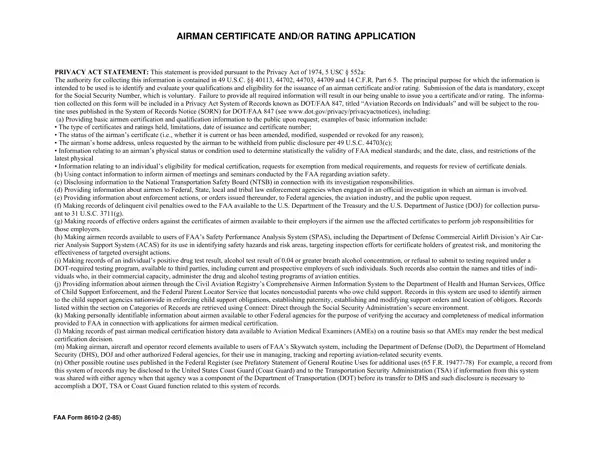

Form FAA 8610-2 at a glance
What it is: Form FAA 8610-2, the Airman Certificate and/or Rating Application, collects information to identify and evaluate your qualifications and eligibility for the issuance of a mechanic certificate, parachute rigger certificate, and/or added rating.
Who signs: By signing the applicant's certification you certify that all statements and answers provided by you on this application form are complete and true to the best of your knowledge and you agree that they are to be considered as part of the basis for issuance of any FAA certificate to you. You also state that you have received the Pilot's Bill of Rights Written Notification of Investigation and have read and understand the Privacy Act statement.
All applications must have the application TOP Section, Section I. APPLICANT INFORMATION, and Section IV. APPLICANT'S CERTIFICATION completed.
What to bring and attach to Form FAA 8610-2
Complete two (2) originals of Form FAA 8610-2 when submitting a printed application.
Make all entries using permanent dark blue or black ink, or a typewriter or printer.
When applying for a Parachute Rigger certificate, you must present evidence of the number and type of parachutes packed, at the time the application is submitted.
Remove and retain the supplemental information before submitting the application.
A filled-in Form FAA 8610-2 example: a mechanic applies for an original certificate
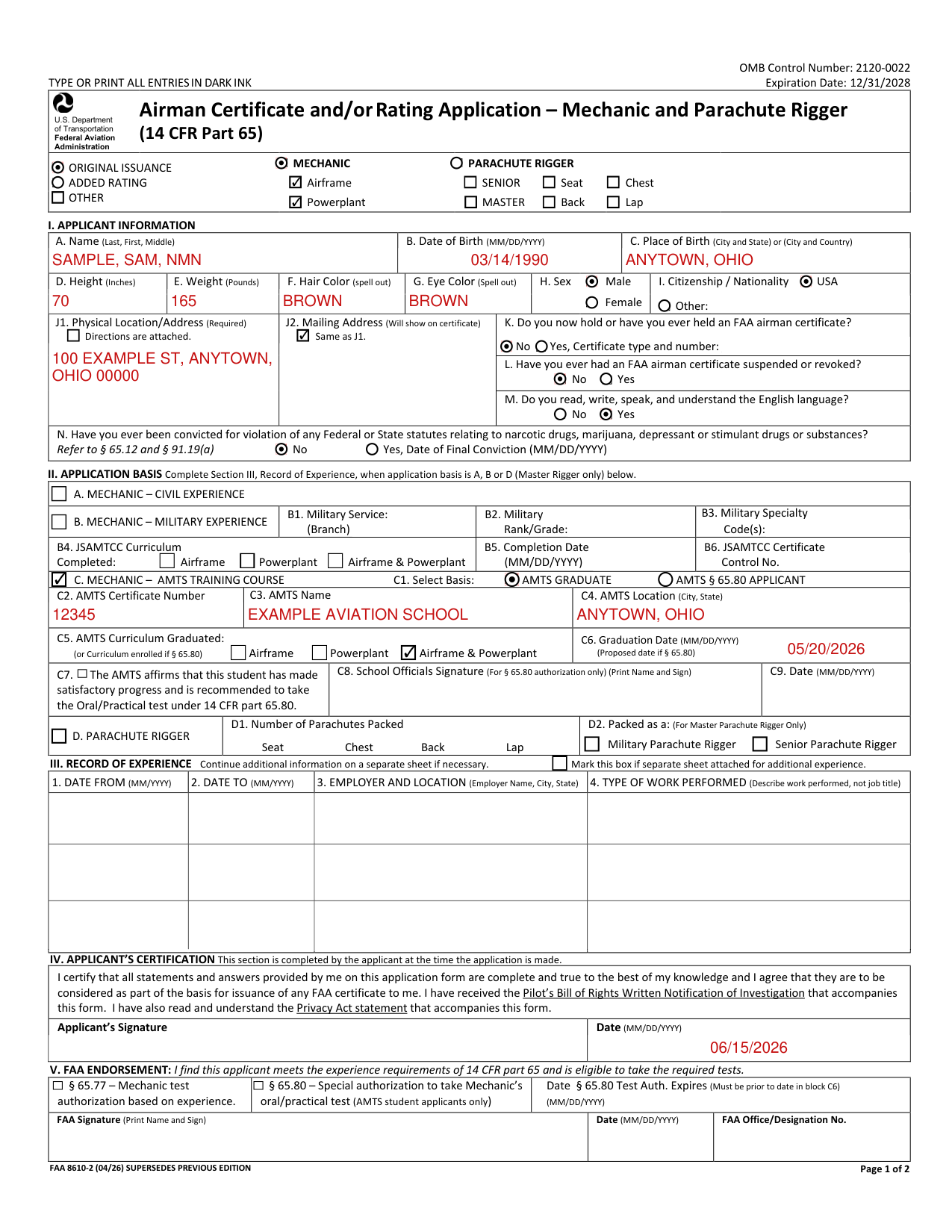
How to fill out Form FAA 8610-2, box by box
Reason for the Application: Added Rating or Other
Mark the appropriate box to indicate the reason the application is being made.
Mark the “Added Rating” box only if you already hold an FAA mechanic or parachute rigger certificate and are requesting to add a rating to that certificate.
Mark “Other” if you are requesting a change of name, sex, citizenship, nationality, or date of birth, as shown on your FAA certificate, and enter the type of change requested in the space provided.
Certificate Type and Ratings
Mark the appropriate box for the certificate type and the rating(s) being applied for.
Apply for only one certificate type per application.
Line through (cross out) ratings not applied for unless you currently hold that rating.
Name, Date of Birth, and City and State of Birth
Enter your full legal name. Use commas to separate names (i.e., Last, First, Middle).
If you have a middle initial only, enter the initial. If you do not have a middle name or middle initial, enter “NMN” (no middle name). Indicate if you are a Jr., II, or III, etc.
Enter your date of birth in the MM/DD/YYYY format.
If you were born in the USA, enter the city and state where you were born. If the city is unknown, enter the county and state.
If you were born outside the USA, enter the name of the city and country, or province and country, of where you were born.
D. Height, E. Weight, F. Hair Color and G. Eye Color
Enter your height in inches. Example: 5'8” is entered as 68 in. Enter whole inches only, no fractions.
Enter your weight in pounds. Enter whole pounds only, no fractions.
Spell out the color of your hair as bald, black, blond, brown, gray, red, or white. If you wear a wig or toupee, enter the color of your hair under the wig or toupee.
Spell out the color of your eyes as black, blue, brown, gray, green, or hazel.
H. Sex
Mark a box indicating your biological classification at birth, either Male or Female.
I. Citizenship
Mark the box for USA if you are a U.S. citizen or a legally naturalized U.S. citizen. Otherwise, mark “Other” and enter the country where you are a legal citizen.
J1. Residential Address
This block cannot be left blank. Enter your complete residential address, including street number, city, state, and ZIP code. If you have a foreign address, the country must be stated.
If a residential address does not exist, such as addresses using General Delivery, a Rural Route or Star Route, or when the applicant resides on a boat, in a recreational vehicle, or otherwise uses a P.O. Box, or personal mailbox, include (either as an attachment, or in the REMARKS section): A map or written directions to your physical address, 911 address, or Global Positioning System (GPS) coordinates; The boat/vessel registration number, if living on a boat, or The vehicle license plate number, vehicle identification number (VIN), if living in a recreational vehicle.
Mark the box for attached directions, if applicable.
J2. Address on the certificate
The address will be printed on the airman certificate. You may leave the block blank if the “Same as J1” box is marked.
K. Certificate type and number
Answer the question by marking yes or no. If yes, state the certificate type and number. Certificate types include: pilot, mechanic, repairman, etc.
L. Certificate suspended or revoked?
Answer the question by marking yes or no. Refer to § 65.11(c) and (d).
M. Read, write, speak, and understand the English language
Answer the question by marking yes or no. Refer to § 65.71 or § 65.113(a)(2).
N. Drugs or substance conviction
Answer the question by marking yes or no. Only mark yes if you have actually been convicted. If yes is marked, include the date of the final conviction. Refer to § 65.12 and § 91.19(a).
A. Mechanic - Civil Experience
Mark this box when applying for a Mechanic certificate based on civil experience in accordance with § 65.77. If you gained practical experience in both civil activity and military activity, mark both A and B. Enter your experience in Section III.
B. Mechanic - Military Experience
Mark this box when applying for a Mechanic certificate based on military experience.
All military applicants must complete blocks B1 - B3. Only JSAMTCC applicants complete blocks B4 - B6.
If you completed the JSAMTCC program, mark the box of the corresponding JSAMTCC curriculum that was completed.
C. Mechanic - AMTS Training Course
Mark this box when applying for a Mechanic certificate based on training from a 14 CFR part 147 Aviation Maintenance Technician School (AMTS), including § 65.80 applicants.
Mark the appropriate box to indicate the basis of application, either graduation or meeting § 65.80 requirements.
D. Parachute Rigger
Mark this box when applying for a Parachute Rigger certificate. For Master Parachute Rigger applicants only, document your 3 years of experience as a parachute rigger in Section III.
Indicate the number of parachutes packed of each type.
III. Record of Experience
Complete Section III, Record of Experience, when application basis is A, B or D (Master Rigger only). Enter your work experience related to the certificate and rating being applied for. This section must be completed by civil or military Mechanic applicants and Master Parachute Rigger applicants.
Continue additional information on a separate sheet if necessary. Mark the box if you have attached a separate sheet showing additional experience.
Date From. Enter your employment start date in a six-digit (MM/YYYY) numeric character format.
Date To. Enter your employment end date in a six-digit (MM/YYYY) numeric character format.
Employer and Location. Enter the name of your employer and the city and state of your employment.
Type of Work Performed. Enter the type of work performed with the employer, related to the certificate and rating requested. Job titles are not a description of the type of work performed.
IV. Applicant's Certification
Complete this section at the time you make application. Sign your name to show you have read and understand the certification statement. Enter the date you signed the form, using the MM/DD/YYYY format.
Common questions about Form FAA 8610-2
Where do I file it?
To submit your application form, locate/contact an FAA Flight Standards office listed here: https://www.faa.gov/about/office_org/field_offices/fsdo/ or here: https://www.faa.gov/about/office_org/field_offices/ifo IMPORTANT NOTE: The applicant's signature on Form FAA 8610-2 confirms the applicant has received the Privacy Act statement and the Pilot's Bill of Rights Written Notification of Investigation at the time the application was made.
Sources
[1] Form FAA 8610-2 (04/26), Airman Certificate and/or Rating Application - Mechanic and Parachute Rigger (14 CFR Part 65), Federal Aviation Administration (the Official source link on this page).