Please rate Aa Recovery Proof Of Attendance Sheet

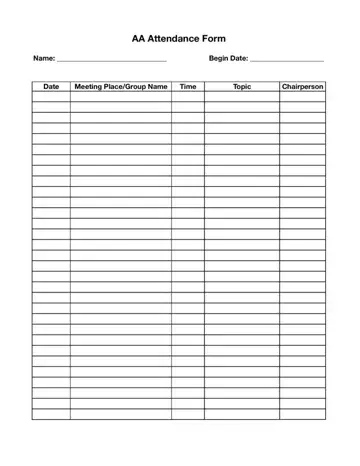
The AA Recovery Proof of Attendance Sheet is a structured document for recording participation in Alcoholics Anonymous meetings. Each row in the sheet captures a single session: the meeting date, location, group name, start time, topic discussed, and the chairperson's full name. The chairperson must sign each completed row to confirm the attendee was present. Courts, probation departments, and treatment program coordinators may reject unsigned or incomplete entries.
Courts often require attendance sheets when AA participation is part of a DUI sentence, probation condition, or diversion agreement. Individuals should begin using the sheet from their first meeting and fill in each row completely after each session while details are still fresh. Keeping a photocopy or scanned image of each completed sheet protects against loss. If a sheet is misplaced, recreating the attendance record from memory is rarely acceptable to legal authorities.
Related forms include the AA court card, a compact card a chairperson signs at each session, often accepted by courts alongside or instead of the full sheet. Narcotics Anonymous participants use the NA meeting sheet for the same documentation purpose. Those in non-12-step programs can use the SMART Recovery verification form as an equivalent record.
| Question | Answer |
|---|---|
| Form Name | AA Attendance Sheet Form |
| Form Length | 1 pages |
| Fillable? | No |
| Fillable fields | 0 |
| Avg. time to fill out | 15 sec |
| Other names | aa attendance, aa meeting sign in sheet, alcoholics anonymous attendance forms, aa sheet |
AA Attendance Sheet Form isn’t the one you’re looking for?
Please rate Aa Recovery Proof Of Attendance Sheet
