
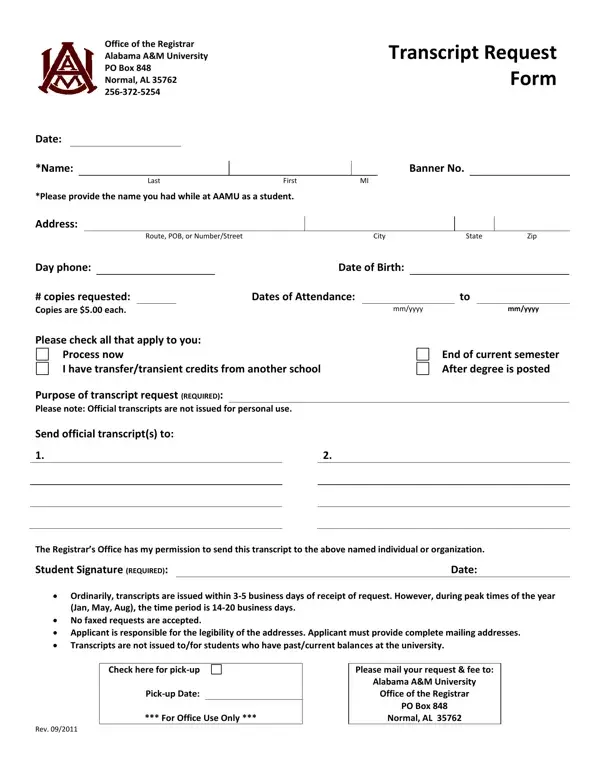
Requesting an academic transcript is a key step for Alabama A&M University students and alumni pursuing further education, career advancement, or professional requirements. The AAMU Transcript Request form provides a structured way to obtain official records through the Office of the Registrar.
To complete the form, you will need your enrollment name, Banner ID, dates of attendance, and the exact number of copies needed at $5.00 per copy. You must specify the purpose of your request, whether for immediate processing, end-of-semester release, or after degree conferral. A student signature is required to authorize the release of your academic records. Outstanding balances must be resolved before a request can be fulfilled.
Official transcripts are not issued for personal use. The Registrar sends them directly to designated organizations or individuals. Faxed requests are not accepted. Processing times may extend during peak periods such as graduation. For related forms, see the AAC Transcript Request and the Academic Records Request Form on FormsPal.
| Question | Answer |
|---|---|
| Form Name | Aamu Transcript Request Form |
| Form Length | 1 page |
| Fillable? | Yes |
| Fillable fields | 29 |
| Avg. time to fill out | 15 sec |
| Other names | aamu official transcript, alabama a m transcripts, aamu registrar, alabama a m official transcript |
Aamu Transcript Request Form isn’t the one you’re looking for?