
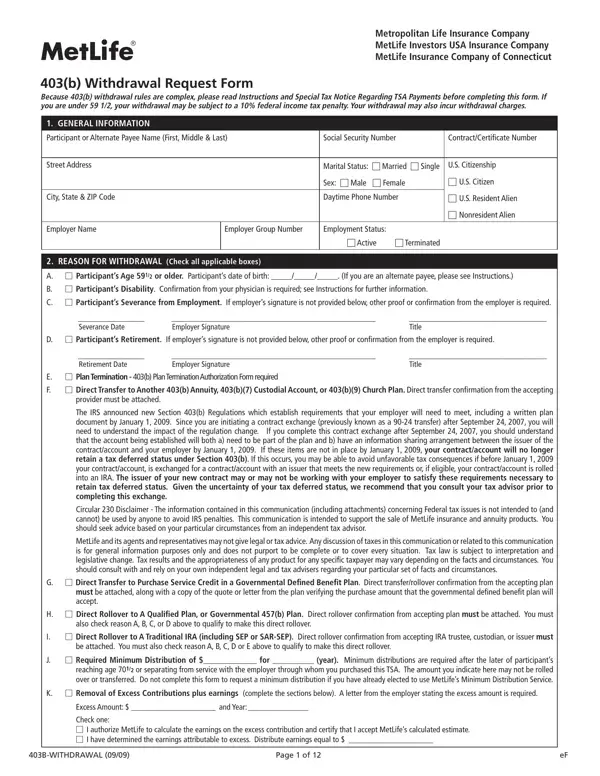
The 403B Request Form is used by non-profit organization employees, teachers, and ministers enrolled in tax-sheltered annuity plans. Participants can submit this form to request full or partial distributions from MetLife-administered 403(b) accounts. Qualifying withdrawal reasons include reaching age 59 1/2, total disability, severance from employment, and retirement.
The form requires participants to select a withdrawal amount, payment delivery method, and loan payoff instructions if applicable. For those moving funds to another account, a 403b rollover transfer form may also be needed.
Participants under age 59 1/2 may owe a 10% federal income tax penalty plus any applicable withdrawal charges. Federal and state tax withholding elections must be completed on the form. Review the Special Tax Notice Regarding TSA Payments before submitting to understand all tax obligations.
Some withdrawals require additional documentation. Disability distributions need a physician's statement confirming the condition. Severance-based requests require employer authorization. For emergency situations, the 403b hardship withdrawal form or the hardship withdrawal request form may apply instead.
| Question | Answer |
|---|---|
| Form Name | 403B Request Form |
| Form Length | 12 pages |
| Fillable? | No |
| Fillable fields | 0 |
| Avg. time to fill out | 3 min |
| Other names | MetLife 403b terms of withdrawal, MetLife 403b withdrawal request form, MetLife ERISA 403b withdrawal request form |
403B Request Form isn’t the one you’re looking for?