
Updated:
Get Form Now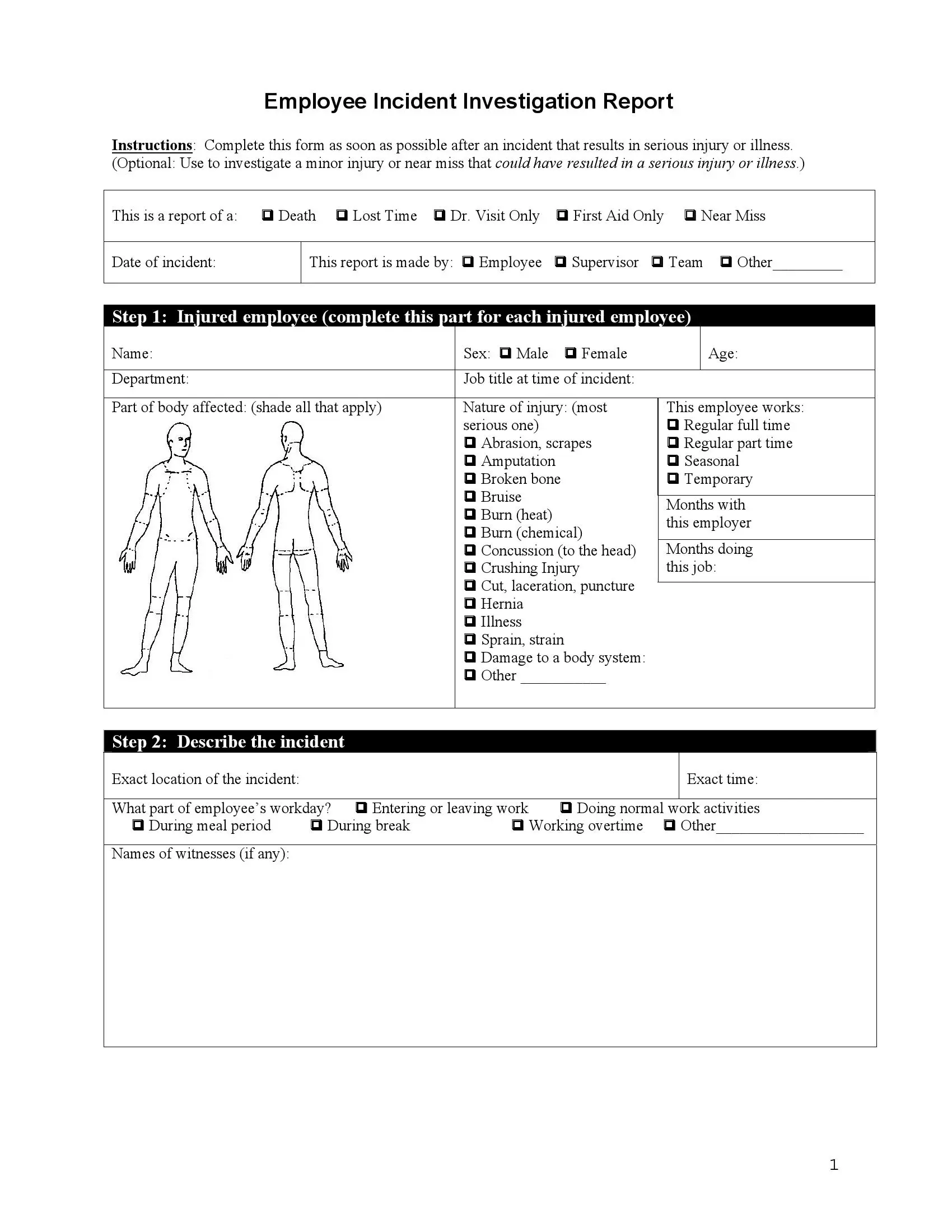
An employee accident report is a written account of a workplace injury. Our free template covers the injured worker, the events, the people who saw it, likely causes and prevention steps. Employees, supervisors and coworkers fill it out right after an accident at work.
An employee accident report is a written account of an accident at work that names the injured worker, the time and place, what happened, who saw it and what may have caused it. Employees, supervisors and safety teams use it to understand the incident and to decide what to change.
The report serves two readers. The first is the investigation team, which looks for the root cause. The second is the injured employee, whose account of the injury is set down while the details are fresh.
The form fits a wide range of workplace accidents. Use it to report:
The three-page template offers six reasons to choose from, four ways to show who is reporting and ten prevention actions to pick from. A clear report helps a company build a safer workplace and take steps to prevent similar incidents.
Fill out an accident report at work as soon as the injured person has received care and the scene is safe, while names, times and details are still clear in everyone's memory.
Medical care for the injured person always comes first. The paperwork comes next, once everyone is safe.
Common moments to start a report:
Tell your employer about the injury the same day if you can, even if it seems minor, and ask your supervisor or HR team who receives the report. If you may claim workers' compensation, also ask HR or the workers' compensation agency where you work how soon you need to give notice of the injury.
The form has ten steps, from choosing the reason for the report to signing it. Work through them in order and answer each question as fully as you can. Stick to facts you know first-hand, and use short, plain sentences.
Open the free template on FormsPal. Fill it in online with our form builder, or download it and print a copy to complete by hand.
Read the instructions at the top of the form. They explain when to complete it. Then start filling it out.

Pick the reason for the report from the six options in the chart.
Enter the date the incident took place.

Next, tick the box that shows who is writing the report:

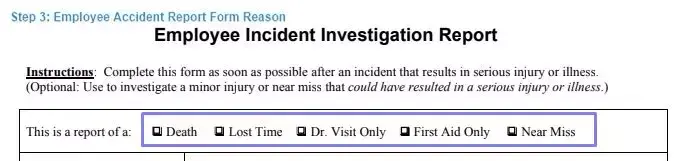
Fill in the information about the injured employee and the injury. If more than one employee was hurt, fill out a separate form for each person.
Give a detailed account of what happened. Answer each question in the space provided and add anything else that matters.

Add the names of any witnesses. If witnesses wrote statements, or if you have photos or drawings such as maps, write the number of each in the space provided.

Say whether the employee was using any personal protective equipment when the incident happened. Then describe, step by step, the events that led up to it. Name the tools, machines and other key objects involved. If you need more space, you can attach a sheet or two to the form.
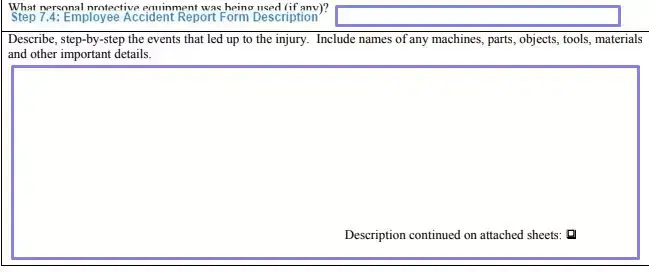
A good description reads like a short timeline. Here is how one might look:
Example: At about 10:15 a.m. on March 4, Dana Ruiz was carrying a box of floor tiles down the north stairwell of Warehouse B. Her left foot slipped on a wet step near the bottom. She fell onto her right wrist. She was wearing work gloves and safety boots. A coworker, Sam Lee, heard the fall and came from the loading dock. A cleaning bucket had been left on the landing, and water had spilled onto the last three steps.
Notice what the example does: it gives the time and place, names the people, lists the protective gear and says what was seen, not what someone thinks.
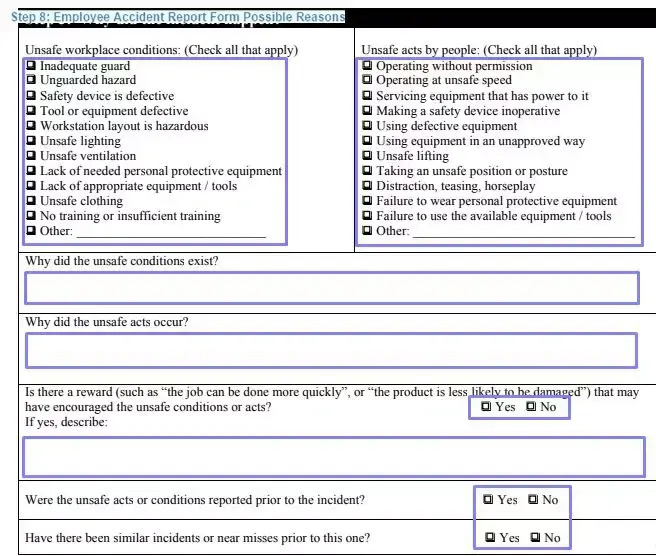
Choose from the lists of unsafe working conditions and unsafe acts by people. Explain why each choice may have contributed to the incident. Then answer the "yes or no" questions about the employee's workplace.
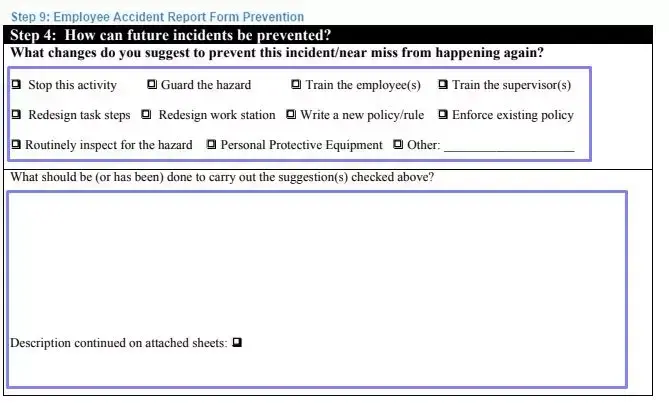
Choose from the ten options or suggest your own actions to prevent a similar incident. Then describe in detail how to carry out each action you chose.
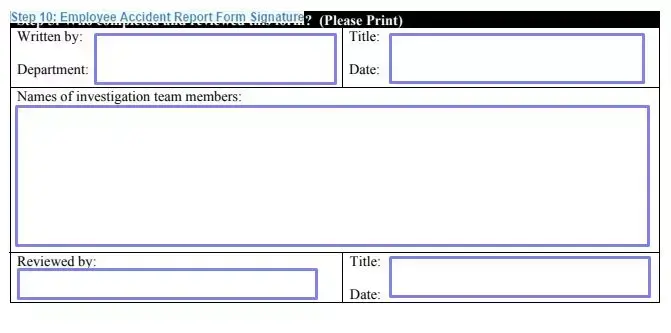
After completing the form, sign it and add your name, title and department. If it applies, ask the investigation team members, the reviewing supervisor or human resources staff to sign the "reviewed by" section and add the day they signed.
Then hand the signed form to the person your workplace names for incident reports, such as your supervisor, the safety lead or HR, and keep a copy for yourself.
Employers covered by the OSH Act report the most serious work accidents straight to OSHA, the Occupational Safety and Health Administration, under 29 CFR 1904.39; an internal accident report does not replace that call.
The deadlines depend on the event:
| Event | Report to OSHA within | Only if | Source |
|---|---|---|---|
| Death of an employee from a work-related incident | 8 hours after the death | The death occurs within 30 days of the incident | 29 CFR 1904.39 |
| In-patient hospitalization of one or more employees | 24 hours | The admission is for care or treatment and occurs within 24 hours of the incident | 29 CFR 1904.39 |
| Amputation | 24 hours | It occurs within 24 hours of the incident | 29 CFR 1904.39 |
| Loss of an eye | 24 hours | It occurs within 24 hours of the incident | 29 CFR 1904.39 |
If the employer learns of the event later, the 8 or 24 hours run from the time the event is reported to the employer or its agent (29 CFR 1904.39).
Under 29 CFR 1904.39, no report to OSHA is due for an event from a motor vehicle accident on a public street or highway outside a construction work zone, one on a commercial or public transportation system, or a hospital stay for observation or diagnostic testing only.
OSHA takes the report by phone to the nearest OSHA office, by its 24-hour hotline at 1-800-321-6742, or online (OSHA, 29 CFR 1904.39). OSHA asks for the business name, the names of the employees affected, the location and time of the incident, a brief description and a contact person with a phone number (OSHA, 29 CFR 1904.39). A completed accident report puts most of those details in one place.
This duty covers small employers too: OSHA says all employers under its jurisdiction must report these incidents, even those exempt from routinely keeping OSHA records due to company size or industry (OSHA, 29 CFR 1904.39).
Employers who keep OSHA records use the OSHA 301 Injury and Illness Incident Report, or an equivalent form, for each recordable injury or illness on the OSHA 300 Log, under 29 CFR 1904.29.
Our template is an internal report. If your company keeps OSHA records, compare it with the OSHA 301 before you use it in place of that form, because the equivalent form test in 29 CFR 1904.29 asks for the same information.
Under 29 CFR 1904.35, an employer that keeps OSHA records sets up a reasonable procedure for employees to report work-related injuries and illnesses promptly and accurately. A procedure is not reasonable if it would deter or discourage a reasonable employee from reporting, and the employer may not discharge or discriminate against an employee for reporting (29 CFR 1904.35).
Many states run their own occupational safety and health programs, and OSHA notes that reporting requirements may vary by state, though each state's rules must be at least as effective as OSHA's (OSHA, 29 CFR 1904.39).
Workers' compensation claims are a separate process from this report. The U.S. Department of Labor's Office of Workers' Compensation Programs (OWCP) administers workers' compensation programs for federal employees. Other workers should ask HR which claim form their employer's insurer uses.
Supporting documents make an accident report more credible and give readers a fuller picture of the event. Attach the ones that apply to your case, and write their numbers in the matching spaces on the form. Common examples include:
Together, these documents give a more reliable account of the incident. They also help the investigation team choose the right corrective actions.
Documenting workplace injuries well means writing what happened, in order, in plain words, soon after the event, so that a reader who was not there can follow it and check it.
If you do not know a detail, write "unknown" instead of leaving the space blank or guessing.
Accuracy pays off in three ways:
Most problems with an incident report come from rushing. Check your form against the list below before you hand it in, and fix anything that looks incomplete, unclear or out of order.
Read the whole form once more before you sign it.
After you hand in the report, the reviewing supervisor or investigation team reads it, looks for the root cause, picks corrective actions and adds the case to the company's incident data.
A completed incident report is more than a record. Safety managers can review reports over time to track trends, find repeat hazards and decide where to invest in training or equipment.
Small businesses and large organizations can use the same template to keep every incident report consistent, which makes the data easier to analyze.
Run through this checklist before you hand in the completed incident report. It takes a minute and helps you catch missing information while the incident is still fresh in everyone's mind.
The employee, the employee's supervisor or a team member can fill it out. The form also has an "other" line for anyone else who is reporting.
Fill out a separate form for each injured employee.
Write what you saw and heard, in the order it happened, with the time, the place and the people involved. Leave out guesses about fault, then sign the statement and give it to the person preparing the report.
Ask your employer in writing. If your employer keeps OSHA records, it gives you a copy of the OSHA 301 Incident Report describing your injury by the end of the next business day, with no charge for the first copy (29 CFR 1904.35).
No. OSHA's form is the OSHA 301 Injury and Illness Incident Report (29 CFR 1904.29); our template is an internal accident report. An employer can use another form in place of the 301 only if it has the same information and instructions (29 CFR 1904.29).
Federal law forbids it. OSHA says workers have the right to report injuries and that employers must maintain a workplace free from retaliation (OSHA, File a Complaint). Under 29 CFR 1904.35, an employer that keeps OSHA records may not discharge or in any manner discriminate against an employee for reporting a work-related injury or illness.
You can attach a sheet or two to the form for extra information.
General information, not legal or tax advice.
