Please rate Acord 130 Fillable

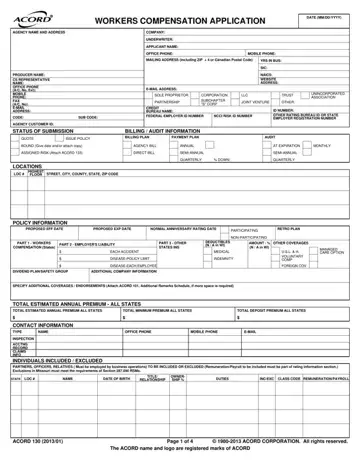
Filling out the Acord 130 form is a crucial step for businesses seeking workers' compensation insurance, heralding a process that demands precision and a thorough understanding of the business's operations. This form, an industry-standard document, captures essential information about the applicant company, including its name, contact information, business details, and specifics about the requested insurance coverage. It meticulously records data across several categories, such as the type of entity the business operates as—be it a sole proprietorship, corporation, partnership, or other forms—and delves into the fine details regarding the nature of the work performed, employee demographics, and prior insurance history. The form also requests details about the locations where the business operates, its federal employer identification number, and specifics about the insurance policy's billing and audit information. Notably, it addresses risk factors that could impact the premium, like the use of subcontractors, safety programs in place, or operations involving hazardous materials. Completing the form accurately is vital not only for securing an accurate insurance quote but also for ensuring that the business complies with state and federal regulations concerning workers' compensation insurance. The nuances captured in the Acord 130 form highlight the importance of meticulous record-keeping and a deep understanding of one's business operations to successfully navigate the workers' compensation insurance application process.
| Question | Answer |
|---|---|
| Form Name | Acord 130 Fillable |
| Form Length | 4 pages |
| Fillable? | No |
| Fillable fields | 0 |
| Avg. time to fill out | 1 min |
| Other names | workers compensation acord form, fillable acord 130, acord 130, accord 130 |
Acord 130 Fillable isn’t the one you’re looking for?
Please rate Acord 130 Fillable
