
Form ST-8 at a glance
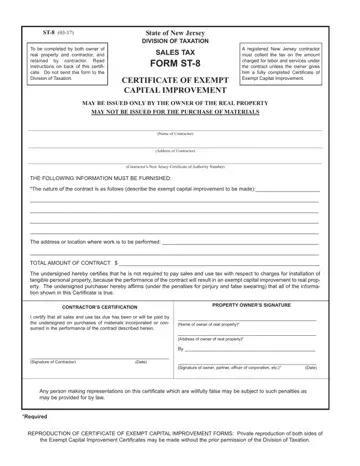
What it is: Sales Tax Form ST-8 is the Certificate of Exempt Capital Improvement of the State of New Jersey Division of Taxation.
Who signs: Enter the Signature of Contractor and the Date. Required: the Signature of owner, partner, officer of corporation, etc. and the Date.
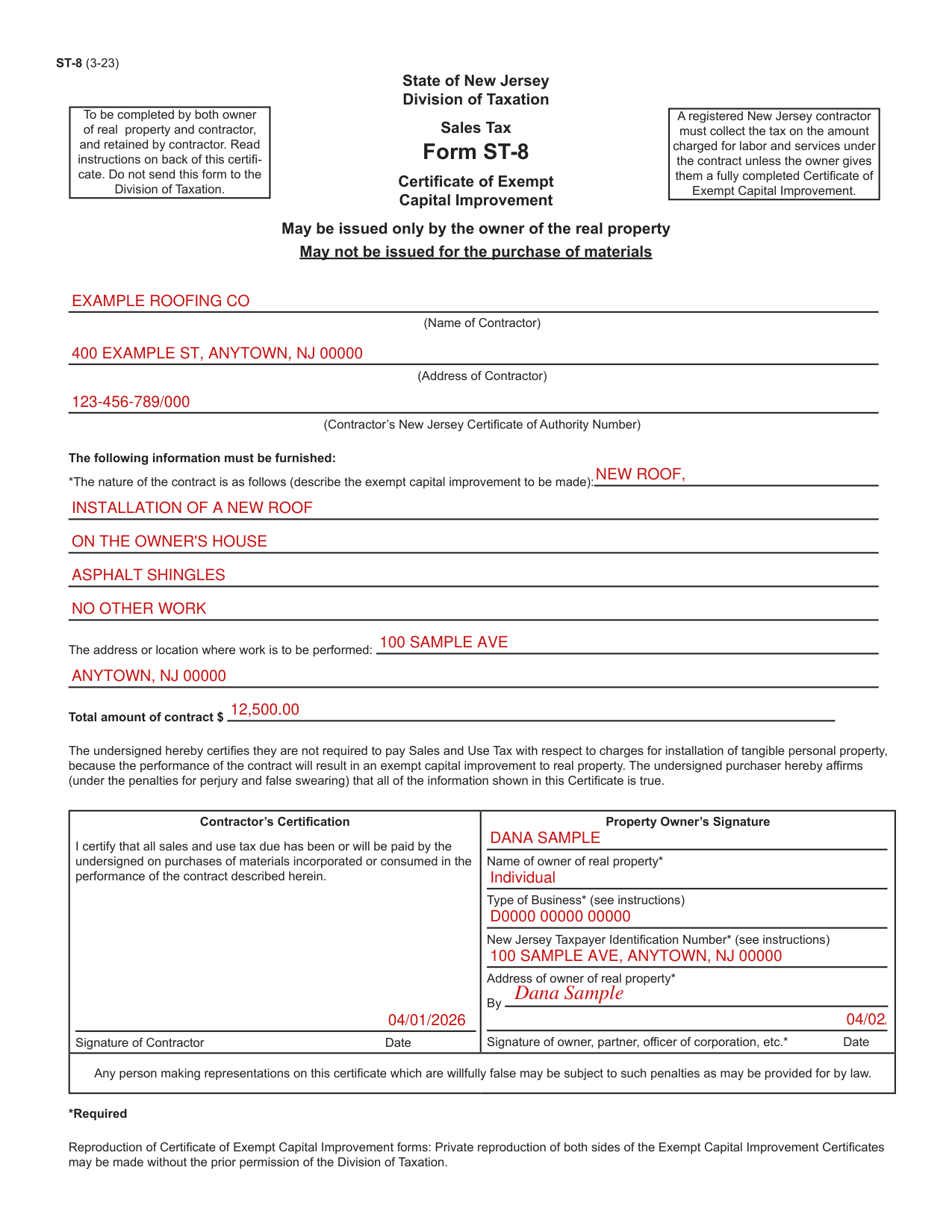
A filled-in Form ST-8 example: a property owner issues the certificate for a new roof
How to fill out Form ST-8, box by box
The contractor

Enter the Name of Contractor, the Address of Contractor and the Contractor's New Jersey Certificate of Authority Number.
The nature of the contract, where the work is performed and the total amount of the contract
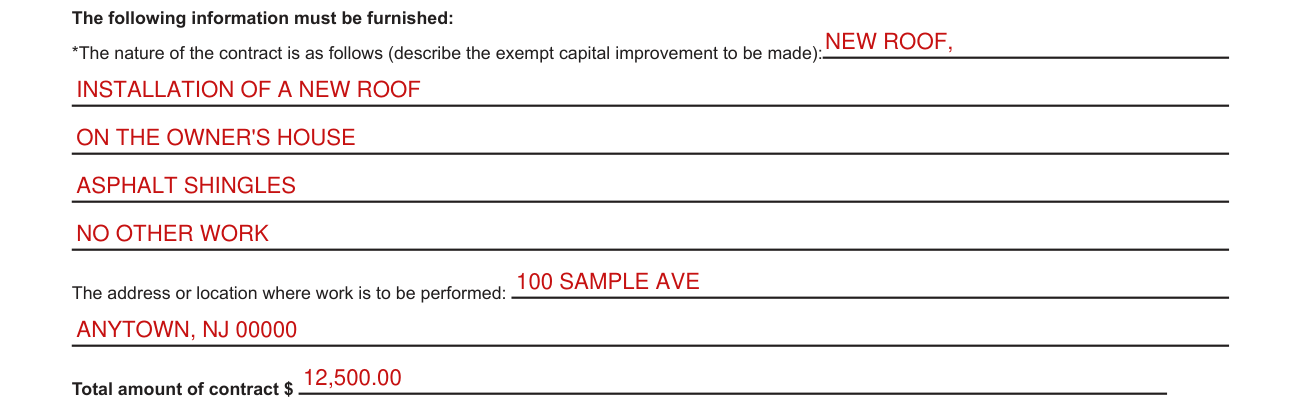
Required, as is the Name of owner of real property: The nature of the contract is as follows (describe the exempt capital improvement to be made).
Enter the address or location where work is to be performed and the Total amount of contract.
The owner of the real property

Required: the Name of owner of real property, the Type of Business (see instructions), the New Jersey Taxpayer Identification Number (see instructions) and the Address of owner of real property.
The following information must be obtained from a purchaser (owner of real property) in order for the exemption certificate to be fully completed: Purchaser's name and address; Reason(s) for exemption.
Type of business: Individual purchasers, enter "Individual".
Purchaser's New Jersey tax identification number or, for a purchaser that is not registered in New Jersey, the federal employer identification number or out-of-State registration number.
Individual purchasers must include their driver's license number.
Signatures and dates

It is to be completed by both the owner of real property and the contractor, and retained by the contractor. Do not send this form to the Division of Taxation.
It may be issued only by the owner of the real property and may not be issued for the purchase of materials.
By signing, the contractor certifies that all sales and use tax due has been or will be paid by the undersigned on purchases of materials incorporated or consumed in the performance of the contract described herein.
Enter the Signature of Contractor and the Date.
Required: the Signature of owner, partner, officer of corporation, etc. and the Date.
Required: if a paper exemption certificate is used (including fax), the signature of the purchaser.
More rules for Form ST-8
Private reproduction of both sides of the Exempt Capital Improvement Certificates may be made without the prior permission of the Division of Taxation.
If your situation is different
You are the contractor
A registered New Jersey contractor must collect the tax on the amount charged for labor and services under the contract unless the owner gives them a fully completed Certificate.
You are required to pay Sales Tax to your supplier on the purchase of the tangible personal property you purchase for use in performing the contract irrespective of whether the work constitutes a repair or a capital improvement.
If you enter into a contract to repair, maintain, or service real or tangible personal property, or to install a taxable capital improvement, you must collect tax on the charge for labor or services performed in accordance with the contract.
The seller's name and address are not required and are not considered when determining if an exemption certificate is fully completed.
Certificates must be retained by the seller for a period of not less than four years from the date of the last sale covered by the certificate.
Certificates must be in the physical possession of the seller and available for inspection.
You are the purchaser
The undersigned certifies they are not required to pay Sales and Use Tax with respect to charges for installation of tangible personal property, because the performance of the contract will result in an exempt capital improvement to real property. The undersigned purchaser hereby affirms (under the penalties for perjury and false swearing) that all of the information shown in this Certificate is true.
If it is determined that the purchaser improperly claimed an exemption, the purchaser will be held liable for the nonpayment of the tax.
You have doubt whether the work is a repair or an exempt capital improvement
It is important to distinguish between an exempt capital improvement and a taxable capital improvement, repair or installation.
If the fulfillment of a contract only maintains the existing value of the property, it is a repair and not a capital improvement.
Where an improvement results in an increase in the capital value of the real property, it is generally considered that a capital improvement has been performed. (But see the list of taxable capital improvements.)
As an aid to determine whether a contract is for a repair to real property or a capital improvement to real property, the treatment of such transaction for income tax purposes under the Federal Internal Revenue Code may be used as a guide.
If you have any doubt whether the work to be performed constitutes a repair or an exempt capital improvement, you should communicate with the Division of Taxation and describe in detail such work.
Examples of exempt capital improvements: New roof, installation of; New heating system installation; Rewiring; Paving of driveway; Patio, construction of; Garage, construction of.
Common questions about Form ST-8
What is a NJ ST-8 form?
In cases where the contractor performs work which results in an exempt capital improvement to your house or land (real property), they may not charge you any Sales Tax if you issue them a fully completed Certificate of Exempt Capital Improvement (Form ST-8).
Is there a deadline?
Registered sellers who accept fully completed exemption certificates within 90 days subsequent to the date of sale are relieved of liability for the collection and payment of Sales Tax on the transactions covered by the exemption certificate.
Is there a penalty?
Any person making representations on this certificate which are willfully false may be subject to such penalties as may be provided for by law.
When is this form not the right one?
This form cannot be issued for these services, which are subject to Sales Tax on and after October 1, 2006: Seeding, sodding, grass plugging of new lawns, planting trees, shrubs, hedges, plants, etc.; Clearing and filling land associated with seeding, sodding, grass plugging of new lawns, or planting trees, shrubs, hedges, plants, etc., including tree/stump removal; Installing carpeting and other flooring; Installing a hard-wired security, burglar or fire alarm system. To the contractor: If you enter into a contract to add to or improve real property by an exempt capital improvement (see examples) and the property owner issues to you a properly completed Certificate of Exempt Capital Improvement, which you must retain, you should not collect Sales Tax from the property owner.
Sources
[1] Form ST-8 (3-23), Certificate of Exempt Capital Improvement, State of New Jersey Division of Taxation (the Official source link on this page).
