
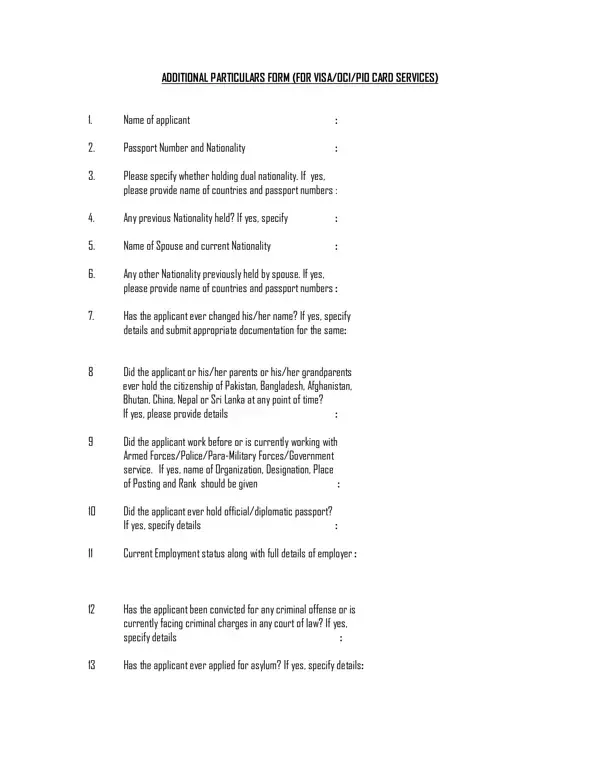
The Additional Particulars Form for Visa Services is a one-page form for visa services, with a declaration to the Government of India. Every question must be answered with details, with Yes or No where it applies; the form warns that incorrect or incomplete applications, or answers given as N/A, will not be processed. It asks for the applicant's passport number and nationality, any dual or previous nationality, the spouse's nationality, any change of name, whether the applicant, a parent or a grandparent ever held the citizenship of Pakistan, Bangladesh, Afghanistan, Bhutan, China, Nepal or Sri Lanka, any service with the armed forces, police or government, any official or diplomatic passport, current employment, criminal convictions or charges, and any asylum application. The applicant signs a declaration that the particulars are true; for a minor child, both parents or the legal guardian sign.
| Question | Answer |
|---|---|
| Form Name | Additional Particulars Form |
| Form Length | 1 page |
| Fillable? | Yes |
| Fillable fields | 17 |
| Avg. time to fill out | 30 sec |
| Other names | additional particular form, additional particulars form for indian visa, additional particular form india visa, india particular form |
Additional Particulars Form isn’t the one you’re looking for?