
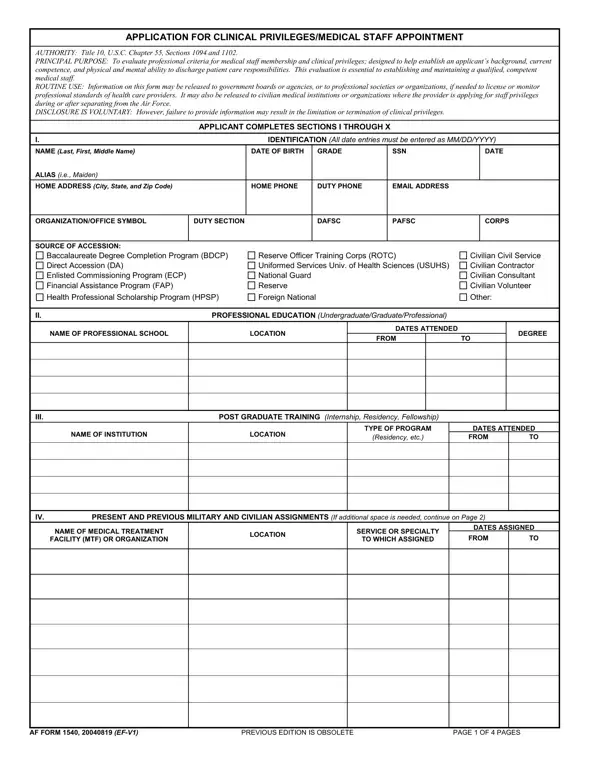
FormsPal's online PDF editor lets you complete AF Form 1540 directly in your browser without downloading any software. Follow these steps to fill out the Application for Clinical Privileges and Medical Staff Appointment.
Steps to Fill Out AF Form 1540
Step 1: Click the "Get Form" button at the top of this page to open AF Form 1540 in the online editor. The form will load in your browser and you can begin entering information right away.
Step 2: Start by completing Section I (personal information) and Section II (professional background). Include your full name, date of birth, social security number, and contact information. Section II asks for your educational background, internship or residency programs, and post-graduate training details:
Step 3: Complete Section III for post-graduate training. Enter all present and previous military and civilian assignments. For each position, include the name of the medical treatment facility or organization, location, service or specialty, and dates assigned:
Confirm the edition and page numbering information at the top of each page. The form header includes fields for edition version and page count:
Step 4: Fill in your license, certification, and registration details in Section V. For each entry, provide the state or certifying organization, license or certificate number, issue date, and expiration date. Also complete the Federal Drug Enforcement Administration (DEA) registration and state controlled substances registration fields if applicable:
Step 5: Complete the specialty data section. List all clinical specialties and board certifications, including the specialty board name, certificate number, issue date, and expiration date. Also fill in DEA fee-exempt status and state controlled substances registration details:
Step 6: Review all entries carefully. Any omission or error may result in denial or revocation of clinical privileges. Click "Done" to save your completed AF Form 1540. Create a free FormsPal account to download, print, or electronically share the form.
Related Air Force Forms
- Air Force Form 1181 - duty assignment preferences
- Air Force Form 1168 - statement of circumstances
- Credentialing Application - civilian healthcare credentials
- Clinical Experience Form - clinical practice documentation
