
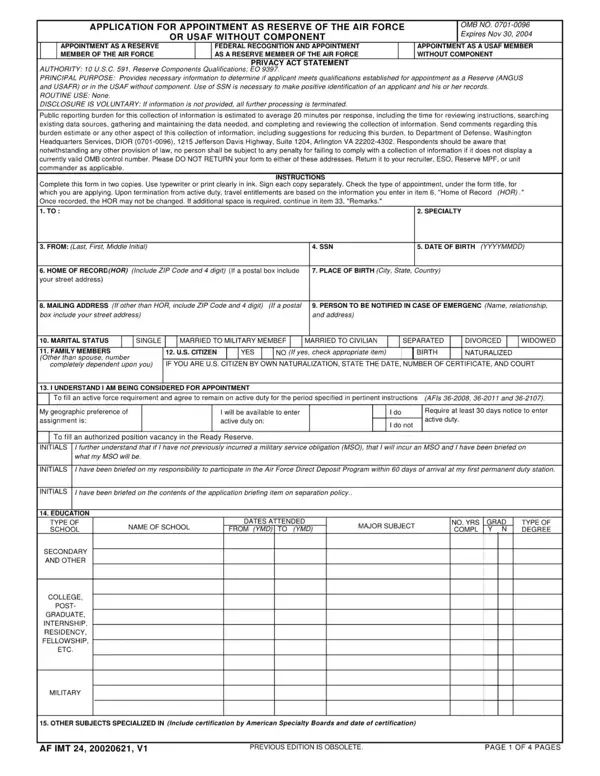
To fill out AF Form 24 online for free, open the form in the FormsPal PDF editor using the button above. No software installation is required. The editor runs in your browser and lets you complete, download, or print the form in minutes.
Step 1: Open the form and enter personal information
Click the fill-out button to open AF Form 24 in the FormsPal editor. Begin by entering your full legal name, Social Security number, date of birth, and current mailing address. Check all personal identifying details carefully before proceeding. Errors in this section can delay the processing of your Reserve appointment application.
Step 2: Complete education and service history
List all post-secondary education in reverse chronological order, including the institution name, degree type, and graduation date. If you have prior military service in any branch, record the branch, service start and end dates, and the type of discharge received. Applicants with no prior service should mark the service history section accordingly.
Step 3: Answer the legal and medical disclosure questions
AF Form 24 includes questions about prior legal history such as convictions or disciplinary actions, as well as medical history relevant to military fitness. Answer each question completely and honestly. The form includes a Privacy Act Statement explaining how information is used. Disclosure is voluntary, but incomplete responses may affect your eligibility for appointment.
Step 4: Download, sign, and submit
After completing all sections, download the finalized PDF. Print the form, sign it in the designated field, and date it. Submit the signed form to your recruiting officer or the Air Force administrative office managing your appointment package. Keep a copy for your personal records.
Frequently asked questions
What is AF Form 24 used for? AF Form 24 is the official application for appointment as a Reserve of the Air Force or as a USAF member without component. It is used in OTS, JAG, and Reserve unit entry processes.
Is AF Form 24 the same as Air Force Form 24? Yes. Both names refer to the same document. The AF prefix is the standard Department of Defense abbreviation for Air Force forms.
Are there related forms I may need? Yes. Depending on your application, you may also need the AF Form 77 or Reserve Account Deposit Slip as part of your full application package.
