
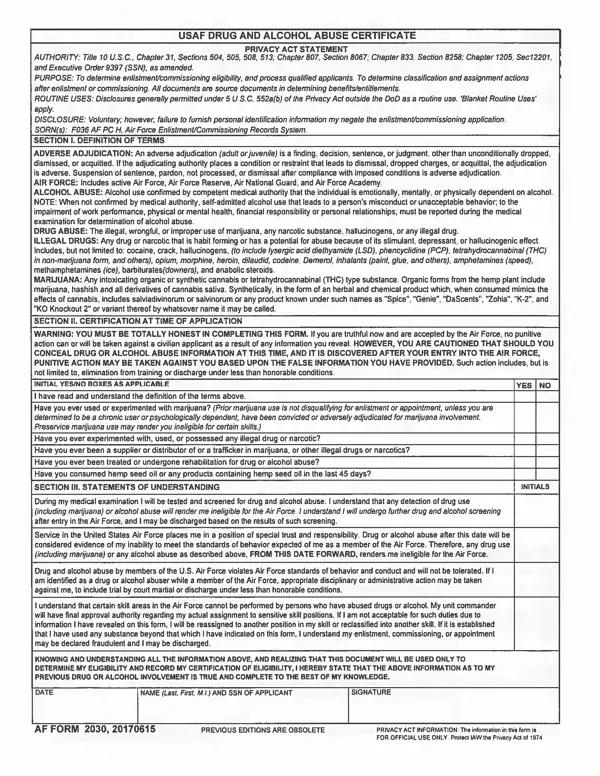
AF Form 2030 is the Air Force’s official Drug and Alcohol Abuse Certificate, prescribed under Air Force Instruction (AFI) 44-121. It certifies that a service member, cadet, or applicant has been informed of and understands Air Force substance abuse policies and the consequences of drug or alcohol misuse under the Uniform Code of Military Justice (UCMJ). The form is required at initial entry, commissioning through AFROTC, and periodic compliance checkpoints throughout a career.
Personnel fill in their full name, grade, date, and organization before signing the certificate. Completed forms are filed with the unit personnel office and retained in the service record. For related compliance documents, FormsPal offers a drug testing consent form, a drug-free workplace certification, and a collection of Air Force administrative forms.
| Question | Answer |
|---|---|
| Form Name | AF Form 2030 |
| Official Use | Drug and Alcohol Abuse Certificate |
| Issued By | United States Air Force |
| Form Length | 2 pages |
| Fillable? | Yes |
| Fillable fields | 32 |
| Avg. time to fill out | 30 sec |
| Other names | af_form_2030, af form 2030, 1997 |
Af Form 2030 isn’t the one you’re looking for?