Please rate Al Mli Form

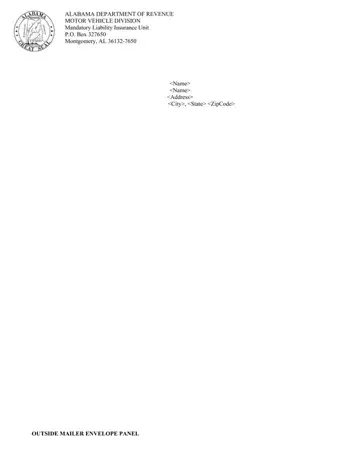
The Department of Revenue Motor Vehicle Division uses the MLI questionnaire to verify vehicle owner compliance with Section 32-7A-4 of the Code of Alabama 1975. This law requires all registered or operated motor vehicles to carry mandatory liability insurance. The form serves as a formal verification tool between the state and vehicle registrants.
The Department of Revenue sends this mandatory liability insurance questionnaire to motor vehicle owners when the state's insurance verification system cannot confirm active liability insurance for a registered motor vehicle. If you received this notice, respond by the deadline shown on the letter to avoid suspension of your motor vehicle permit.
Alabama law requires minimum mandatory liability insurance coverage for all motor vehicles. Your completed questionnaire must confirm that your motor vehicle carries at least the following:
You will need your insurance policy number, company name, and effective coverage dates when completing the form. If any party involved in verifying your coverage needs more documentation, they may request proof of your policy number and mandatory liability insurance coverage limits.
Alabama mandatory liability insurance requirements apply to all motor vehicle owners who register or operate a motor vehicle in the state. The Department of Revenue cross-references motor vehicle insurance records with policy databases to identify vehicles that may lack required mandatory liability insurance. Motor vehicle owners who cannot provide proof of liability insurance face suspension of their vehicle permit and must pay reinstatement fees.
The Alabama Law Enforcement Agency (ALEA) and the Department of Revenue run the mandatory liability insurance verification program together. If the state cannot confirm your motor vehicle's mandatory liability insurance through database checks, the MLI questionnaire is mailed to the registered motor vehicle owner to give them a chance to provide proof of coverage before any action is imposed.
Alabama mandatory liability insurance compliance extends to all motor vehicle owners in the state, including those involved in accidents or those with temporary tags awaiting title. All motor vehicle owners who receive the alabama mandatory liability insurance questionnaire must respond within the specified time period. The MVTRIP portal at mvtrip.alabama.gov is the official state resource for online responses. You can reach the Department of Revenue Motor Vehicle Division by phone for questions about your mandatory liability insurance verification status, claim number tracking, or how to submit proof of coverage by policy number or insurance card.
Failure to return the questionnaire by the deadline results in suspension of your motor vehicle's operating status under Alabama law. Reinstatement requires proof of current mandatory liability insurance and payment of applicable fees. The form also outlines your appeal rights if you believe a notice was issued in error. Parties involved in the appeal process may contact the Motor Vehicle Division for case number tracking and status updates.
For other vehicle documents, see the Alabama abandoned vehicle form or the vehicle enrollment form.
| Question | Answer |
|---|---|
| Form Name | AL MLI Form (Mandatory Liability Insurance Questionnaire) |
| Issuing Authority | Alabama Department of Revenue |
| Form Length | 4 pages |
| Fillable? | No |
| Fillable fields | 0 |
| Avg. time to fill out | 1 min |
| Other names | alabama mandatory liability insurance questionnaire, gov mli alabama, mvtrip alabama gov, alabama mli questionnaire, mandatory insurance form |
Al Mli Form isn’t the one you’re looking for?
Please rate Al Mli Form
