
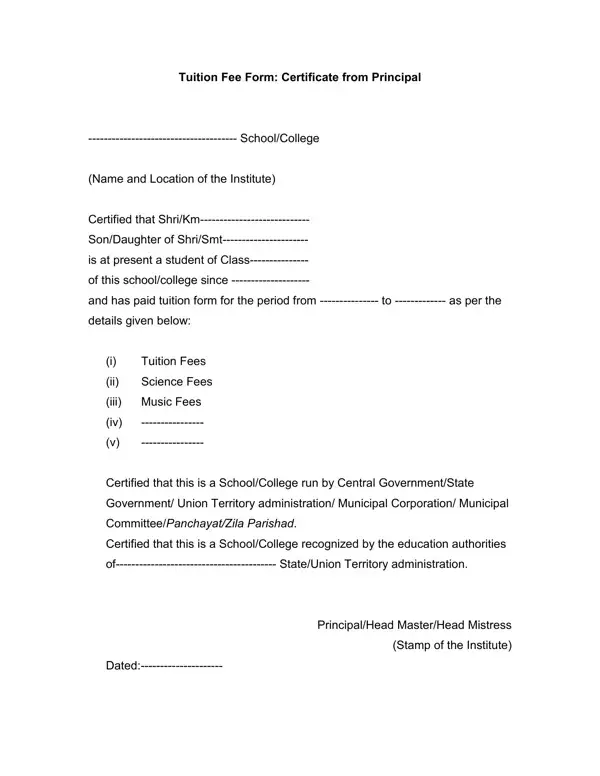
The Application for Tuition Certificate form is issued to students and employees as official confirmation that tuition fees have been paid. Organizations, universities, and government bodies use it to verify educational expenses before approving financial support, grants, or income tax deductions.
Students enrolled in colleges, vocational programs, or professional courses submit this form when applying for employer-sponsored tuition reimbursement or government-administered education grants. Tax filers claiming a deduction for tuition fees paid must attach a copy of this certificate to their income tax returns. Both individuals and institutions rely on this document as part of the formal approval process for financial assistance.
The form asks for the applicant’s full name and identification details, the name of the educational institution, the course or program enrolled in, the academic year or period covered, the total amount of tuition fees paid, and the date of payment. Some versions require the signature of the principal or an authorized school official. Providing complete and accurate information reduces the risk of delays or rejection.
Students applying for broader financial support may also need a tuition reimbursement form from their employer, or an application fee waiver for academic programs. A student bio-data form is commonly submitted alongside a tuition certificate application.
| Question | Answer |
|---|---|
| Form Name | Application For Tuition Certificate Form |
| Form Length | 1 pages |
| Format | |
| Fillable? | No |
| Fillable fields | 0 |
| Avg. time to fill out | 15 sec |
| Other names | certificate for claiming tuition fees, tuition fees format, tuition fee receipt format for income tax, tuition fee certificate |
Application For Tuition Certificate Form isn’t the one you’re looking for?