

Arkansas AR20/40 at a glance
What it is: AR20/40, the Tax Account Update, is the form to update account information.
Who signs: Under Authorization, check the box: under penalties of perjury, you declare you are authorized to make these changes.
A filled-in Arkansas AR20/40 example: a store owner reports a new address
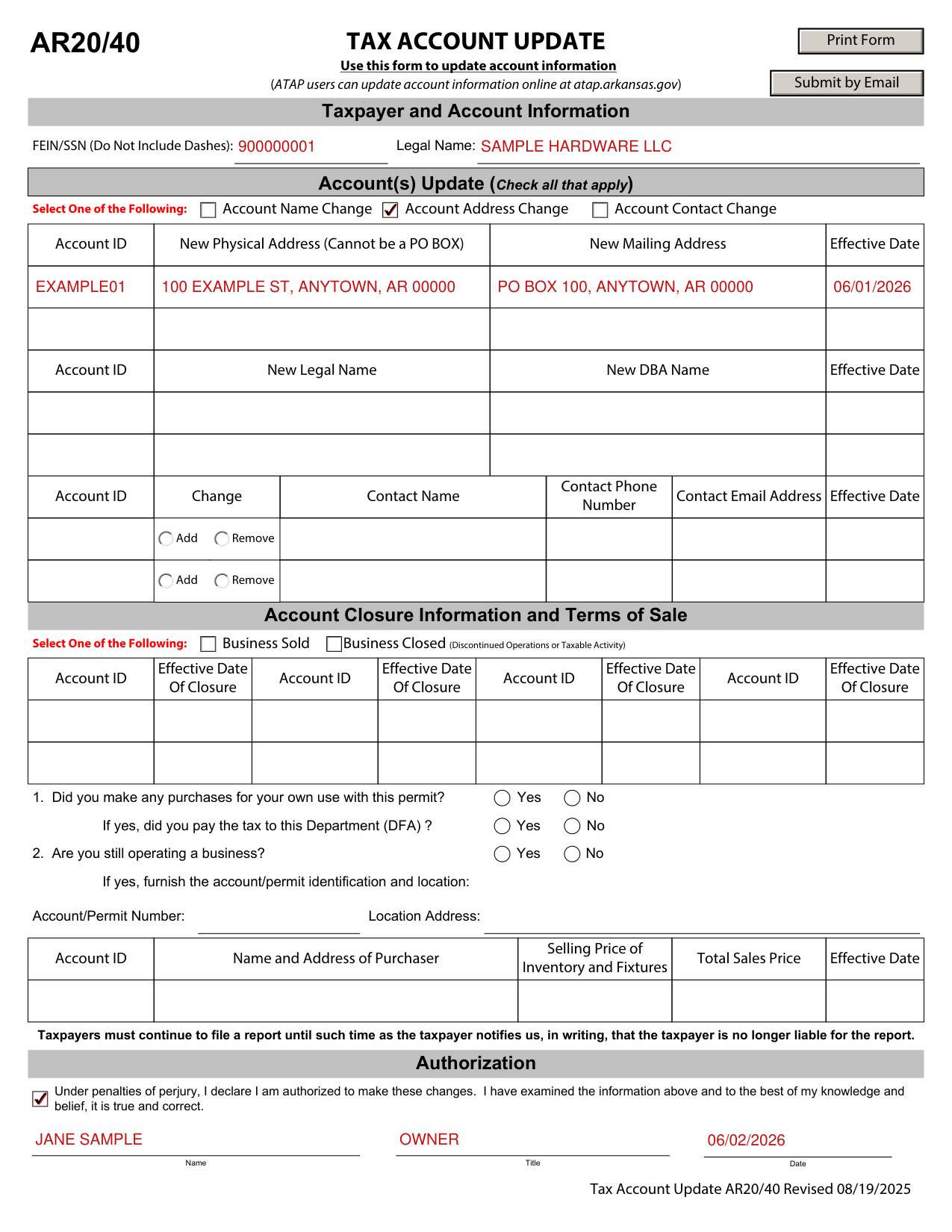
How to fill out Arkansas AR20/40, box by box
Taxpayer and Account Information

Under Taxpayer and Account Information, enter the FEIN/SSN (Do Not Include Dashes) and the Legal Name.
Account(s) Update (Check all that apply)

Under Account(s) Update, check all that apply: Account Address Change, Account Name Change or Account Contact Change.
Account Address Change

For an Account Address Change, enter the Account ID, the New Physical Address (Cannot be a PO BOX), the New Mailing Address and the Effective Date.
Account Name Change

For an Account Name Change, enter the Account ID, the New Legal Name, the New DBA Name and the Effective Date.
Account Contact Change

For an Account Contact Change, enter the Account ID, mark Add or Remove under Change, and enter the Contact Name, the Contact Phone Number, the Contact Email Address and the Effective Date.
Account Closure Information and Terms of Sale
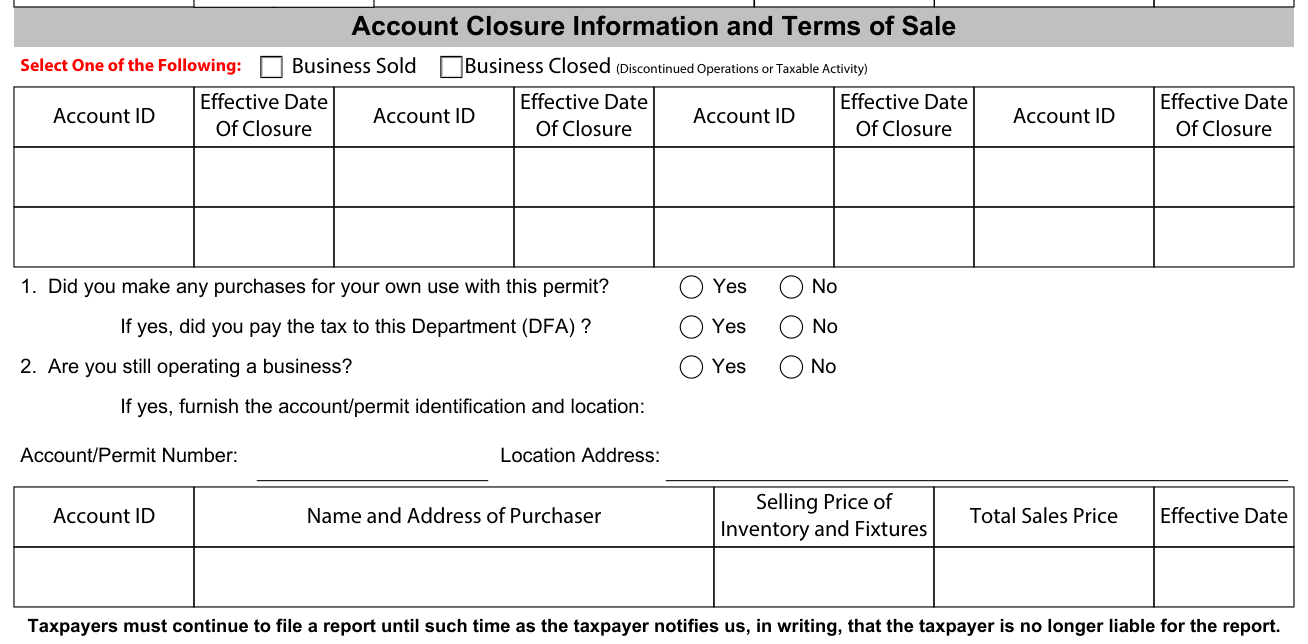
Under Account Closure Information and Terms of Sale, select one of the following: Business Sold or Business Closed (Discontinued Operations or Taxable Activity).
For a closure, enter the Account ID and the Effective Date Of Closure.
1. Did you make any purchases for your own use with this permit? No or Yes. If yes, did you pay the tax to this Department (DFA)? No or Yes.
2. Are you still operating a business? No or Yes. If yes, furnish the account/permit identification and location: enter the Account/Permit Number and the Location Address.
For Business Sold, enter the Account ID, the Name and Address of Purchaser, the Effective Date, the Total Sales Price and the Selling Price of Inventory and Fixtures.
Taxpayers must continue to file a report until such time as the taxpayer notifies this Department (DFA), in writing, that the taxpayer is no longer liable for the report.
Authorization

Under Authorization, check the box: under penalties of perjury, you declare you are authorized to make these changes.
Under Authorization, you have examined the information and to the best of your knowledge and belief it is true and correct; enter your Name, Title and Date.
More rules for Arkansas AR20/40
ATAP users can update account information online at atap.arkansas.gov.
Sources
[1] Arkansas AR20/40, Tax Account Update (Revised 08/19/2025), Arkansas Department of Finance and Administration (the Official source link on this page).
