
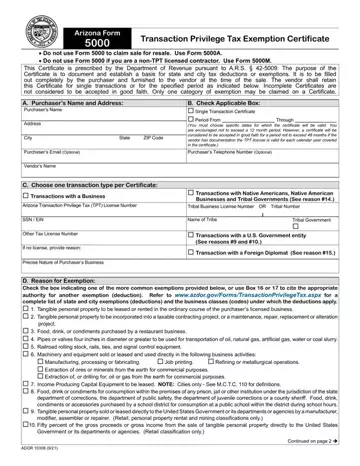
Arizona Form 5000 at a glance
What it is: Arizona Form 5000 is the Transaction Privilege Tax Exemption Certificate, prescribed by the Department of Revenue pursuant to A.R.S. § 42-5009 to document and establish a basis for state and city tax deductions or exemptions.
Who signs: Sign on the SIGNATURE OF PURCHASER line and fill in the DATE and TITLE.
Where and when to file: The purchaser furnishes the Certificate to the vendor at the time of the sale.
The Certificate is to be filled out completely by the purchaser. Incomplete Certificates are not considered to be accepted in good faith.
A filled-in Arizona Form 5000 example: a restaurant claims Box 3
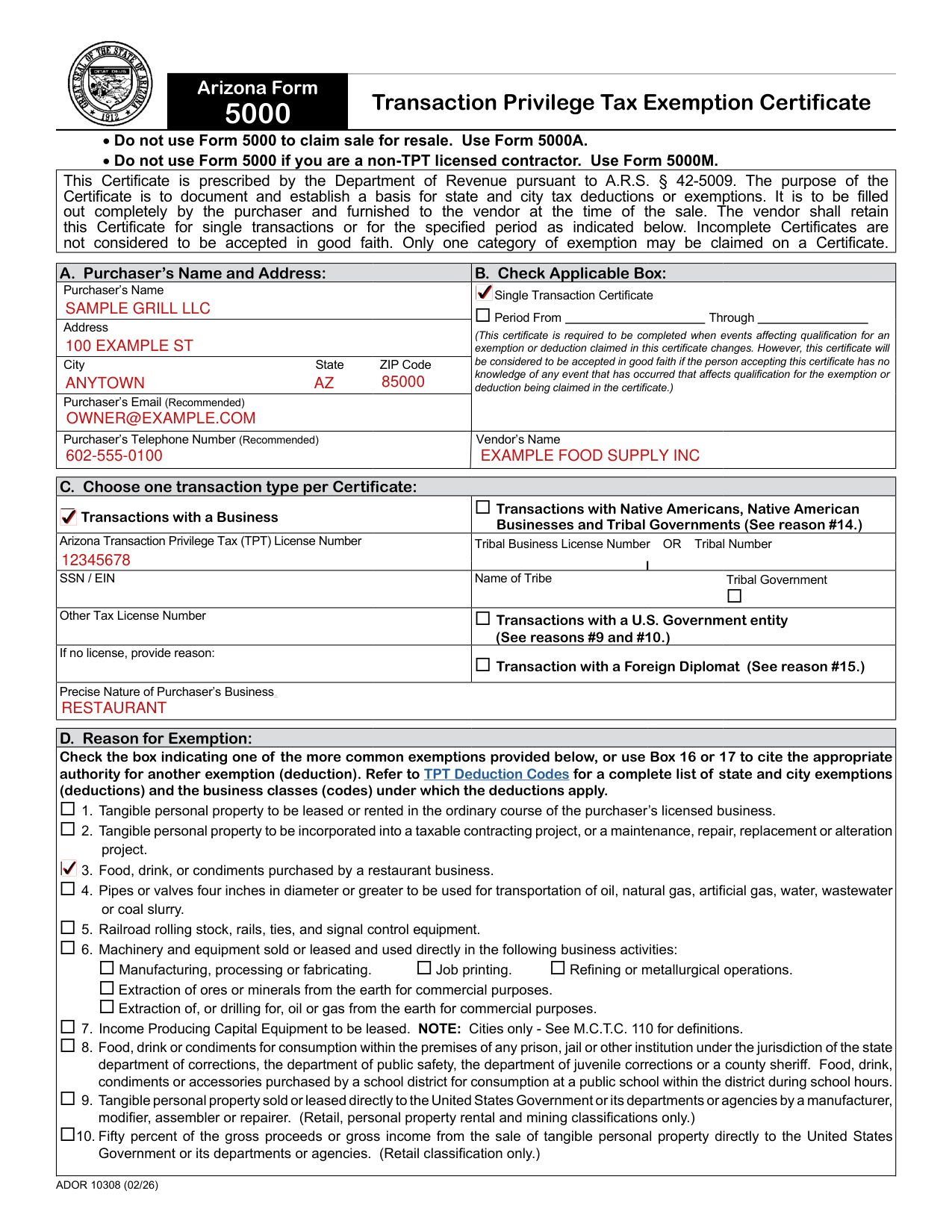
How to fill out Arizona Form 5000, box by box
A. Purchaser's Name and Address, and the Vendor's Name
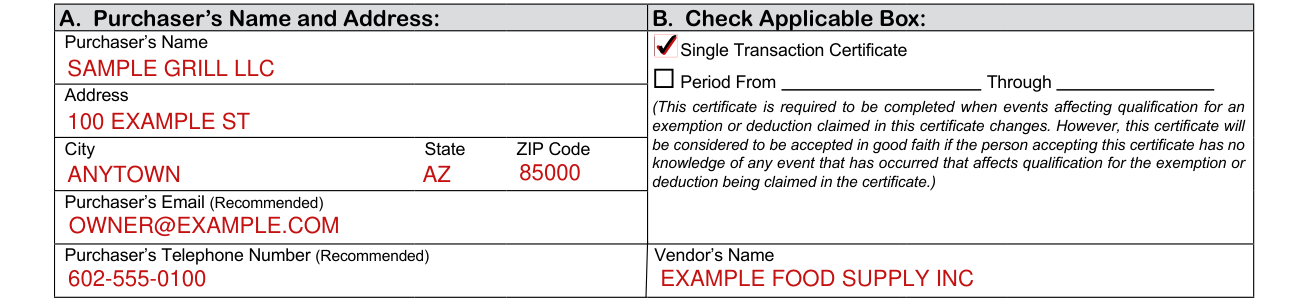
Enter the Purchaser's Name, Address, City, State and ZIP Code, then the Purchaser's Email (Recommended) and the Purchaser's Telephone Number (Recommended).
Enter the Vendor's Name.
B. Check Applicable Box
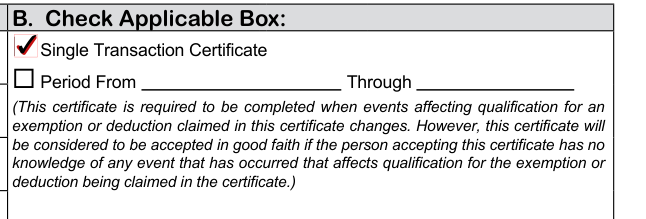
In B, Check Applicable Box: Single Transaction Certificate or Period From Through.
The vendor shall retain this Certificate for single transactions or for the specified period as indicated in B.
This certificate is required to be completed when events affecting qualification for an exemption or deduction claimed in this certificate changes. However, this certificate will be considered to be accepted in good faith if the person accepting this certificate has no knowledge of any event that has occurred that affects qualification for the exemption or deduction being claimed in the certificate.
C. Choose one transaction type per Certificate
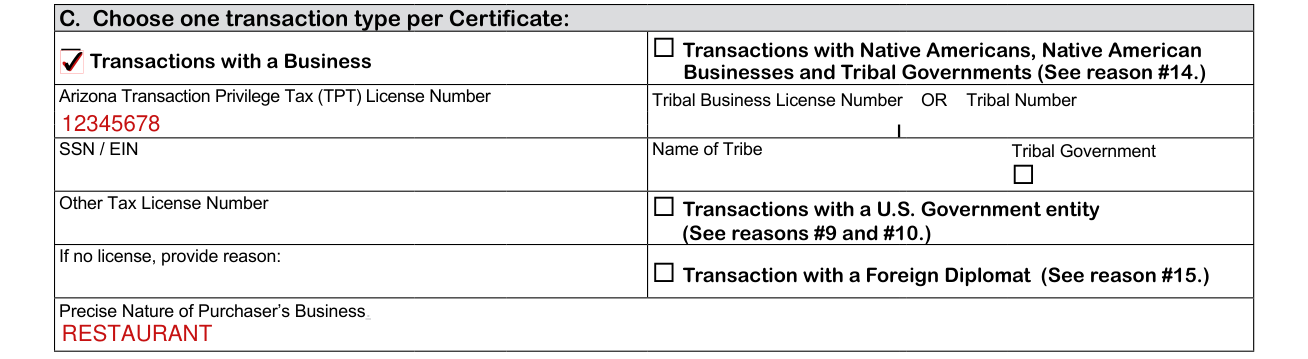
Choose one transaction type per Certificate: Transactions with a Business; Transactions with Native Americans, Native American Businesses and Tribal Governments (See reason #14.); Transactions with a U.S. Government entity (See reasons #9 and #10.); or Transaction with a Foreign Diplomat (See reason #15.)
The form has lines for the Arizona Transaction Privilege Tax (TPT) License Number, SSN / EIN and Other Tax License Number. If no license, provide reason.
The form has lines for the Tribal Business License Number OR Tribal Number and the Name of Tribe, and a Tribal Government box.
Enter the Precise Nature of Purchaser's Business.
D. Reason for Exemption
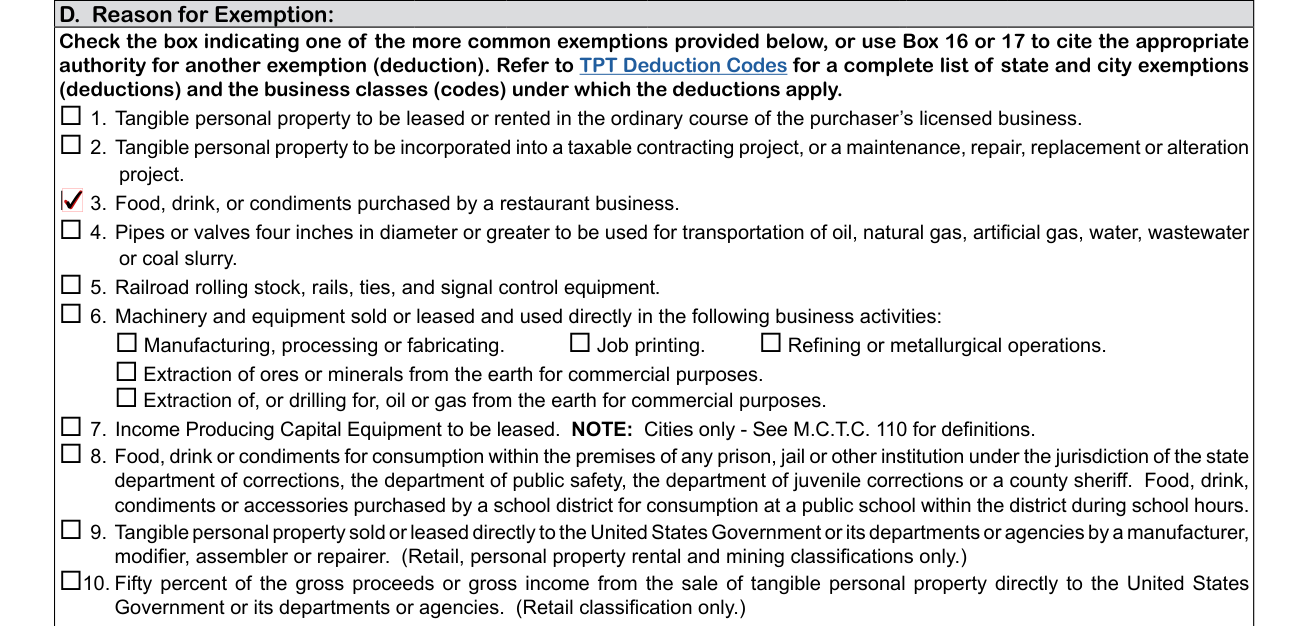
Only one category of exemption may be claimed on a Certificate.
Check the box indicating one of the more common exemptions provided in D, or use Box 16 or 17 to cite the appropriate authority for another exemption (deduction).
Box 1: Tangible personal property to be leased or rented in the ordinary course of the purchaser's licensed business.
Box 2: Tangible personal property to be incorporated into a taxable contracting project, or a maintenance, repair, replacement or alteration project.
Box 3: Food, drink, or condiments purchased by a restaurant business.
Box 4: Pipes or valves four inches in diameter or greater to be used for transportation of oil, natural gas, artificial gas, water, wastewater or coal slurry.
Box 5: Railroad rolling stock, rails, ties, and signal control equipment.
Box 6: Machinery and equipment sold or leased and used directly in the following business activities: Manufacturing, processing or fabricating. Job printing. Refining or metallurgical operations. Extraction of ores or minerals from the earth for commercial purposes. Extraction of, or drilling for, oil or gas from the earth for commercial purposes.
Box 7: Income Producing Capital Equipment to be leased. NOTE: Cities only. See M.C.T.C. 110 for definitions.
Box 8: Food, drink or condiments for consumption within the premises of any prison, jail or other institution under the jurisdiction of the state department of corrections, the department of public safety, the department of juvenile corrections or a county sheriff. Food, drink, condiments or accessories purchased by a school district for consumption at a public school within the district during school hours.
Box 9: Tangible personal property sold or leased directly to the United States Government or its departments or agencies by a manufacturer, modifier, assembler or repairer. (Retail, personal property rental and mining classifications only.)
Box 10: Fifty percent of the gross proceeds or gross income from the sale of tangible personal property directly to the United States Government or its departments or agencies. (Retail classification only.)
Your Name (as shown on page 1) and Arizona Transaction Privilege Tax License Number

Enter Your Name (as shown on page 1) and the Arizona Transaction Privilege Tax License Number.
D. Exemption, boxes 11 to 15
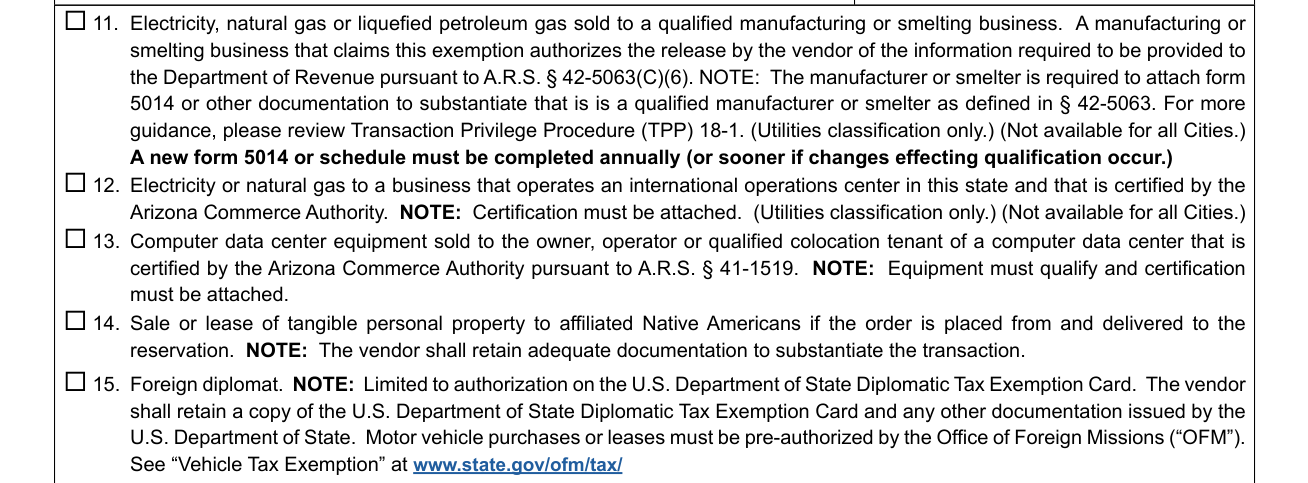
Box 11: Electricity, natural gas or liquefied petroleum gas sold to a qualified manufacturing or smelting business.
The manufacturer or smelter is required to attach form 5014 or other documentation to substantiate that it is a qualified manufacturer or smelter as defined in § 42-5063. A new form 5014 or schedule must be completed annually (or sooner if changes effecting qualification occur.)
For more guidance, please review Transaction Privilege Procedure (TPP) 18-1.
A manufacturing or smelting business that claims this exemption authorizes the release by the vendor of the information required to be provided to the Department of Revenue pursuant to A.R.S. § 42-5063(C)(6).
Box 12: Electricity or natural gas to a business that operates an international operations center in this state and that is certified by the Arizona Commerce Authority. NOTE: Certification must be attached.
Box 11 and Box 12 are for the Utilities classification only. Box 11 and Box 12 are not available for all Cities.
Box 13: Computer data center equipment sold to the owner, operator or qualified colocation tenant of a computer data center that is certified by the Arizona Commerce Authority pursuant to A.R.S. § 41-1519. NOTE: Equipment must qualify and certification must be attached.
Box 14: Sale or lease of tangible personal property to affiliated Native Americans if the order is placed from and delivered to the reservation. NOTE: The vendor shall retain adequate documentation to substantiate the transaction.
Box 15: Foreign diplomat. NOTE: Limited to authorization on the U.S. Department of State Diplomatic Tax Exemption Card. The vendor shall retain a copy of the U.S. Department of State Diplomatic Tax Exemption Card and any other documentation issued by the U.S. Department of State. Motor vehicle purchases or leases must be pre-authorized by the Office of Foreign Missions (“OFM”).
16. Other Deduction and 17. Other Cities Deduction
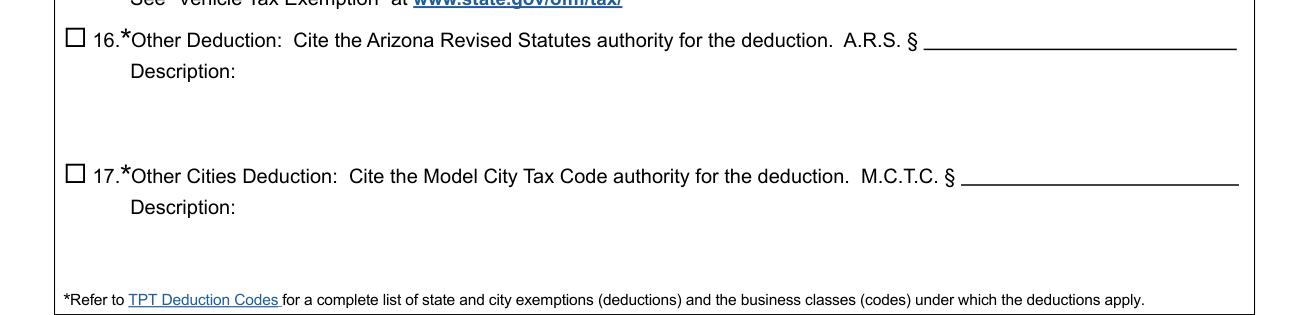
In 16, Other Deduction, cite the Arizona Revised Statutes authority for the deduction in A.R.S. §. In 17, Other Cities Deduction, cite the Model City Tax Code authority for the deduction in M.C.T.C. §. Enter a Description in each. For Box 16 and Box 17, refer to TPT Deduction Codes for a complete list of state and city exemptions (deductions) and the business classes (codes) under which the deductions apply.
E. Describe the tangible personal property or service purchased or leased and its use
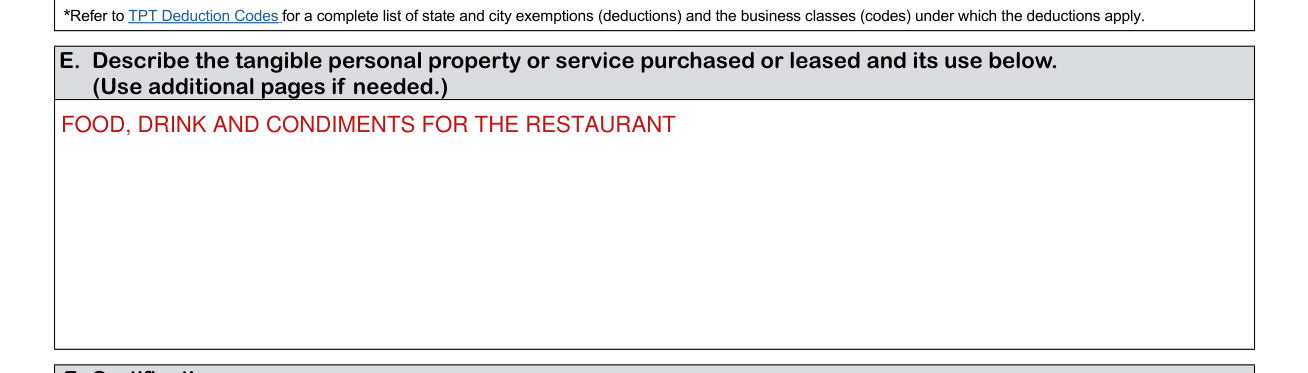
Describe the tangible personal property or service purchased or leased and its use. (Use additional pages if needed.)
F. Certification
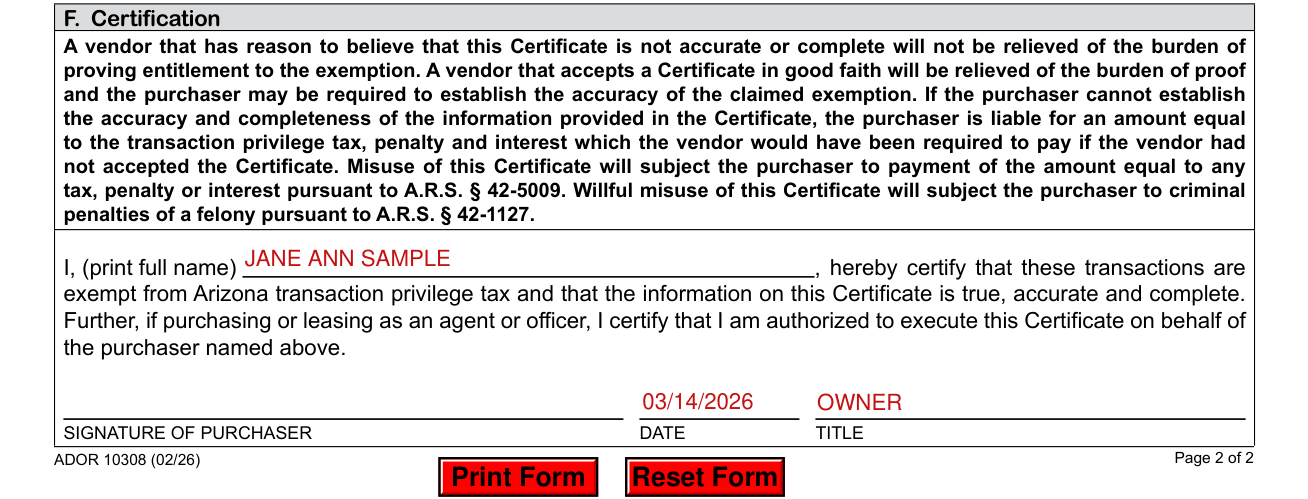
Print your full name after I, certifying that these transactions are exempt from Arizona transaction privilege tax and that the information on this Certificate is true, accurate and complete.
If purchasing or leasing as an agent or officer, you also certify that you are authorized to execute this Certificate on behalf of the purchaser named in A.
Sign on the SIGNATURE OF PURCHASER line and fill in the DATE and TITLE.
More rules for Arizona Form 5000
A vendor that has reason to believe that this Certificate is not accurate or complete will not be relieved of the burden of proving entitlement to the exemption.
Common questions about Arizona Form 5000
What is an Arizona Form 5000?
Arizona Form 5000 is the Transaction Privilege Tax Exemption Certificate, prescribed by the Department of Revenue pursuant to A.R.S. § 42-5009 to document and establish a basis for state and city tax deductions or exemptions. A vendor that accepts a Certificate in good faith will be relieved of the burden of proof and the purchaser may be required to establish the accuracy of the claimed exemption.
Is there a deadline?
The purchaser furnishes the Certificate to the vendor at the time of the sale.
Is there a penalty?
If the purchaser cannot establish the accuracy and completeness of the information provided in the Certificate, the purchaser is liable for an amount equal to the transaction privilege tax, penalty and interest which the vendor would have been required to pay if the vendor had not accepted the Certificate. Misuse of this Certificate will subject the purchaser to payment of the amount equal to any tax, penalty or interest pursuant to A.R.S § 42-5009. Willful misuse of this Certificate will subject the purchaser to criminal penalties of a felony pursuant to A.R.S § 42-1127.
When is this form not the right one?
Do not use Form 5000 to claim sale for resale. Use Form 5000A. Do not use Form 5000 if you are a non-TPT licensed contractor. Use Form 5000M.
Sources
[1] Arizona Form 5000 (02/26), Transaction Privilege Tax Exemption Certificate, Arizona Department of Revenue (the Official source link on this page).
