
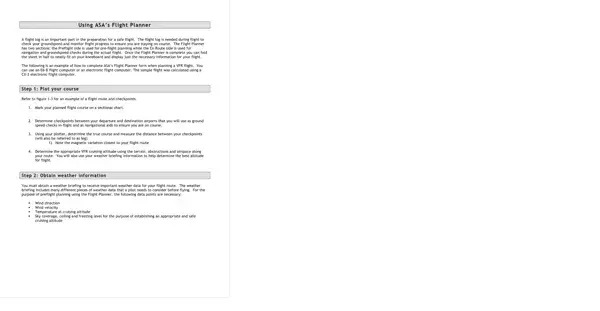
The ASA flight planner is a two-sided document that covers the full scope of VFR cross-country navigation. ASA (Aviation Supplies and Academics) has produced this form for decades, and its layout is referenced in FAA-approved training materials and check-ride standards for the private pilot certificate.
The preflight side of the ASA flight planner form includes columns for:
The en route side uses the same checkpoint column structure. As the flight progresses, pilots fill in actual times over each fix and record actual groundspeed, then compare those values against the pre-planned numbers to spot headwind increases or fuel deviations before they become emergencies.
Student pilots learning cross-country navigation rely on the ASA flight planner throughout private pilot training. FAA practical test standards for the private pilot certificate require candidates to demonstrate thorough pre-flight planning, and the ASA flight planner form is widely accepted during check rides because it documents all required calculations in one place.
Certificated pilots also use the form for routes that involve unfamiliar terrain, complex airspace, or long legs over sparsely populated areas. Having fuel and heading data on paper reduces cockpit workload and makes it easier to cross-check GPS groundspeed readings in real time.
Systematic pre-departure paperwork reduces fuel exhaustion risk, a major factor in general aviation accidents. By calculating fuel burn for each leg and comparing the total against usable fuel on board, a pilot can identify a required fuel stop before takeoff rather than discovering a shortfall over remote terrain. The form also catches magnetic heading errors that can cause a pilot to track 10 or more degrees off course, a deviation that compounds quickly over long legs.
Complete the ASA flight planner form before every cross-country flight by following these steps.
What is the difference between the ASA flight planner and an FAA flight plan?
An FAA flight plan filed with ATC notifies air traffic control of your route and activates search-and-rescue if you fail to close it after landing. The ASA flight planner is a personal navigation worksheet used to calculate headings, fuel, and times before departure. Both documents are used together on cross-country flights.
Can student pilots use the ASA flight planner on a check ride?
Yes. FAA designated pilot examiners (DPEs) widely accept the ASA flight planner as a cross-country planning document. Fill it out in pencil so you can recalculate if the examiner asks you to adjust for a different altitude or departure airport.
What tools are needed to complete the form?
You need a current sectional aeronautical chart, a plotter for measuring courses and distances, an E6B flight computer for wind correction calculations, and the FAA winds aloft forecast for your route and altitude.
Pilots flying IFR routes can use the IFR navigation log form to track instrument flight data with the same structured approach. Those operating internationally will also need the international flight plan form in addition to their standard pre-departure documentation.
| Question | Answer |
|---|---|
| Form Name | Asa Flight Planning Sheet Form |
| Form Length | 9 pages |
| Fillable? | No |
| Fillable fields | 0 |
| Avg. time to fill out | 2 min 15 sec |
| Other names | asa flight plan pdf, asa flight plan printable pdf, asa flight planning forms printable, asa flight planner form |
Asa Flight Planning Sheet Form isn’t the one you’re looking for?