
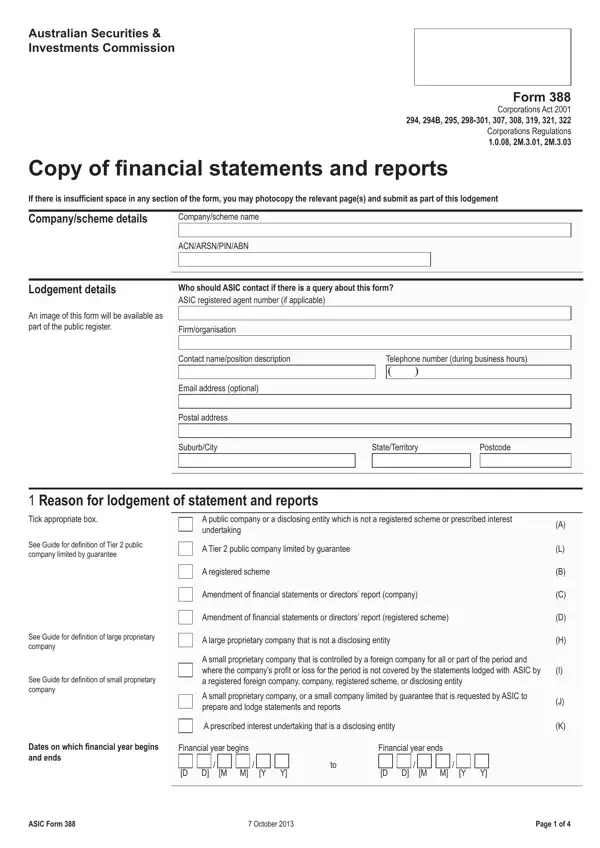
ASIC Form 388 serves as the lodgement vehicle for annual financial statements that Australian companies and registered schemes must submit to the Australian Securities and Investments Commission. Entities file this form to maintain compliance with the Corporations Act 2001 and provide transparency to regulators and the public register.
The following entity types are required to submit this form each financial year:
When lodging Form 388, entities must attach their full set of financial statements including the statement of profit or loss, balance sheet, statement of cash flows, and accompanying notes. A directors' report and an auditors' or reviewers' report are mandatory attachments. The form also captures the revenue and asset totals, employee count, and membership numbers used to determine entity size classification.
When is the lodgement deadline? Most entities must lodge within three months of the financial year end. Listed disclosing entities providing half-year financial reports have 75 days after the half-year reporting period ends.
Is an audit mandatory? Public companies and large proprietary companies must have their financial statements fully audited. Small proprietary companies lodging under a shareholder direction may satisfy the requirement with a review rather than a full audit.
What happens if lodgement is late? Late lodgement may attract ASIC enforcement action, late fees, and potential penalties under the Corporations Act. ASIC publishes a list of entities that fail to lodge on time.
FormsPal also provides related ASIC forms including ASIC Form 201 for company registration, ASIC Form 484 for changes to company details, and ASIC Form 407 for registered company auditor appointments.
| Question | Answer |
|---|---|
| Form Name | Asic Form 388 |
| Form Length | 7 pages |
| Fillable? | No |
| Fillable fields | 0 |
| Avg. time to fill out | 1 min 45 sec |
| Other names | asic form 388, form 388 financial statements, asic form 388 download, form 388 asic |
Asic Form 388 isn’t the one you’re looking for?