Please rate Atm Request Form

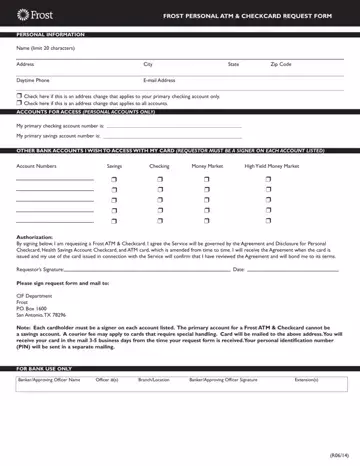
The Frost Personal ATM and Checkcard Request Form is the official Frost Bank document for requesting a personal debit card linked to one or more accounts. Applicants must be a designated signer on each listed account. The card is governed by the Agreement and Disclosure for Personal Checkcard, Health Savings Account Checkcard, and ATM Card. Once the completed application is mailed to the Frost CIF Department, the bank delivers the new ATM card within 7 to 10 business days.
The ATM card application collects the following details from the cardholder:
The Frost ATM and Checkcard application supports four account types. Personal checking, savings, money market, and high yield money market accounts can all be linked to a single debit card. The cardholder must hold signer status on each account listed to qualify for card access.
In today's digital banking environment, the ability to access accounts through ATMs and debit cards is fundamental to everyday financial management. The Frost Personal ATM and Checkcard Request Form facilitates this access by capturing essential cardholder information, specifying which accounts to link, and obtaining the required legal authorization. The form includes sections for personal data, account selection, address change notation, and a signature block where the applicant agrees to the governing Checkcard Agreement. The Frost CIF Department processes the application and coordinates card delivery, typically completing the process within 7 to 10 business days from receipt of the signed form.
FormsPal offers a broad range of banking and financial service forms. You may also need the personalised debit card form or the Citi Bank card application for your banking paperwork.
| Question | Answer |
|---|---|
| Form Name | Atm Request Form |
| Form Length | 1 pages |
| Fillable? | No |
| Fillable fields | 0 |
| Avg. time to fill out | 15 sec |
| Other names | cif forms online, checkcard request, frost cif department, frost request form |
Atm Request Form isn’t the one you’re looking for?
Please rate Atm Request Form
