
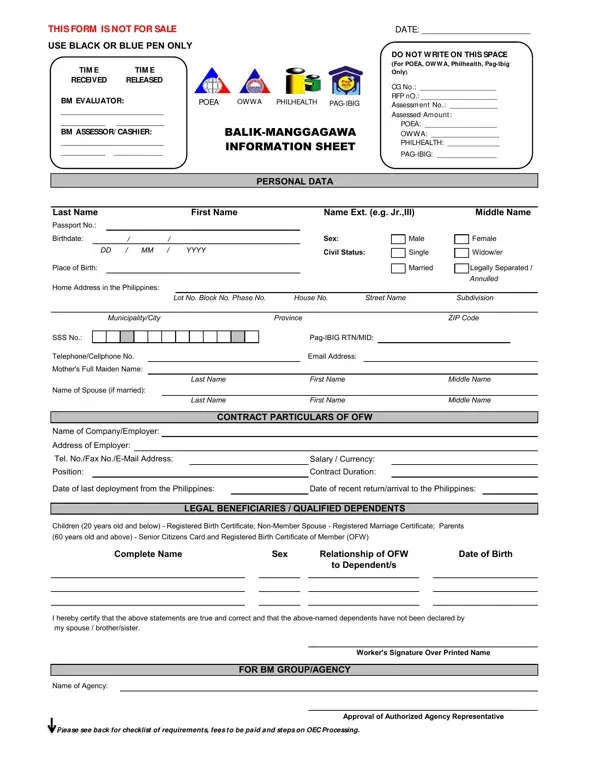
The Balik Manggagawa form is the standard document required by the Department of Migrant Workers (DMW), formerly known as the Philippine Overseas Employment Administration (POEA), to issue an Overseas Employment Certificate (OEC) to OFWs returning to the same employer abroad. The OEC is the official exit clearance that proves an OFW's legal work status in their host country and is required at the airport before departure.
To complete the BM form, OFWs must provide personal information (name, address, civil status, contact details), current employment contract details (employer name, job site country, contract duration), and information about qualified dependents or legal beneficiaries. A valid passport, employment contract, and a recent photo are required at the time of application. OFWs who have changed employers or job sites abroad are not eligible for the BM form and must file a new contract through a licensed agency instead. See the related OFW Information Sheet for additional documentation required when registering as an overseas worker for the first time.
Processing fees cover the POEA service charge, OWWA membership contribution, PhilHealth premium, and Pag-IBIG housing fund contribution. Total fees vary by destination country and contract duration. Both walk-in processing at a DMW-POEA regional office and online appointment booking through the BM Online portal are available. OFWs who arrive with complete documents can typically receive same-day OEC release. If you need to update personal data or renew a lapsed OEC, review the DMW Form 45-A before visiting a processing office. The BM form applies only to OFWs returning under an existing valid contract with the same employer.
| Question | Answer |
|---|---|
| Form Name | Balik Manggagawa Form |
| Form Length | 2 pages |
| Fillable? | No |
| Fillable fields | 0 |
| Avg. time to fill out | 30 sec |
| Other names | balik manggagawa oec online, oec form, balik manggagawa oec online application, balik manggagawa oec |