

BCAL-3704 at a glance
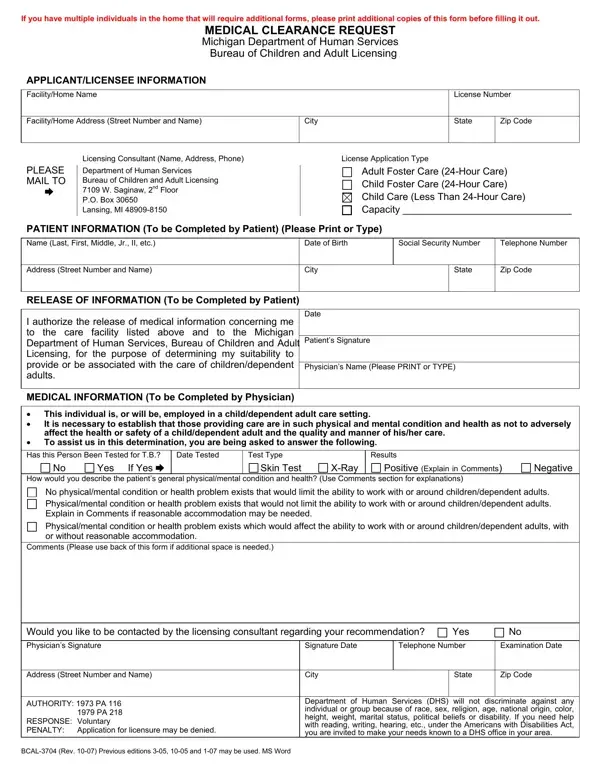
What it is: BCAL-3704 is the MEDICAL CLEARANCE REQUEST of the Michigan Department of Human Services, Bureau of Children and Adult Licensing.
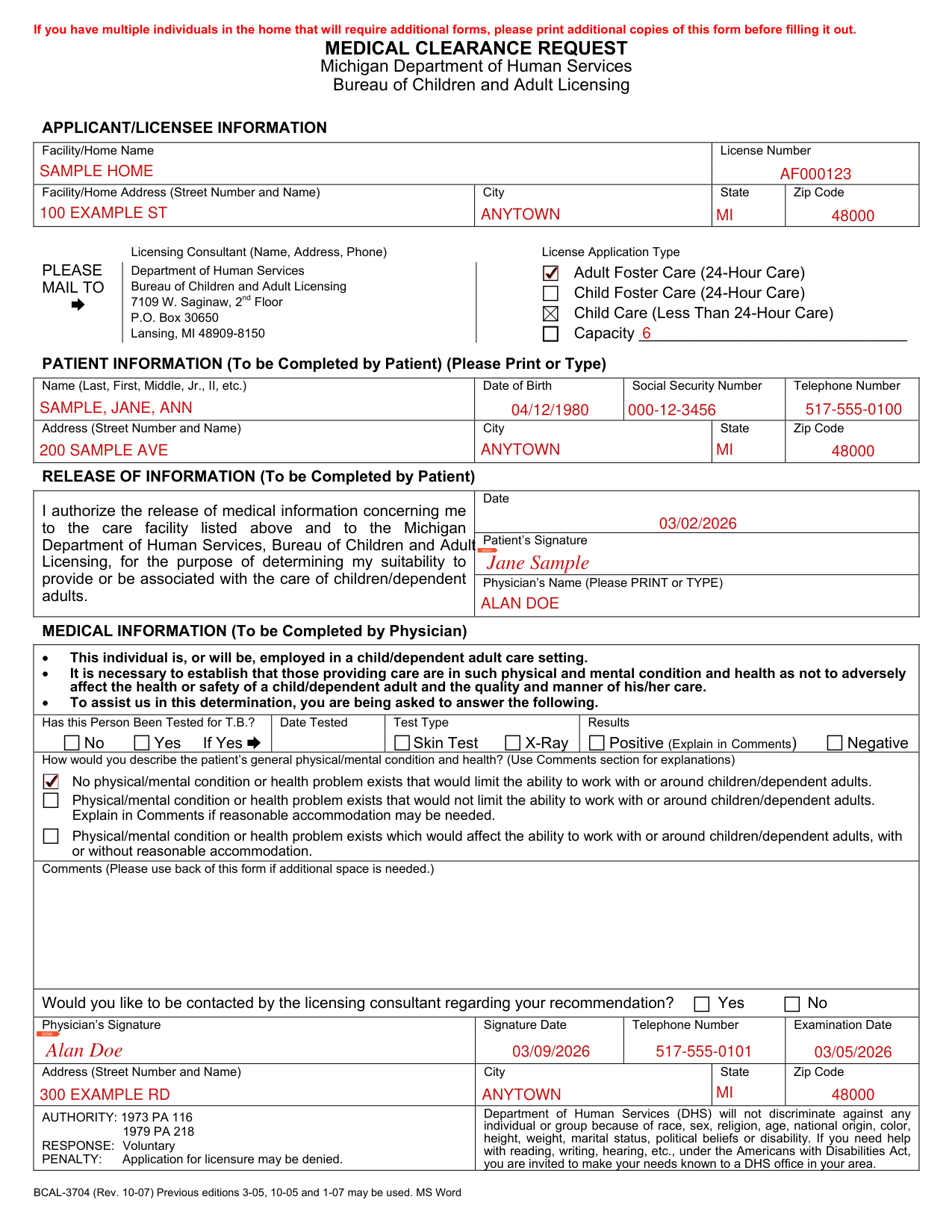
Who signs: The patient signs the Patient's Signature and enters the Date. The physician signs the Physician's Signature and enters the Signature Date, Telephone Number and Examination Date.
A filled-in BCAL-3704 example: a foster care applicant and the physician's clearance
How to fill out BCAL-3704, box by box
Applicant/Licensee Information
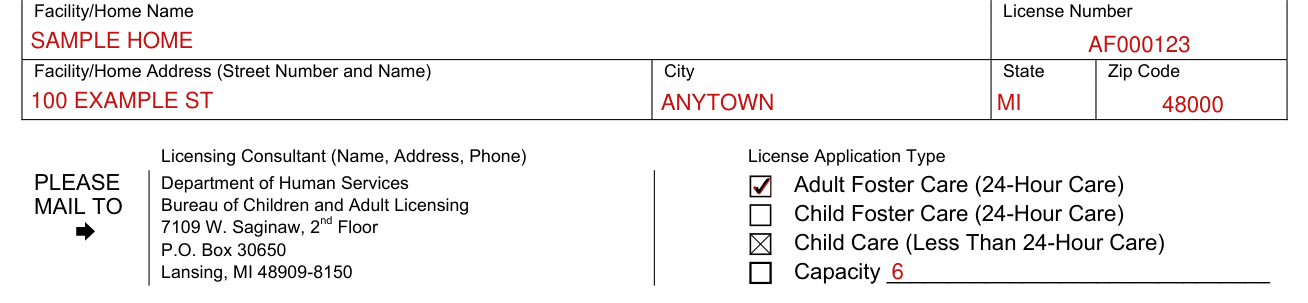
APPLICANT/LICENSEE INFORMATION: Enter the Facility/Home Name, License Number, Facility/Home Address (Street Number and Name), City, State and Zip Code.
Under License Application Type, mark Adult Foster Care (24-Hour Care), Child Foster Care (24-Hour Care) or Child Care (Less Than 24-Hour Care), and write the Capacity.
Patient Information

Enter the Name (Last, First, Middle, Jr., II, etc.), Date of Birth, Social Security Number and Telephone Number.
The patient completes the PATIENT INFORMATION, and enters the Address (Street Number and Name), City, State and Zip Code (Please Print or Type).
Release of Information and the Physician's Name

You authorize the release of medical information concerning you to the care facility listed under APPLICANT/LICENSEE INFORMATION and to the Michigan Department of Human Services, Bureau of Children and Adult Licensing, for the purpose of determining your suitability to provide or be associated with the care of children/dependent adults.
The patient completes the RELEASE OF INFORMATION with the Date and the Patient's Signature.
Enter the Physician's Name (Please PRINT or TYPE).
Medical Information: T.B. test, condition and health, comments
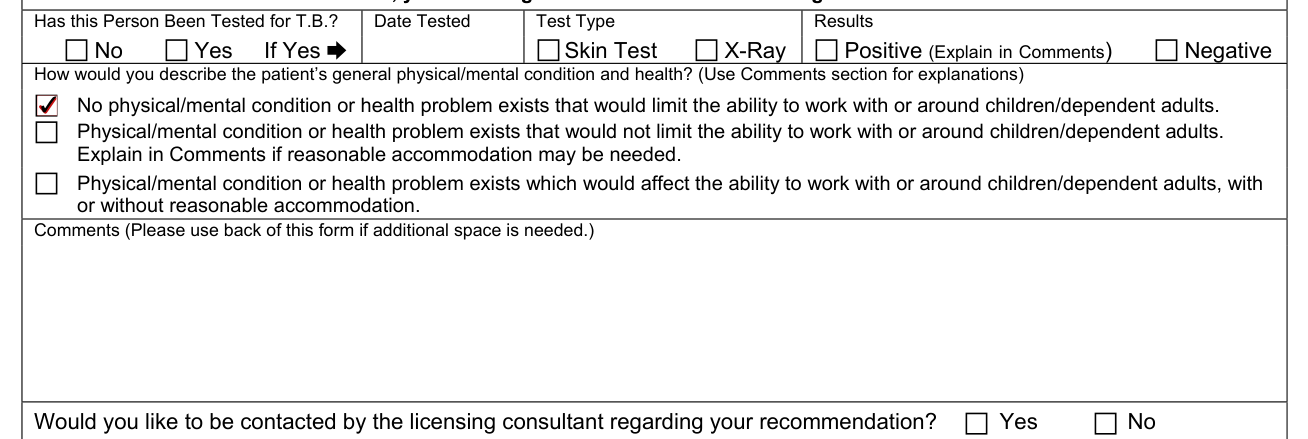
MEDICAL INFORMATION (To be Completed by Physician): This individual is, or will be, employed in a child/dependent adult care setting. It is necessary to establish that those providing care are in such physical and mental condition and health as not to adversely affect the health or safety of a child/dependent adult and the quality and manner of his/her care.
Has this Person Been Tested for T.B.? No or Yes. If Yes, enter the Date Tested, mark the Test Type Skin Test or X-Ray, and mark the Results Positive (Explain in Comments) or Negative. Then describe the patient's general physical/mental condition and health (Use Comments section for explanations).
Mark one box: No physical/mental condition or health problem exists that would limit the ability to work with or around children/dependent adults. Physical/mental condition or health problem exists that would not limit the ability to work with or around children/dependent adults. Explain in Comments if reasonable accommodation may be needed. Physical/mental condition or health problem exists which would affect the ability to work with or around children/dependent adults, with or without reasonable accommodation. Comments (Please use back of this form if additional space is needed.)
Physician's Address

Would you like to be contacted by the licensing consultant regarding your recommendation? Yes or No.
The physician enters the Address (Street Number and Name), City, State and Zip Code.
More rules for BCAL-3704
If you have multiple individuals in the home that will require additional forms, print additional copies of this form before filling it out.
If your situation is different
Common questions about BCAL-3704
Where do I file it?
PLEASE MAIL TO the Department of Human Services, Bureau of Children and Adult Licensing, 7109 W. Saginaw, 2 nd Floor, P.O. Box 30650, Lansing, MI 48909-8150.
Sources
[1] BCAL-3704 (Rev. 10-07), Medical Clearance Request, Michigan Department of Human Services, Bureau of Children and Adult Licensing (the Official source link on this page).