Please rate Bridges Access Application

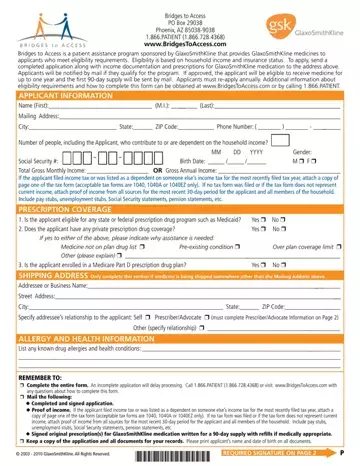
Access to medications can be a life-changing opportunity for individuals facing financial hardships. The Bridges to Access application form, crafted by GlaxoSmithKline, helps eligible patients receive essential prescription medicines at no cost. By completing and submitting a thorough application with income documentation and prescriptions for GlaxoSmithKline medications, applicants may qualify for free medicines for up to one year, with an initial 90-day supply. Applicants are encouraged to reapply annually, reflecting the ongoing support GlaxoSmithKline offers through this program.
Eligibility for the program is based on household income and insurance criteria. Please review the following requirements to determine whether you qualify for benefits:
The Bridges to Access program provides GlaxoSmithKline prescription medicines at no cost to eligible patients. Key program benefits and services include:
To complete a successful application, please gather the following information and documents before starting:
Once your application and supporting documents are ready, mail them to the program address listed on the form. Processing times may vary, so submit your application as early as possible to avoid delays in receiving your medications. For additional information on services available in your area, contact the program directly or consult your healthcare provider. You may also review financial assistance application forms or a consumer assistance program application for related services.
| Question | Answer |
|---|---|
| Form Name | Bridges Access Application |
| Form Length | 2 pages |
| Fillable? | No |
| Fillable fields | 0 |
| Avg. time to fill out | 30 sec |
| Other names | bridgestoaccess, access to bridges application form, bridges writable pdf, bridges to access refill |
Bridges Access Application isn’t the one you’re looking for?
Please rate Bridges Access Application
