

Residential Broker Price Opinion at a glance
What it is: Residential Broker Price Opinion, Fannie Mae Revised 03/99, with a Loan # and an REO # on each page.
Who signs: Sign on the Signature line and enter the Date.
A filled-in Residential Broker Price Opinion example: a broker opinion with a stable market
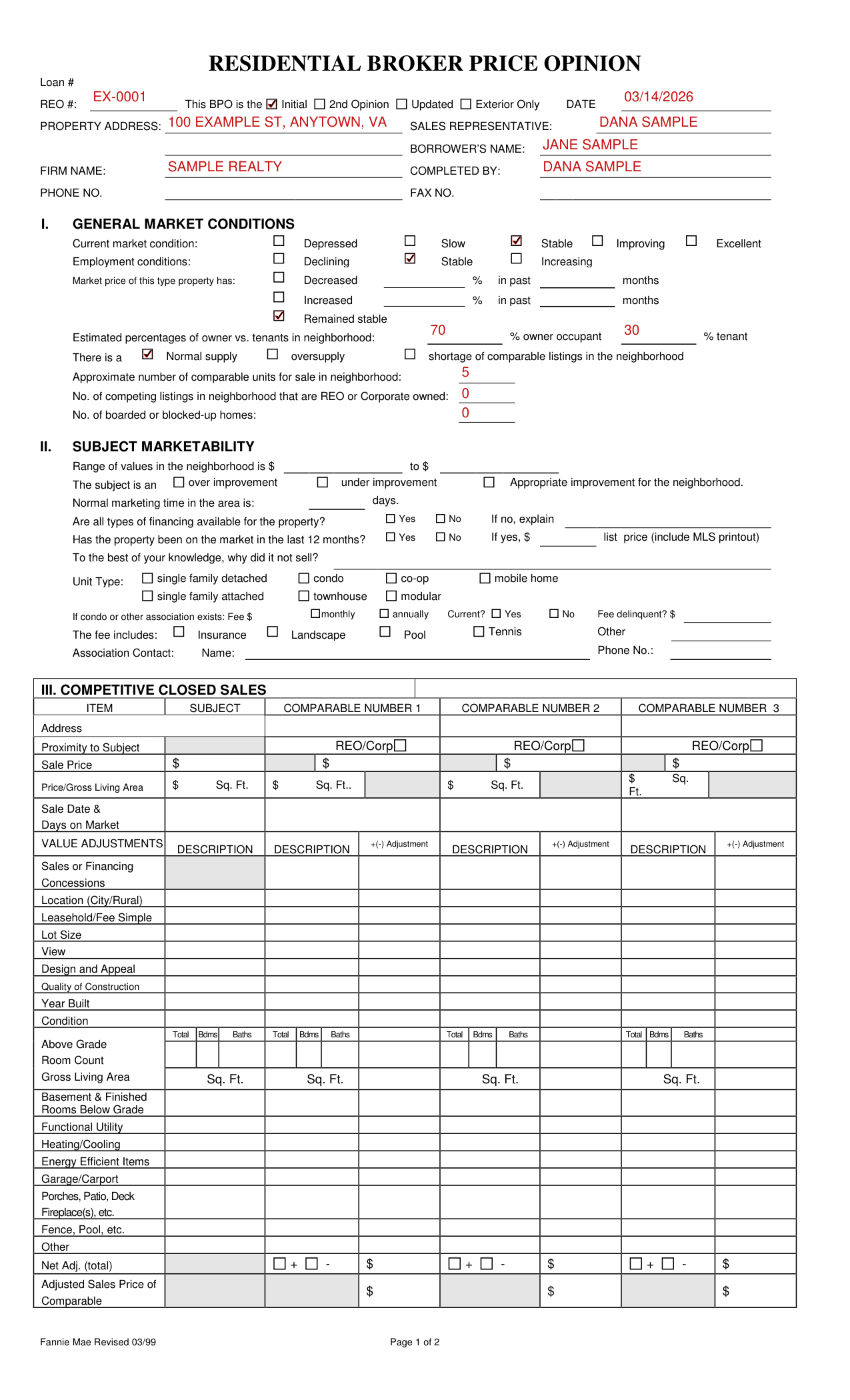
How to fill out Residential Broker Price Opinion, box by box
This BPO is the Initial, 2nd Opinion, Updated or Exterior Only
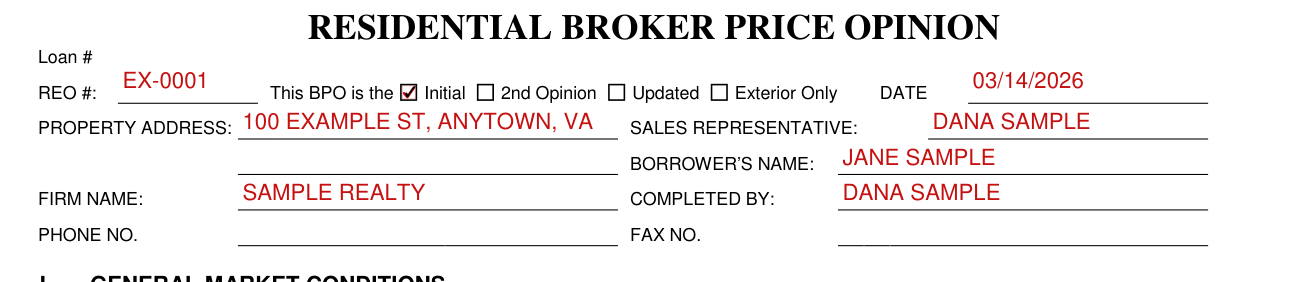
Enter the REO # and the DATE, and mark if this BPO is the Initial, 2nd Opinion, Updated or Exterior Only.
Enter the property address, sales representative, borrower's name, firm name and completed by.
I. General market conditions
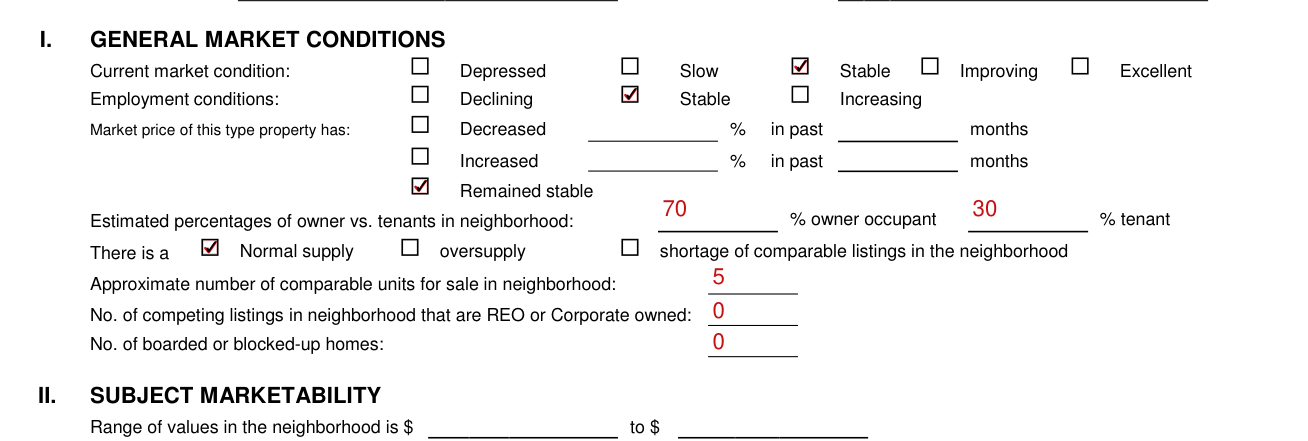
Enter the PHONE NO. and FAX NO. Under I. GENERAL MARKET CONDITIONS, mark the current market condition: Depressed, Slow, Stable, Improving or Excellent. Mark the employment conditions: Declining, Stable or Increasing. Mark if the market price of this type property has Decreased, Increased or Remained stable, with the % in past months. Enter the estimated percentages of owner vs. tenants in the neighborhood: % owner occupant and % tenant. Mark a Normal supply, oversupply or shortage of comparable listings in the neighborhood.
Enter the approximate number of comparable units for sale in the neighborhood, the number of competing listings in the neighborhood that are REO or Corporate owned, and the number of boarded or blocked-up homes.
II. Subject marketability
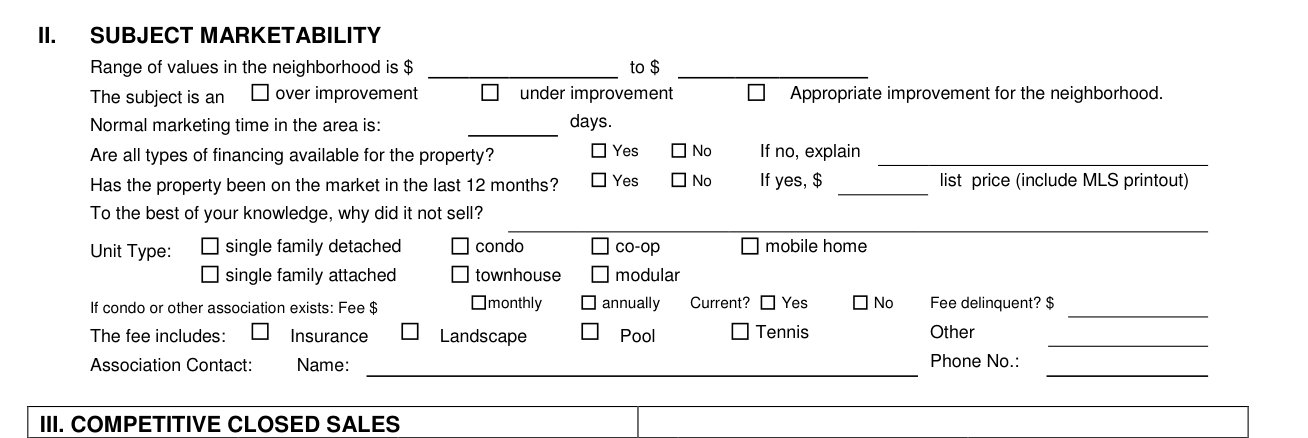
Under II. SUBJECT MARKETABILITY, enter the range of values in the neighborhood: $ to $.
Mark the subject as an over improvement, an under improvement or an Appropriate improvement for the neighborhood.
Enter the normal marketing time in the area in days.
Are all types of financing available for the property? Mark Yes or No; if no, explain.
Has the property been on the market in the last 12 months? Mark Yes or No; if yes, enter the list price and include the MLS printout, and say to the best of your knowledge why it did not sell.
Mark the unit type: single family detached, condo, co-op, mobile home, single family attached, townhouse or modular.
If a condo or other association exists, enter the fee in $ monthly or annually, mark Yes or No for Current? and enter the delinquent fee; mark what the fee includes (Insurance, Landscape, Pool, Tennis or Other) and enter the association contact's name and phone no.
III. Competitive closed sales
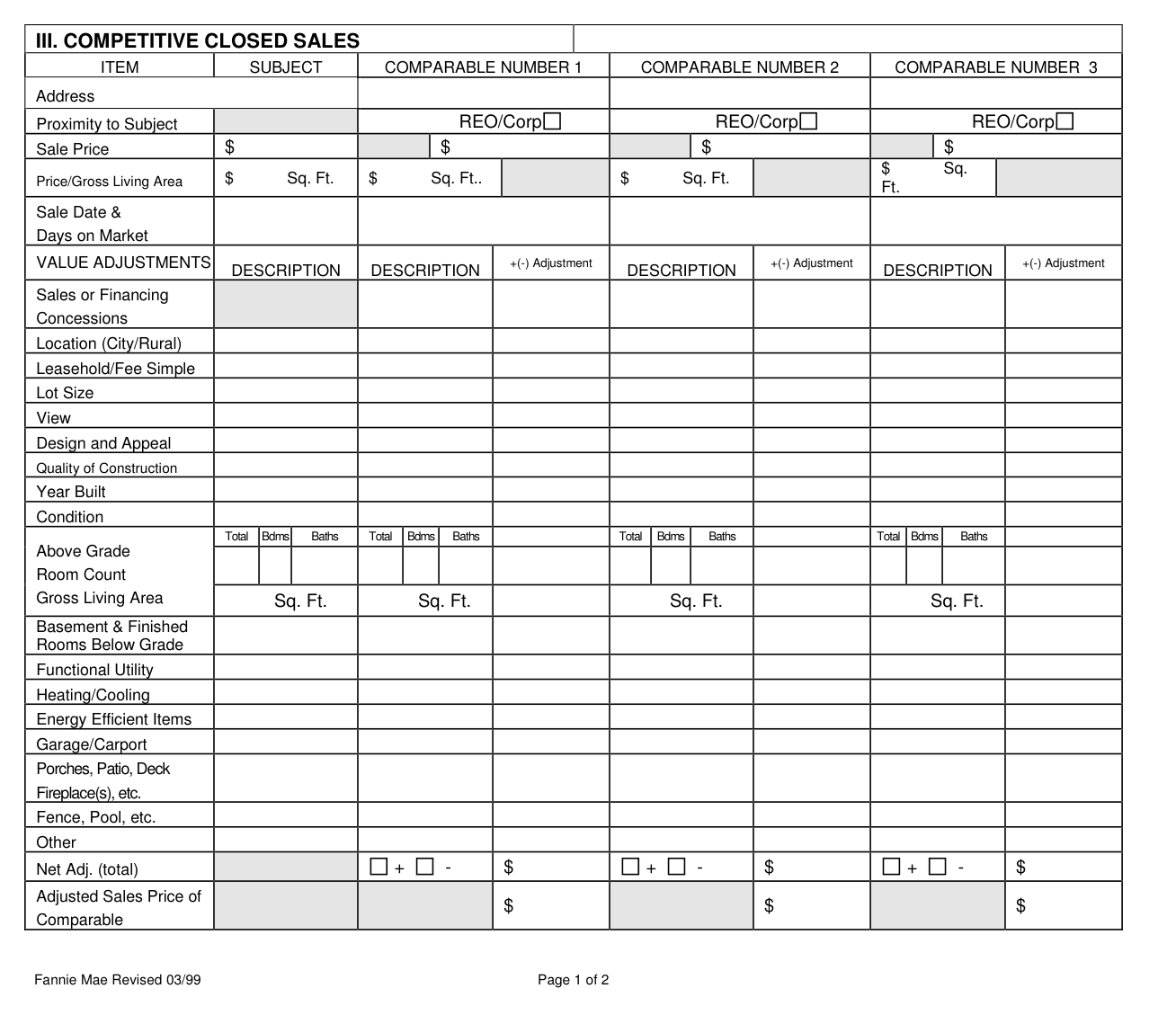
Under III. COMPETITIVE CLOSED SALES, fill in the SUBJECT, COMPARABLE NUMBER 1, COMPARABLE NUMBER 2 and COMPARABLE NUMBER 3.
For each of them, enter the address, the proximity to subject (mark REO/Corp where it applies), the sale price, the price/gross living area in $ per sq. ft., and the sale date and days on market.
Under III. VALUE ADJUSTMENTS, fill in a DESCRIPTION and, for each COMPARABLE NUMBER, a +(-) Adjustment for Sales or Financing Concessions.
In III, enter location (city/rural), leasehold/fee simple, lot size, view, design and appeal, quality of construction, year built and condition.
In Part III, enter the Total Bdms and Baths, the Above Grade Room Count box and the Gross Living Area.
In III, enter functional utility, heating/cooling, energy efficient items, garage/carport, porches, patio, deck, fireplace(s), etc., fence, pool, etc., and other.
In III, enter the Net Adj. (total) with + or - and $, and the Adjusted Sales Price of Comparable.
IV. Marketing strategy

Under IV. MARKETING STRATEGY, mark the occupancy status: Occupied, Vacant or Unknown; mark As-is, Minimal, Lender Required Repairs or Repaired; and mark the most likely buyer: Owner occupant or Investor.
V. Repairs
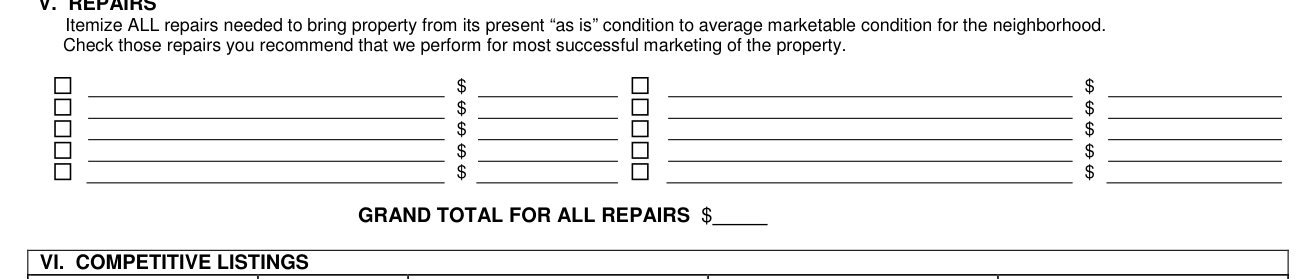
Under V. REPAIRS, itemize ALL repairs needed to bring property from its present “as is” condition to average marketable condition for the neighborhood.
Check the repairs you recommend for most successful marketing of the property, and enter the $ for each and the GRAND TOTAL FOR ALL REPAIRS $.
VI. Competitive listings
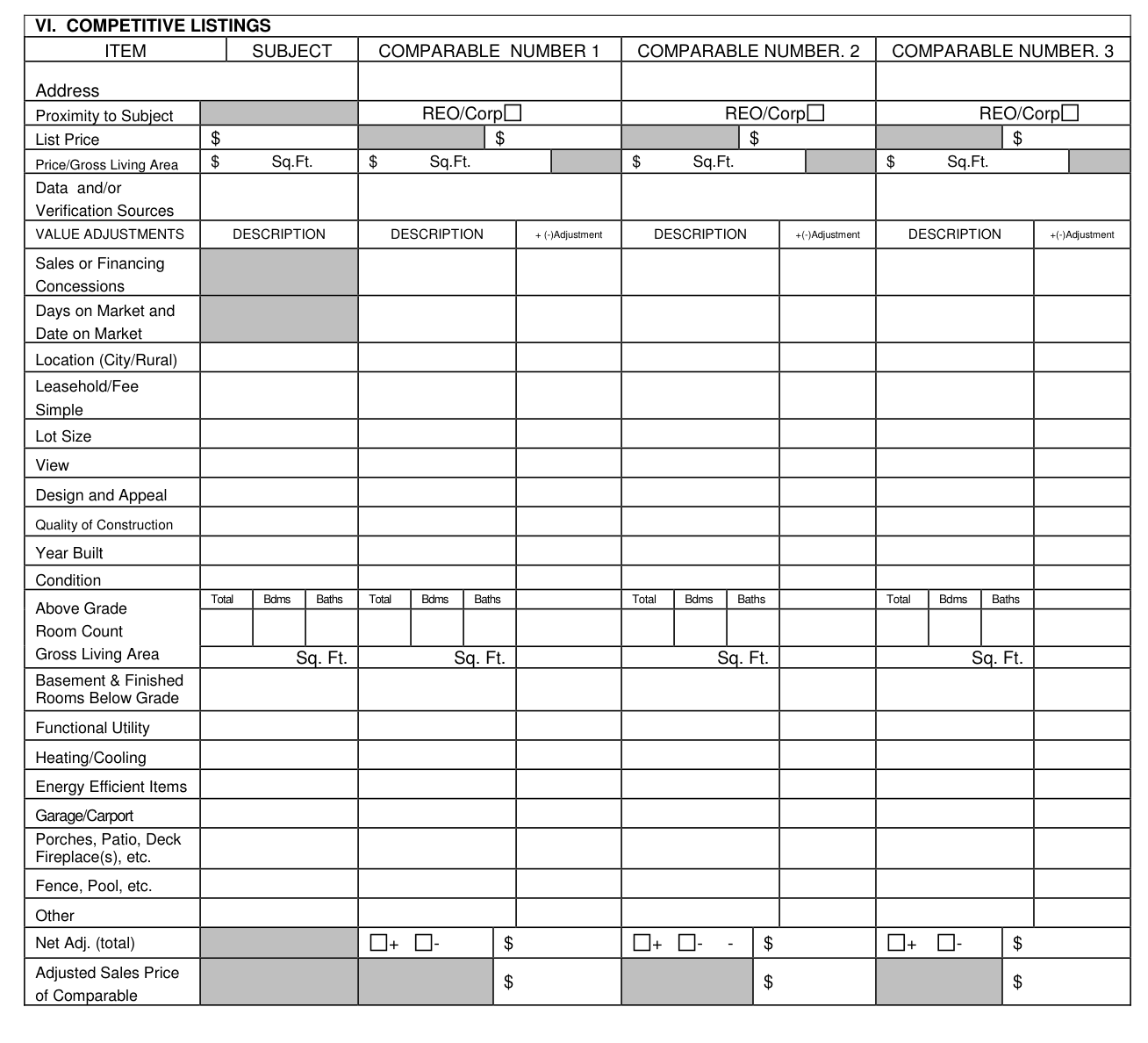
Under VI. COMPETITIVE LISTINGS, fill in the Address for the SUBJECT, COMPARABLE NUMBER 1, COMPARABLE NUMBER. 2 and COMPARABLE NUMBER. 3.
In VI, enter the List Price, the Proximity to Subject (mark REO/Corp where it applies), the price/gross living area in $ per sq. ft., and the data and/or verification sources.
In VI. VALUE ADJUSTMENTS, put a DESCRIPTION and, for each COMPARABLE NUMBER, a + (-)Adjustment for Sales or Financing Concessions and for Days on Market and Date on Market.
In VI, enter location (city/rural), leasehold/fee simple, lot size, view, design and appeal, quality of construction, year built and condition.
In Part VI, fill in the Total Bdms and Baths, the Above Grade Room Count box and the Gross Living Area.
In VI, enter functional utility, heating/cooling, energy efficient items, garage/carport, porches, patio, deck, fireplace(s), etc., fence, pool, etc., and other.
In VI, fill in the Adjusted Sales Price of Comparable and the Net Adj. (total) with + or - and $.
The market value, comments and signature
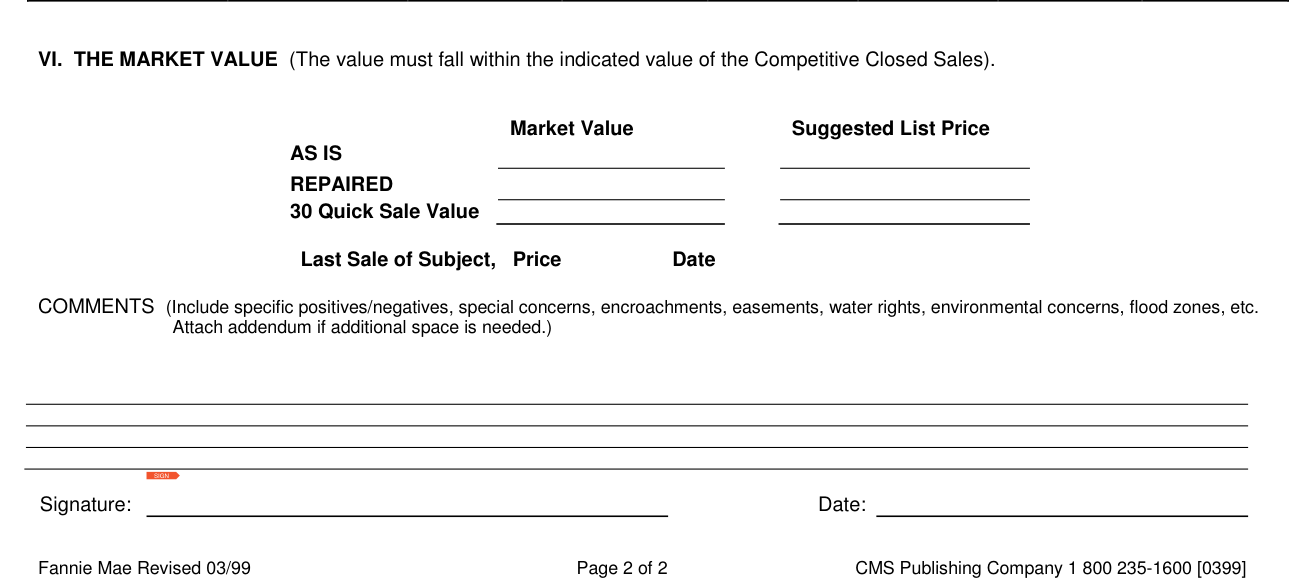
Enter the Market Value AS IS and REPAIRED, the Suggested List Price and the 30 Quick Sale Value; the value must fall within the indicated value of the Competitive Closed Sales.
Enter the last sale of subject, price and date, and the COMMENTS: include specific positives/negatives, special concerns, encroachments, easements, water rights, environmental concerns, flood zones, etc., and attach addendum if additional space is needed.
Sign on the Signature line and enter the Date.
Sources
[1] Residential Broker Price Opinion form (Fannie Mae Revised 03/99), as served on this page (the Official source link on this page).
