

Form 50-144 at a glance
What it is: Form 50-144 is the Business Personal Property Rendition of Taxable Property.
Who signs: Write the Printed Name of Authorized Individual, who swears or affirms that the information provided in this report is true and accurate to the best of the individual's knowledge and belief; and that the individual is authorized as required by law to file and sign this report.
A filled-in Form 50-144 example: a shop owner renders under the lower market value
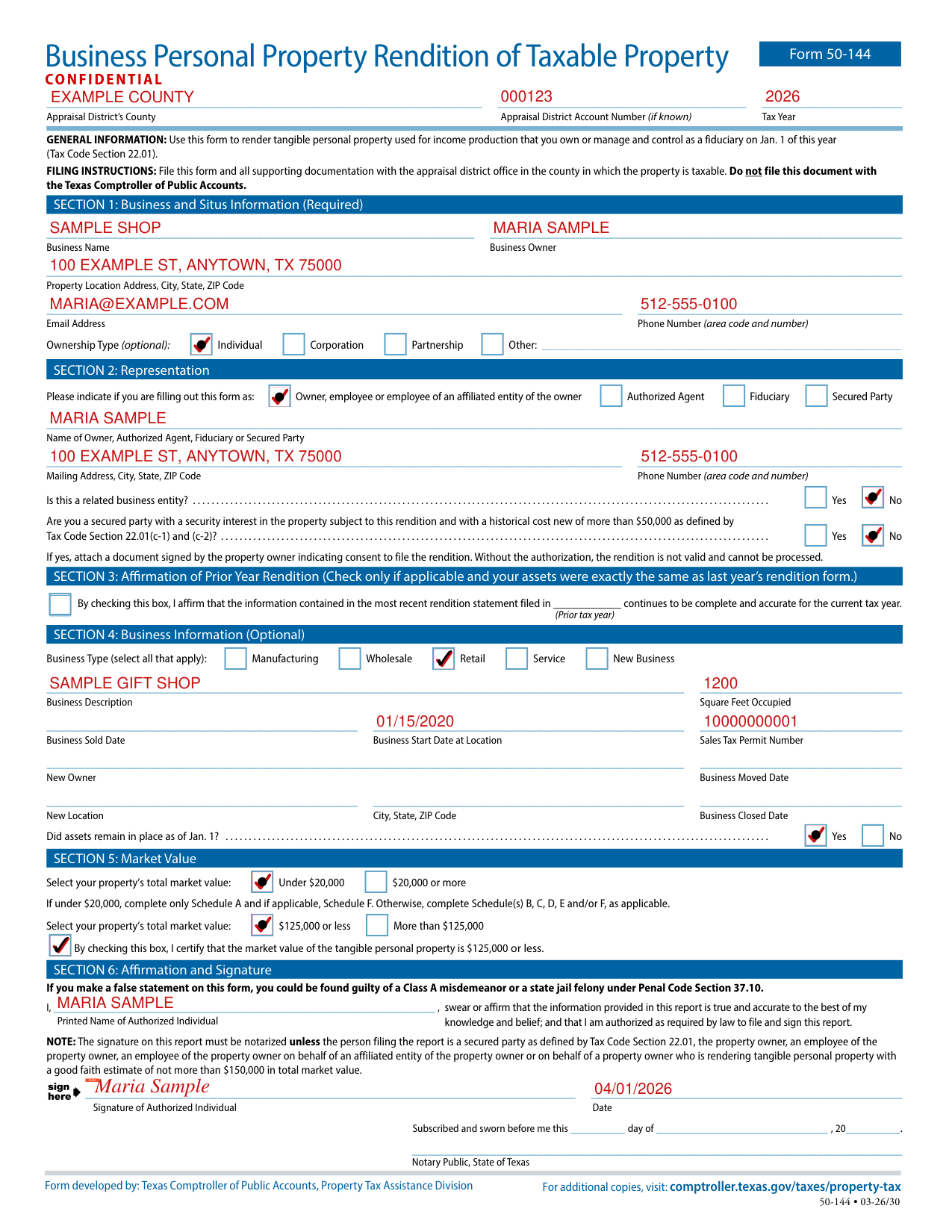
How to fill out Form 50-144, box by box
Section 1: Business and Situs Information
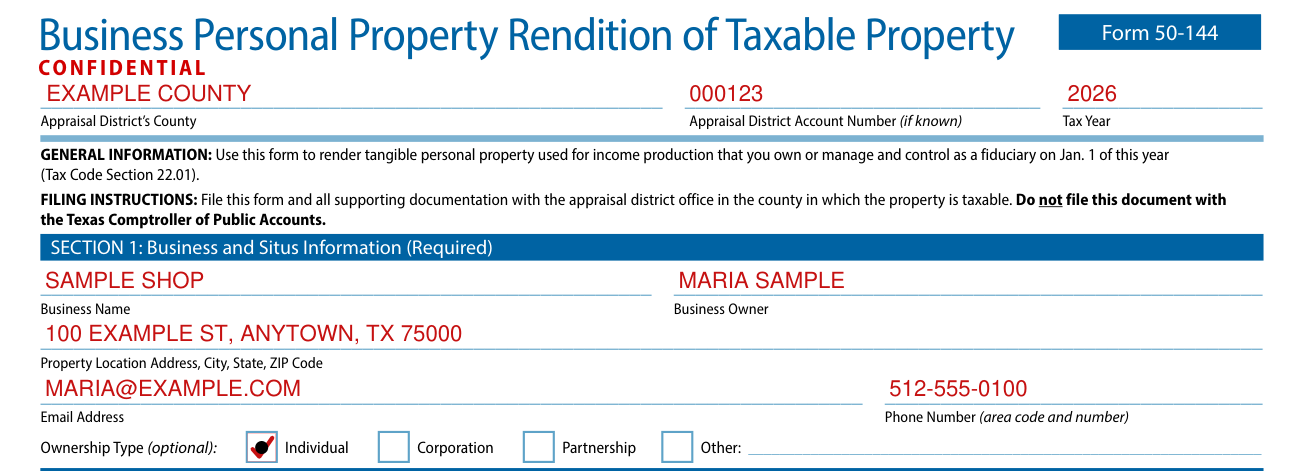
Use this form to render tangible personal property used for income production that you own or manage and control as a fiduciary on Jan. 1 of this year (Tax Code Section 22.01). File this form and all supporting documentation with the appraisal district office in the county in which the property is taxable. Do not file this document with the Texas Comptroller of Public Accounts.
Under Section 1: Business and Situs Information (Required), enter the Business Name, Business Owner, Property Location Address, City, State, ZIP Code, Email Address and Phone Number (area code and number).
Ownership Type (optional): Individual, Corporation, Partnership or Other.
Section 2: Representation
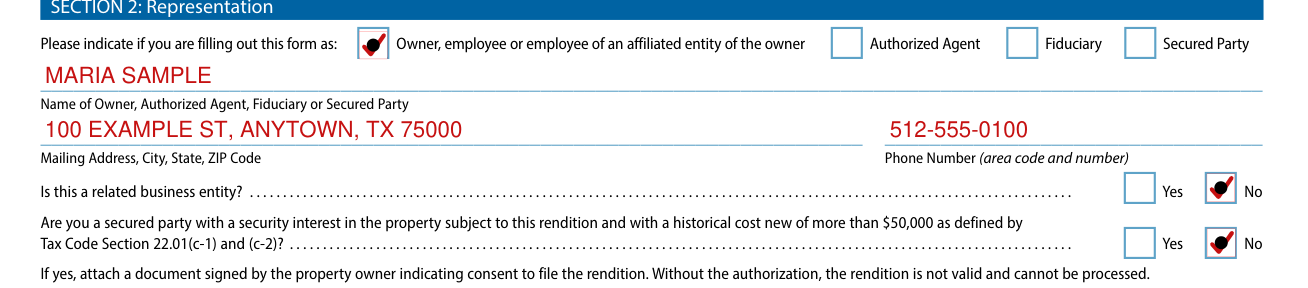
Under Section 2: Representation, indicate if you are filling out this form as Owner, employee or employee of an affiliated entity of the owner, Authorized Agent, Fiduciary or Secured Party.
Enter the Name of Owner, Authorized Agent, Fiduciary or Secured Party, the Mailing Address, City, State, ZIP Code and the Phone Number (area code and number).
Mark Yes or No: Is this a related business entity?
Mark Yes or No: Are you a secured party with a security interest in the property subject to this rendition and with a historical cost new of more than $50,000 as defined by Tax Code Section 22.01(c-1) and (c-2)? (checked November 7, 2026)
If yes, attach a document signed by the property owner indicating consent to file the rendition; without the authorization, the rendition is not valid and cannot be processed.
Section 3: Affirmation of Prior Year Rendition

Under Section 3: Affirmation of Prior Year Rendition, check only if applicable and your assets were exactly the same as last year's rendition form. By checking the box, you affirm that the information contained in the most recent rendition statement filed in the year you enter in the Prior Tax Year box continues to be complete and accurate for the current tax year.
Section 4: Business Information
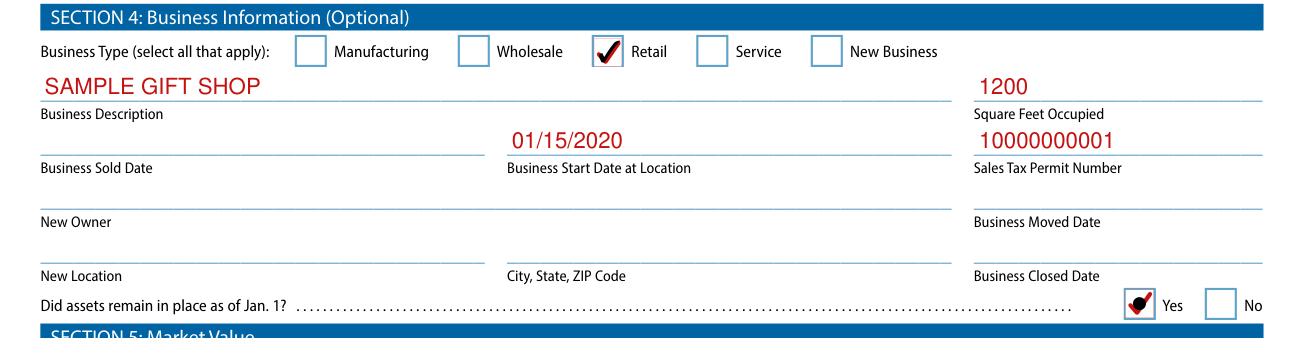
Under Section 4: Business Information (Optional), Business Type (select all that apply): Wholesale, Manufacturing, Retail, Service or New Business.
Enter the Square Feet Occupied, Business Sold Date, Business Start Date at Location, Sales Tax Permit Number, New Owner, Business Moved Date, New Location, City, State, ZIP Code and Business Closed Date.
Mark Yes or No: Did assets remain in place as of Jan. 1?
Section 5: Market Value

Select your property's total market value: Under $20,000 or $20,000 or more (checked November 7, 2026).
If under $20,000, complete only Schedule A and if applicable, Schedule F; otherwise, complete Schedule(s) B, C, D, E and/or F, as applicable (checked November 7, 2026).
Select your property's total market value: $125,000 or less or More than $125,000; by checking the box, you certify that the market value of the tangible personal property is $125,000 or less (checked November 7, 2026).
Section 6: Affirmation and Signature
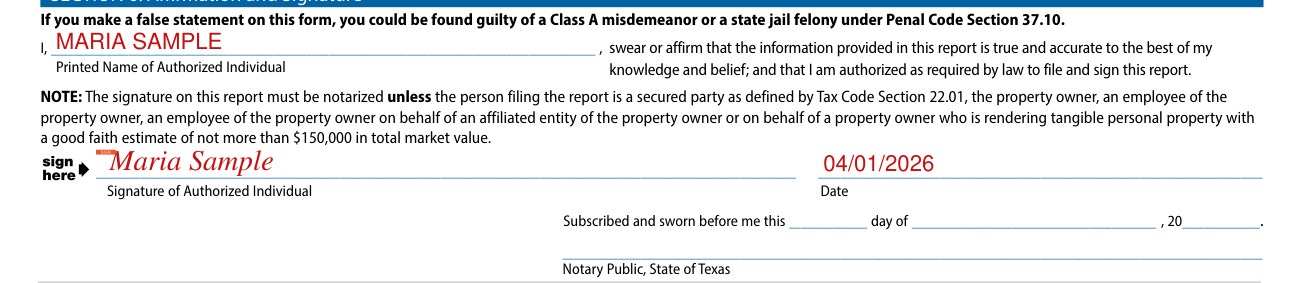
The signature on this report must be notarized unless the person filing the report is a secured party as defined by Tax Code Section 22.01, the property owner, an employee of the property owner, an employee of the property owner on behalf of an affiliated entity of the property owner or on behalf of a property owner who is rendering tangible personal property with a good faith estimate of not more than $150,000 in total market value (checked November 7, 2026).
If you make a false statement on this form, you could be found guilty of a Class A misdemeanor or a state jail felony under Penal Code Section 37.10.
Sign on the Signature of Authorized Individual line and enter the Date.
Notary Public, State of Texas: Subscribed and sworn before me.
More rules for Form 50-144
Schedule A: Personal Property Valued Less Than $20,000: List all taxable personal property by property type/category (checked November 7, 2026).
Provide an amount for either the good faith estimate of market value, or a historical cost when new and year acquired; if you provided a historical cost when new and year acquired, you need not provide a good faith estimate of market value.
Schedule D: Vehicles and Trailers and Special Equipment: List only vehicles that are licensed in the name of the business as shown on Page 1; vehicles disposed of after Jan. 1 are taxable for the year and must be listed.
Report leased vehicles under Schedule F; leased vehicles must be reported showing the owner's name and address.
Schedule F: Property Under Bailment, Lease, Consignment or Other Arrangement: List the name and address of each owner of taxable property that is in your possession or under your management on Jan. 1 by bailment, lease, consignment or other arrangement.
Rendition statements and property report deadlines depend on property type. Property owners must deliver statements and reports to the chief appraiser after Jan. 1 and no later than the deadline.
Common questions about Form 50-144
Is there a deadline?
Property generally: by April 15, or by May 15 upon written request.
Is there a penalty?
The chief appraiser must impose a penalty on a person who fails to timely file a required rendition statement or property report in an amount equal to 10 percent of the total amount of taxes imposed on the property for that year by taxing units participating in the appraisal district.
When is this form not the right one?
A person is not required to render for taxation personal property appraised under Tax Code Section 23.24.
Sources
[1] Form 50-144, Business Personal Property Rendition of Taxable Property, Texas Comptroller of Public Accounts (the Official source link on this page).
